How to Run a Team of AI Agents, Not Just One
A manager agent, four specialists, and one shared room your human team can actually enter. With every prompt I used.
From the videoThis New AI Doesn't Run One Agent. It Runs A Whole Company (This Changes Everything)
To run a team of AI agents instead of one, you need three things a single-agent setup cannot give you: a manager agent that delegates, specialist agents that run at the same time rather than one after another, and a shared room your human teammates can actually walk into. Below is the exact setup I built for my nine-person agency, with every prompt I used.
Hyperagent sponsored the video this article is based on. The setup, the prompts, the numbers and the opinions are mine.
Why one AI agent hits a wall
You have probably felt this if you have ever handed one agent hundreds of different jobs. You ask it for research, writing and design, and what comes back is mid.
It is the same reason you would not hire one person to be your researcher, your writer and your designer. They would be stretched too thin to be good at any of it.
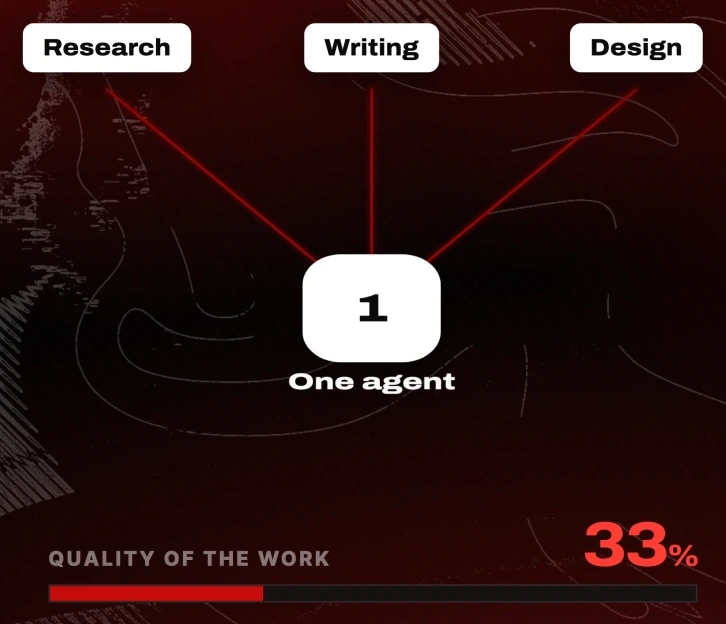
That is the small wall, and there are ways around it. Give the agent better context. Split the work into separate chats. Use subagents.
There is a bigger wall underneath it, and almost nobody talks about it.
Every AI agent harness is single-player by design
I do not just play with agents. I run a business with a team of nine people.
Every agent harness I have used, Hermes and OpenClaw included, is a great single-player agent. That is not a bug. It is what those tools were built to be: one seat, by design.
The moment you try to run one like an actual team, it falls apart in four specific ways. Your people cannot get in. They cannot see what the agent did. They cannot jump into the same thread. They cannot work alongside it.
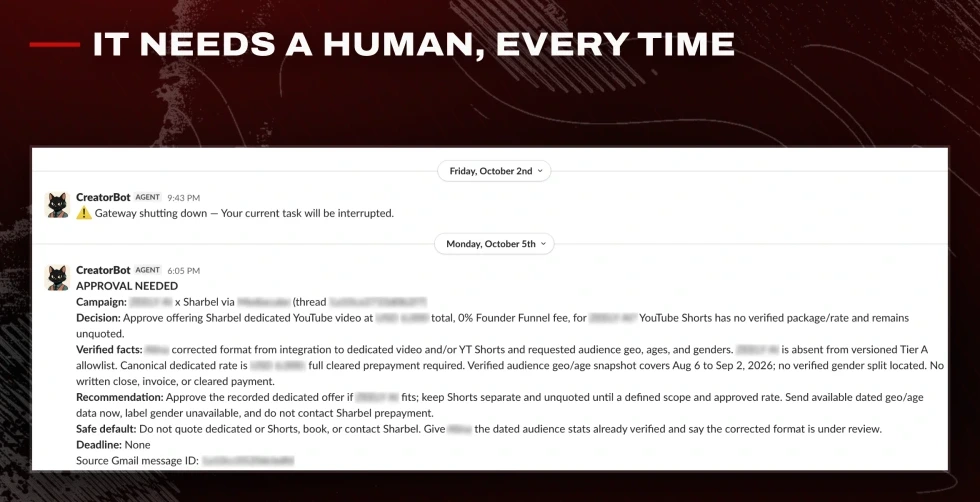
We tried putting a Hermes agent into a Slack team channel. Permissions there are a nightmare. I had a genuinely powerful agent and nine people, and no way to put them in the same room.
What a team of agents actually needs
Three structural things, and a single agent has none of them:
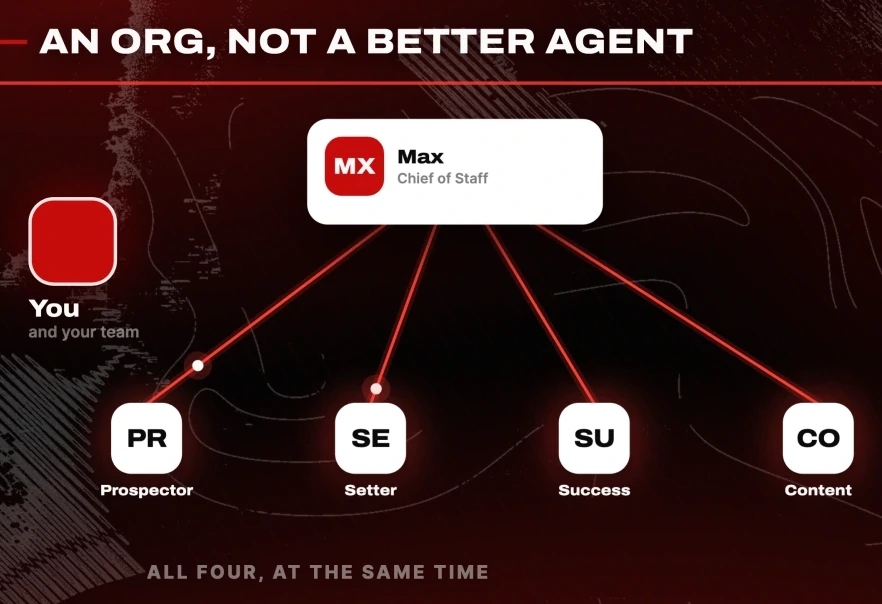
- A manager. One agent whose only job is to break a request into pieces, hand each piece to the specialist who owns it, follow up, and come back with one answer.
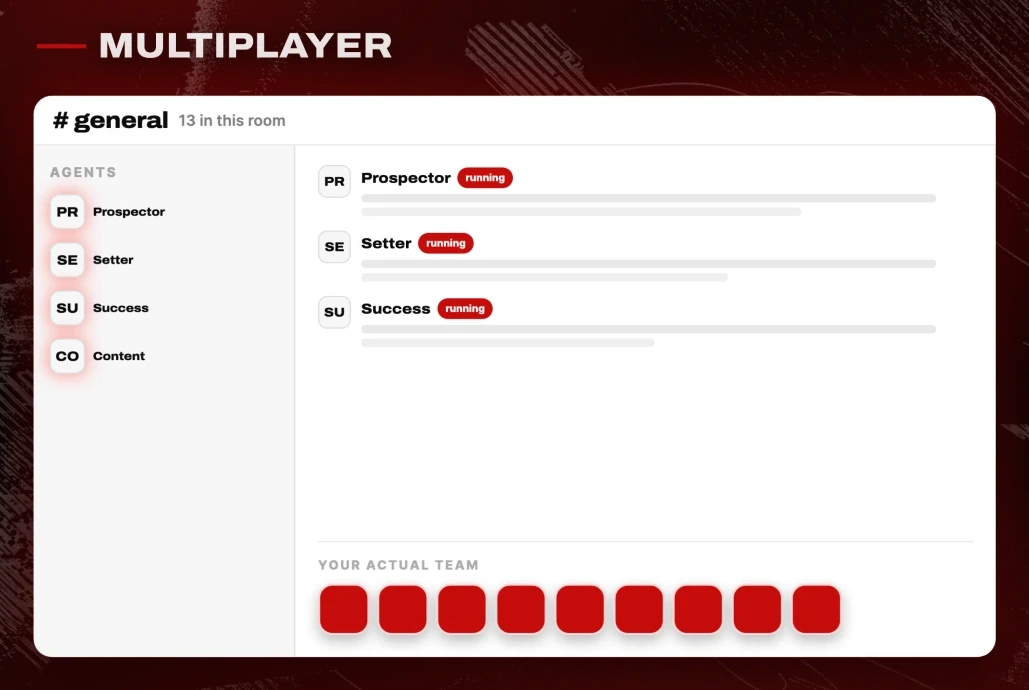
- Specialists that run in parallel. Not one agent switching hats. Four agents working at the same time.
- A shared room. One space where the agents and the humans are both present, in the same thread.
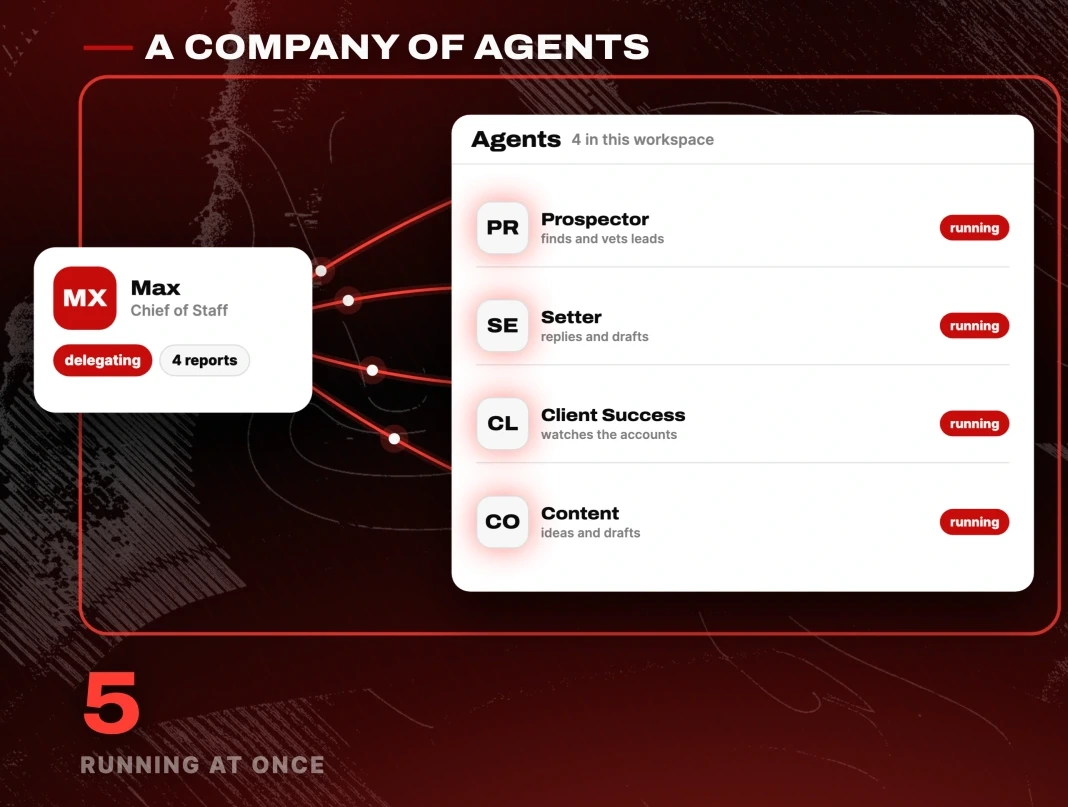
I built this in Hyperagent, which runs the whole thing in the cloud with nothing to install. You sign in and you are in. It also lets you sign in with a ChatGPT plan you already pay for, so supported OpenAI models bill against that instead of a second subscription.
Hiring the manager agent
Building an agent here is close to writing a job posting. Click New agent, and the first step is identity: describe what the job is, and it drafts the system prompt, a description and a name.
This is the prompt I gave it:
You are my chief of staff. You run my company's AI agent team and you report only to me.

Your job is to take what I ask for, break it into the right pieces, and hand each piece to the specialist who owns it. You don't do the work yourself. You delegate it, you follow up on it, and you bring me back one clear answer.

Always keep it short and concise. I hate long paragraphs.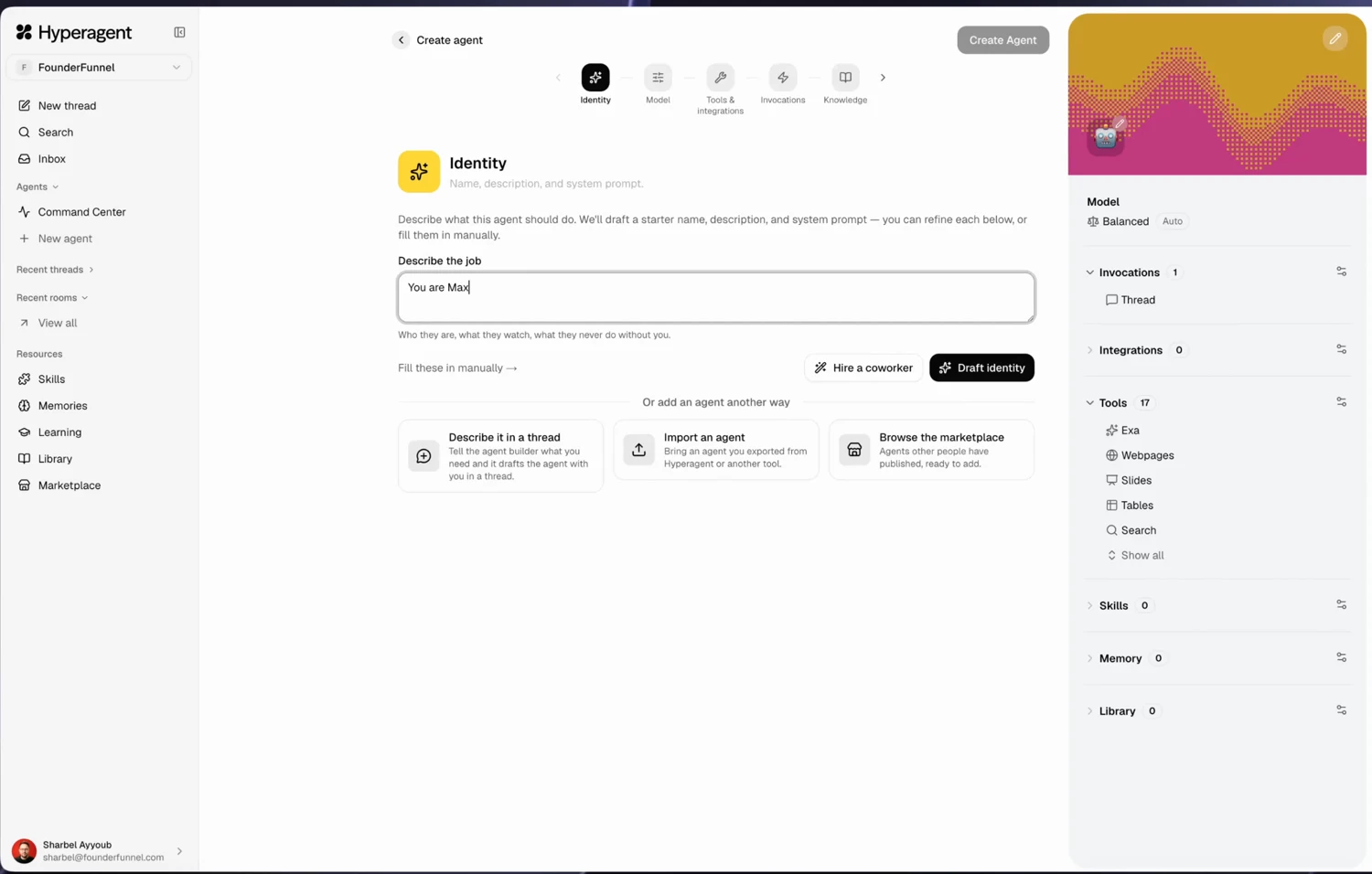
Click Draft identity and it writes its own system prompt from that. I named mine Max.
The next step is the model, and this is where people overspend. Bigger models make better calls and cost more, so match the model to the role. The manager makes routing decisions all day, so it earns a strong model. The grunt work does not.
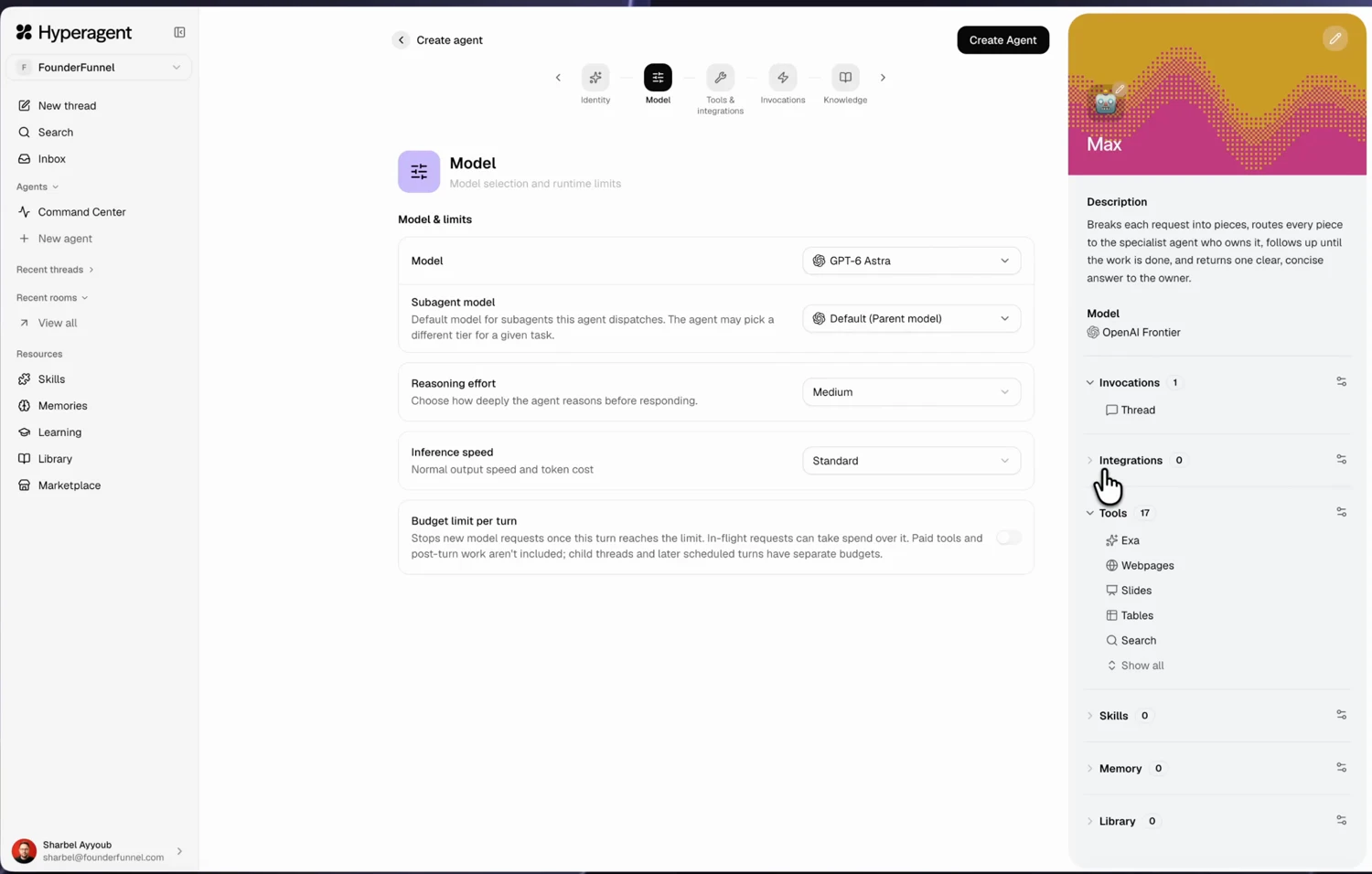
You can also set a hard budget cap per agent, per turn. Turn on Budget limit per turn and set the number. Do this before you let anything run on a schedule.
Two more settings worth knowing before you click create:
- Invocations is where you let an agent reach you somewhere else: Telegram, Slack, email.
- Who can reach your agent is the one people miss. Set it to anyone if your team is coming in later. If you leave it private, you will rebuild the room.
The startup prompt that hires the rest of the team
You can repeat that flow for every agent. Or you can tell the manager to do it, which is the point of having a manager.
This is the prompt I sent. It is the single most useful thing in this write-up, so adapt the roles and keep the shape:
Before you can run anything, you need a team. So let's hire them. Create these four agents.

1. A prospector who finds and vets new leads every day and hands the qualified ones to the setter. He needs web search and a browser.

2. A setter who lives in my inbox, replies to incoming leads and drafts outreach in my voice. I already have a template reply we can set for it. Never send anything without my approval. Needs email access.

3. A client success manager who keeps an eye on our active clients and their feedback, and flags anyone who's unhappy or gone quiet. He needs access to where our client conversations live.

4. A content creator who tracks my Instagram performance and brings me content ideas and full drafts to film. Needs access to my Instagram, its analytics, and to vidIQ.

The purpose of you and your team is to help me manage and scale my business.
Turn plan mode on for this first message. It shows you its steps before it touches anything.
It came back with three questions before doing any work, which is the behaviour you want:
Gmail.

Telegram plus Slack. I already have an API I can give you later to access this data.
Then it drafted an implementation plan that kept the approval gates in place, and asked permission before building. Approve it and it creates all four, saves what it learned to memory, and keeps saving as it goes.
Giving each agent its tools
Agents arrive without keys. You hand them out per agent, which is the right default.
Click each agent and set its capabilities. The setter gets Gmail. The content creator gets Instagram and vidIQ. The prospector gets web search and a browser. The client success manager gets wherever your client conversations actually live.
This took a few minutes for four agents. Keep it tight: an agent with an integration it never uses is a permission you have to think about later.
Putting the team in a shared room
This is the part no single-player harness has. Rooms work like a Slack channel. You create one, then add agents and human teammates to it.
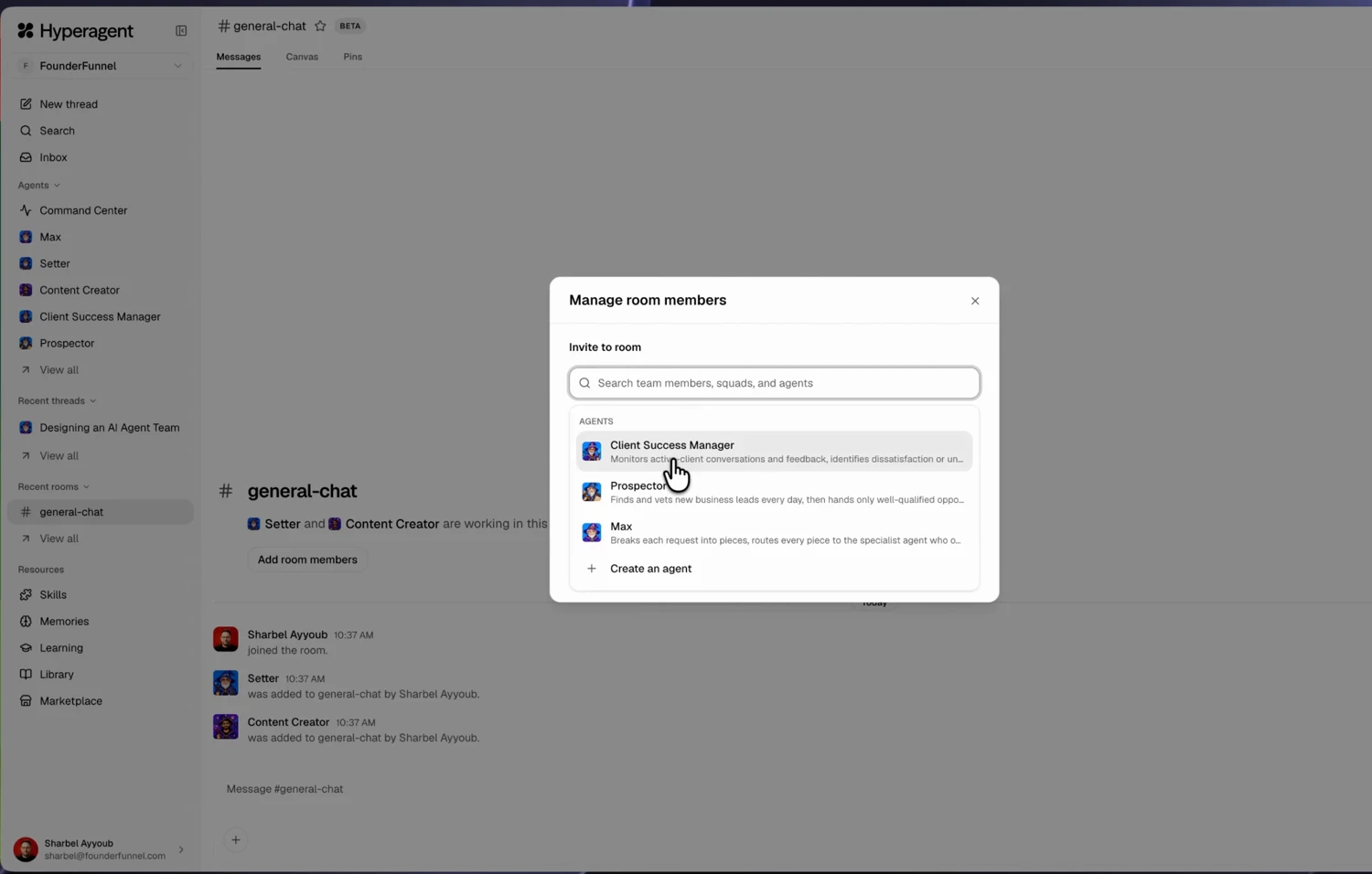
Add every specialist, and add the manager. Then introduce yourself to the room:
Hi Max. I've just set up this room. This is where we'll all be working together.Three things change the moment they are all in one place. The specialists run in parallel instead of one at a time. Your human teammates can jump into the same thread and talk to them. And nothing leaves the building without a person saying so, if you set it that way.
What happened when I gave them a real job
I sent one message asking Max to start the workflow. I got twelve replies back, and most of them were not addressed to me. That was the agents talking to each other.
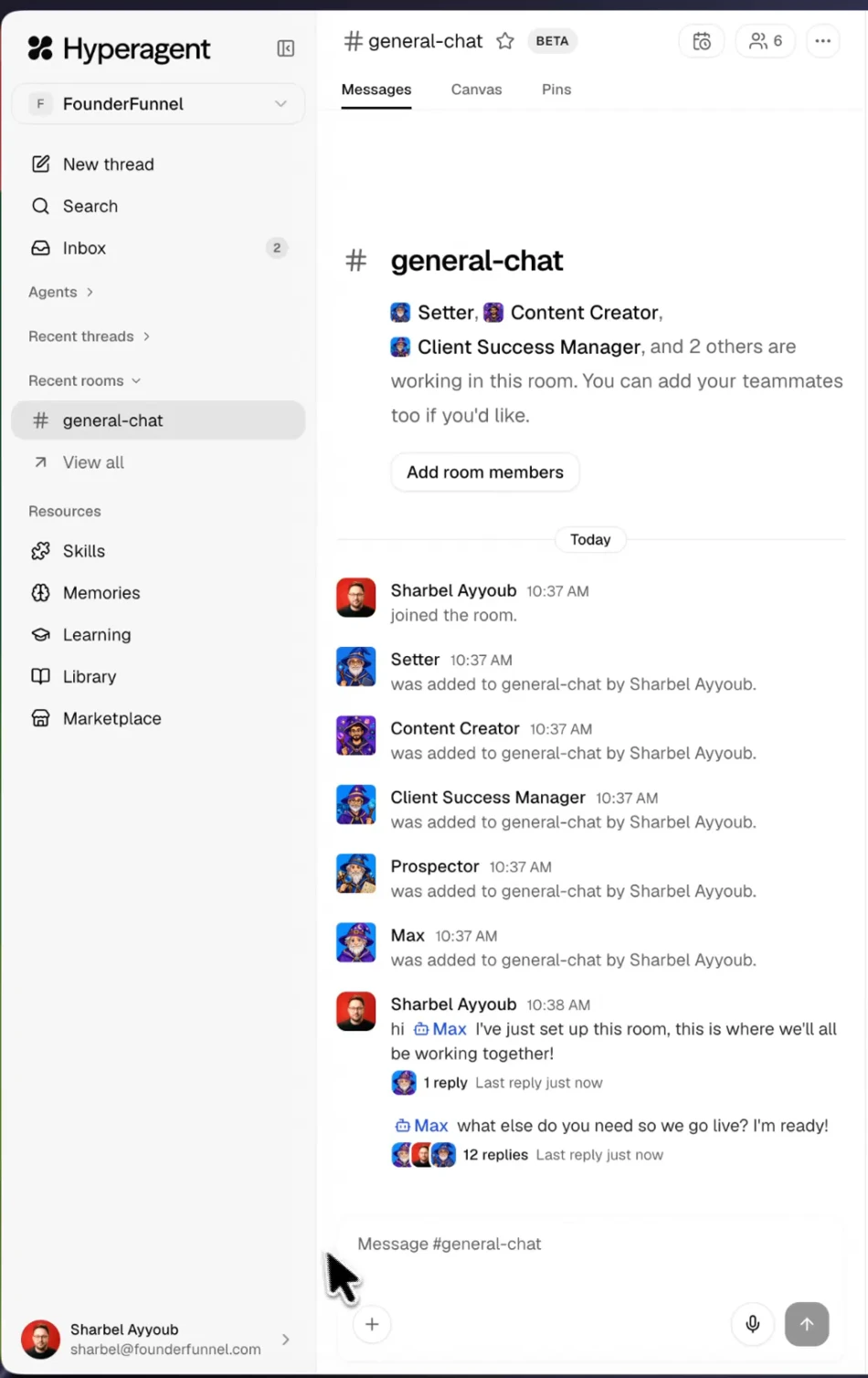
In one pass: the prospector found and vetted eight founders, pulling each lead from a different source, finding their LinkedIn, and getting the email from there. The setter reviewed fifteen inbound leads and drafted replies plus an outbound template. The content creator read my Instagram numbers and came back with three short-form ideas, each with a full script, the visuals, a CTA and captions. The client success manager scanned active clients and flagged one that had gone quiet.
Then Max packaged all of it into one summary and tagged me only where it needed a decision.
Two rules did most of the work here. This one routes leads and stops the setter wasting turns:
Every time the prospector finds a lead, they should have an email. If they don't have an email, then we can't send anything. If they have an email, then it goes back to the setter, which will send our outbound template.And this one turns the client success manager into a daily report instead of something you have to ask:
Let's set it up so that the client success manager sends us a ping around anything that's urgent every single day. Everything stays read only. No client messages get sent.Keep human approval on the first drafts. You can let it run automatically later, once you have read enough of its output to trust the pattern.
Hyperagent vs Hermes, OpenClaw, Grok Bot, Dots and Muse
The useful question is not who can run the most agents. Most of them can run a few. The question is who they are built for.
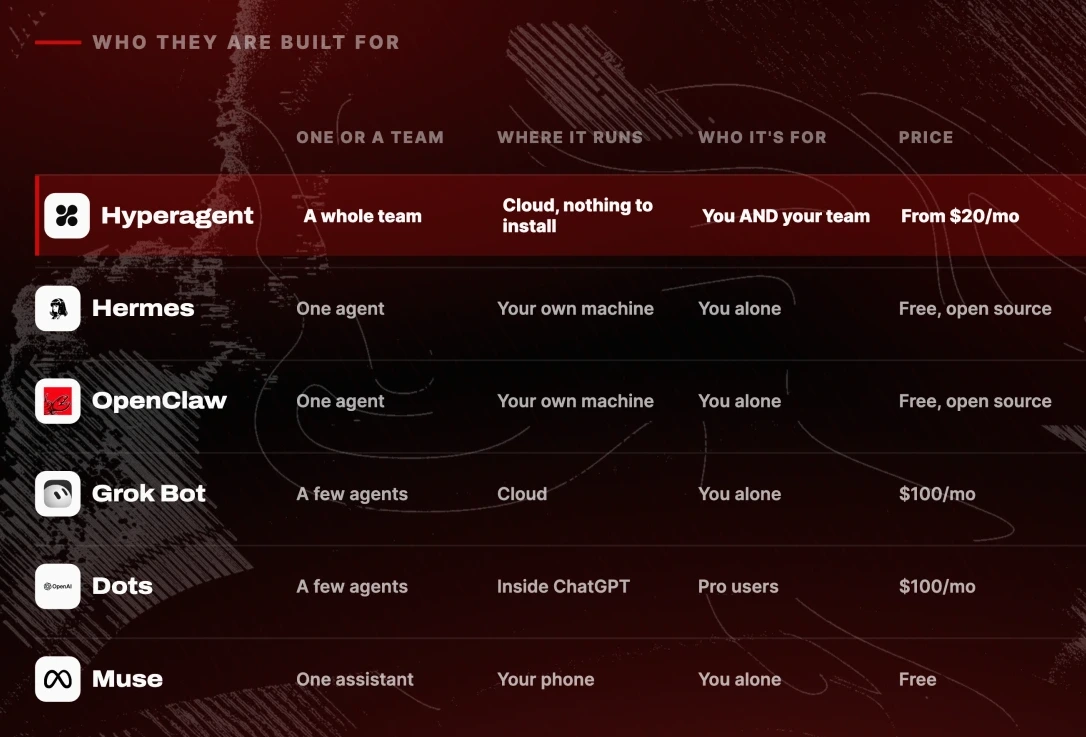
Hermes and OpenClaw are open source, run on your own machine, and you own them completely. I am a genuine Hermes fan. They are built around a single always-on agent doing your jobs one after another.
Grok Bot is multi-agent, but it starts at $100 a month and it is hard to get a team inside. OpenAI's Dots is the same idea and lives inside ChatGPT, gated to Pro users, so also $100 a month. Meta's Muse is a free single assistant for everyday things: booking, shopping, email.
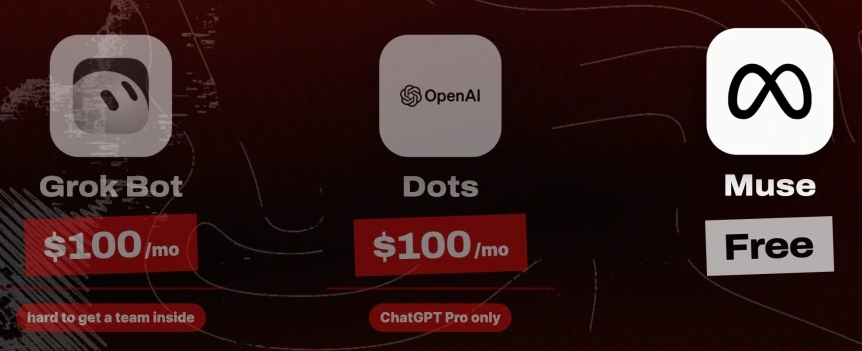
Those prices are what they were in October 2026. Check them before you buy.
Hyperagent starts at $20 a month and is the only one of these built for many specialists, a manager above them, running in parallel in a room with your actual team inside it. That is the gap, and it is why I moved.
When you actually need a team of AI agents
Be honest about where you are.
If you are solo, a single agent takes you surprisingly far. Start there. Hermes or OpenClaw will cost you nothing and teach you more about how agents fail than any managed product will.
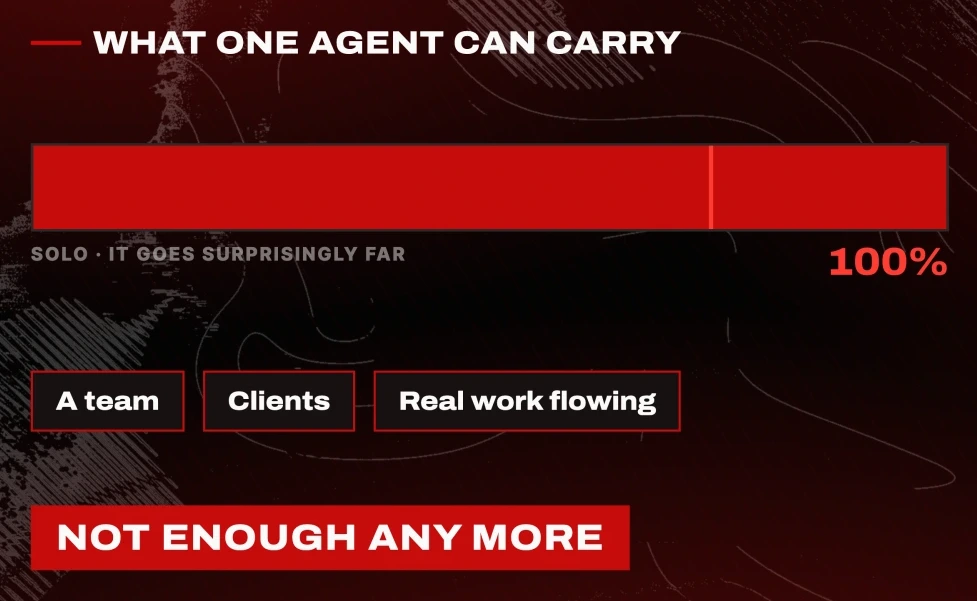
The moment you have a team, clients, and real work flowing, one agent in your own private window stops being enough. You need your people and your agents in the same room. That is what I was missing for a month.
The prompts, in order
Everything above, in the order you would actually use it:
1. The manager's identity prompt, in Create agent > Identity.

You are my chief of staff. You run my company's AI agent team and you report only to me.

Your job is to take what I ask for, break it into the right pieces, and hand each piece to the specialist who owns it. You don't do the work yourself. You delegate it, you follow up on it, and you bring me back one clear answer.

Always keep it short and concise. I hate long paragraphs.2. The startup prompt, sent to the manager in a new thread with plan mode on.
Before you can run anything, you need a team. So let's hire them. Create these four agents.
1. A prospector who finds and vets new leads every day and hands the qualified ones to the setter. He needs web search and a browser.
2. A setter who lives in my inbox, replies to incoming leads and drafts outreach in my voice. I already have a template reply we can set for it. Never send anything without my approval. Needs email access.
3. A client success manager who keeps an eye on our active clients and their feedback, and flags anyone who's unhappy or gone quiet. He needs access to where our client conversations live.
4. A content creator who tracks my Instagram performance and brings me content ideas and full drafts to film. Needs access to my Instagram, its analytics, and to vidIQ.
The purpose of you and your team is to help me manage and scale my business.3. The routing rule, once the prospector returns its first batch.
Every time the prospector finds a lead, they should have an email. If they don't have an email, then we can't send anything. If they have an email, then it goes back to the setter, which will send our outbound template.4. The daily report, so you stop asking for it.
Let's set it up so that the client success manager sends us a ping around anything that's urgent every single day. Everything stays read only. No client messages get sent.Further reading
- Hyperagent. The platform used throughout. Cloud, nothing to install, from $20 a month, and it accepts a ChatGPT plan for supported OpenAI models. The $100 in free credits is on the first link in the video description.
- OpenClaw and its source on GitHub. Free, open source, runs on your machine, MIT licensed.
- Grok Bot. Multi-agent, from $100 a month.
- Meta Muse. Free single assistant.
- vidIQ. The analytics the content creator agent reads.
- My Instagram, where the content agent's drafts end up.
What to do next
Write your manager's identity prompt first, before you create a single specialist. The quality of everything downstream comes from how clearly you described the delegation.
Then send the startup prompt with plan mode on, read the questions it asks you, and answer them properly. The questions are the tell. An agent that asks which inbox to use before touching your email is one you can let run.
Questions
- What is the difference between one AI agent and a team of AI agents?
- One agent does your jobs one after another, in a window only you can see. A team has a manager that breaks a request into pieces and routes them, specialists that run at the same time rather than in sequence, and a shared space your human colleagues can enter. The structural difference is parallel work and multiplayer access, not raw model quality.
- Can I run a team of AI agents with Hermes or OpenClaw?
- You can run several agents, but both are built around a single always-on agent on your own machine. They are open source, free, and you own them completely, which makes them excellent if you work alone. The limit is access: your teammates cannot see what the agent did or join the same thread, and routing one into a Slack channel means fighting permissions.
- How much does it cost to run a team of AI agents?
- Hyperagent starts at $20 a month and accepts a ChatGPT plan you already pay for, so supported OpenAI models bill against that. Grok Bot and OpenAI's Dots were both $100 a month as of October 2026, with Dots gated to ChatGPT Pro. Hermes and OpenClaw are free and open source but you pay for your own model usage. Set a per-turn budget cap on every agent before you let anything run on a schedule.
- Should the manager agent use the same model as the specialists?
- No. The manager makes routing decisions constantly and earns a stronger model. The specialists doing repetitive retrieval and drafting can sit on something cheaper. Match the model to the role, and set a budget limit per turn on each one so a scheduled agent cannot run away with your bill.

You made it to the end
That is the whole build. Want the next one?
Read next

Hermes Agent: 7 Real Jobs It Runs, With the Prompts
The seven jobs I hand Nous Research's free, open-source agent, and the exact prompt to copy for each one.

How to Build a Team of AI Agents That Actually Work Together
One agent does a task. A team splits the work, checks itself and runs while you sleep. Here is the exact setup.

How to Build a Claude Skill: Three Ways, With the File
A skill is one folder with one SKILL.md file. Here are the three ways to write it, and where to find the ones already built.