How to Build a Team of AI Agents That Actually Work Together
One agent does a task. A team splits the work, checks itself and runs while you sleep. Here is the exact setup.
From the videoHermes Bot Mode Is A Cheat Code. Here's How I Use It
An AI agent team is a small set of specialist agents that talk to each other and hand off work, instead of one agent doing everything. You build it by creating each bot with one job, cutting its tools down to only what that job needs, putting the coordinator on a strong model and the workers on cheap ones, and defining the actions that always need your approval. This is how I run mine in Hermes, which is free and open source.
A few months ago I ran one agent. Now I run a team of them, and between them they handle my inbox, my clients and my content. The thing that changed was not the agents. It was the coordination.
What an AI agent team actually is
A bot is a profile. That is all. It has its own persona, its own model, its own tools and access, and its own memory. Hermes has had profiles for a long time.
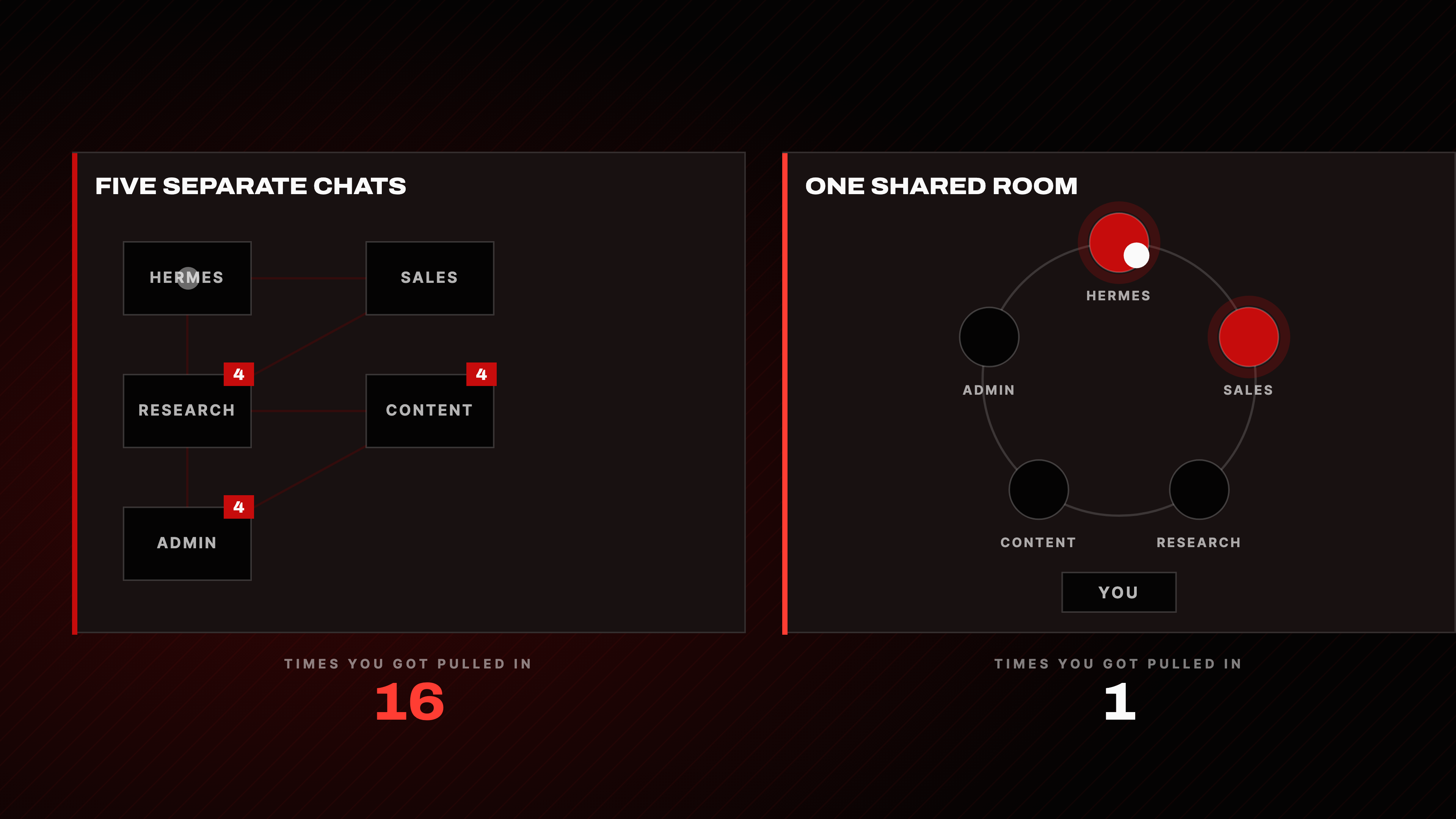
What Bot Mode adds is that the bots can now talk to each other. You hand one a job, it breaks the job up and passes the pieces to the others on its own. They sort it out in one shared room.
That is the whole unlock. Before, you were the router. Every handoff went through you, because you were the only one who could see all five chats. Now you stop being the person carrying work between chats.
The three ways agents talk to each other
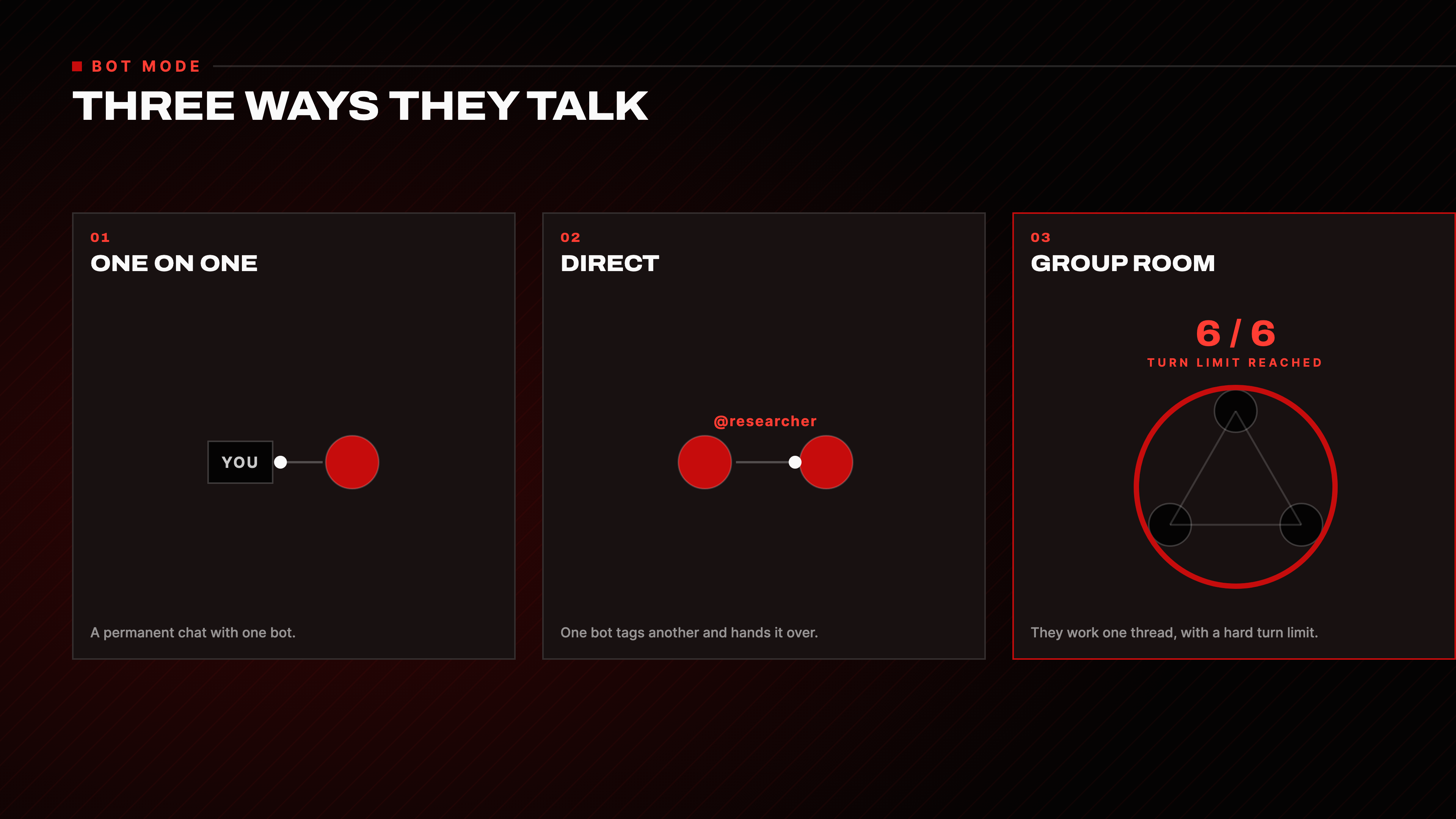
- One on one. A permanent chat with a single bot. This is the normal agent experience.
- Direct. One bot messages another and hands the work over, without you in the middle.
- Group room. Several bots work in one thread, with a cap on how many times they can go back and forth.
The turn cap matters more than it sounds. Without it two agents will talk to each other until your tokens are gone. The cap is the thing that stops a group room turning into a loop.
Start with one bot, not a team
Build one bot. Understand what each setting does to it. Then add the second.
A team where you do not understand the individual bot is a team you cannot debug. You will not know whether a bad result came from the wrong model, the wrong tools or the wrong soul file.
Step 1: create the bot
Hit New bot and give it two things: a name and a title.
- The title is what shows up in the sidebar.
- The name is what you use to tag it with an
@symbol.
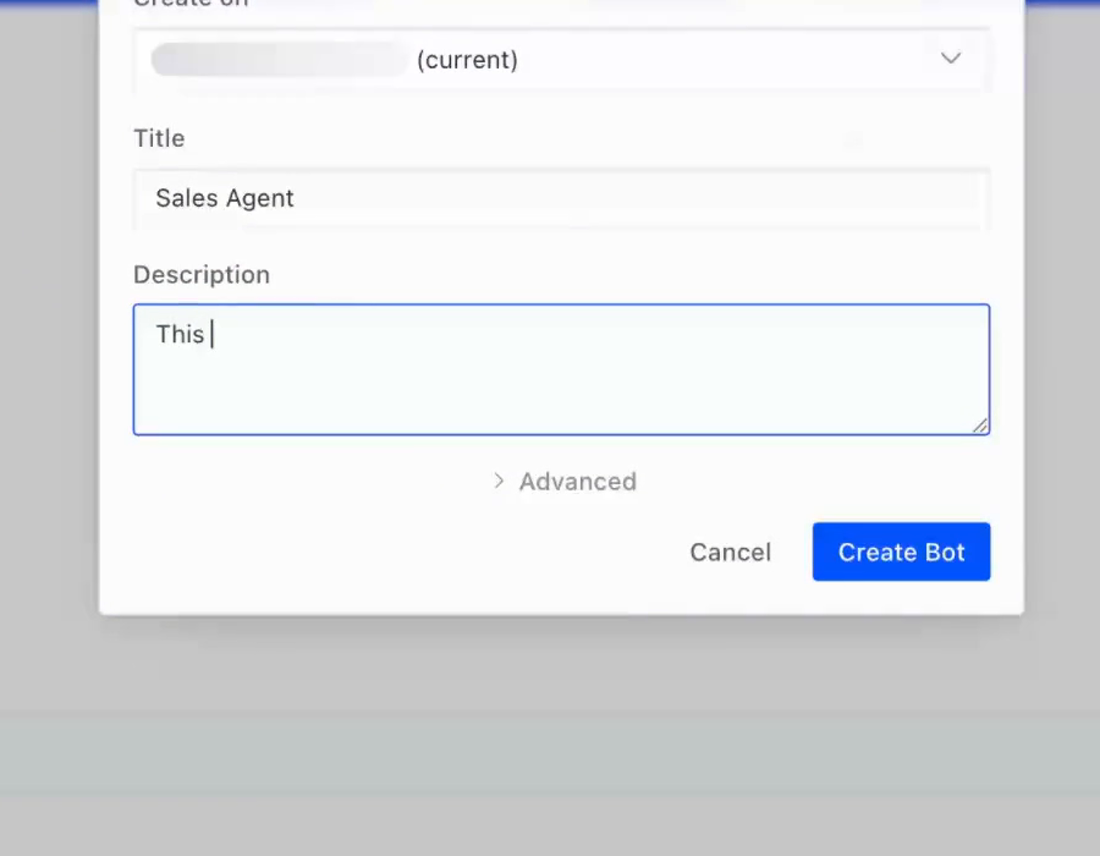
Then describe its job in a sentence or two. From that description Hermes writes the bot's whole personality for you. You can clone from your default so it inherits your setup, pick a model, and that is a bot.
Step 2: tighten the soul file
That description becomes the bot's soul: its personality and its rules. You can open it and tighten it whenever you want.
On my sales agent I added lines like these:
Never discuss prices unless I approve them first.
Always hand the result back to my main Hermes instance, never straight to me.
The tighter you make the job, the better the bot behaves. A vague soul file produces a bot that improvises, and improvisation is what you are trying to remove.
Step 3: cut the tools down
This is the step almost everyone skips and it is the one that decides your bill.
There are three kinds of capability, and they do not cost the same:
- Skills are saved workflows. They only load when the bot actually needs one, so they cost close to nothing sitting there. Leave them on.
- Tools are live actions: read a file, search the web, send a message. These load into every message.
- MCPs are external connections through the Model Context Protocol, plugging your bot into things like Gmail, Notion or GitHub.
Every new bot starts with every tool and MCP its parent had switched on. You do not want that.
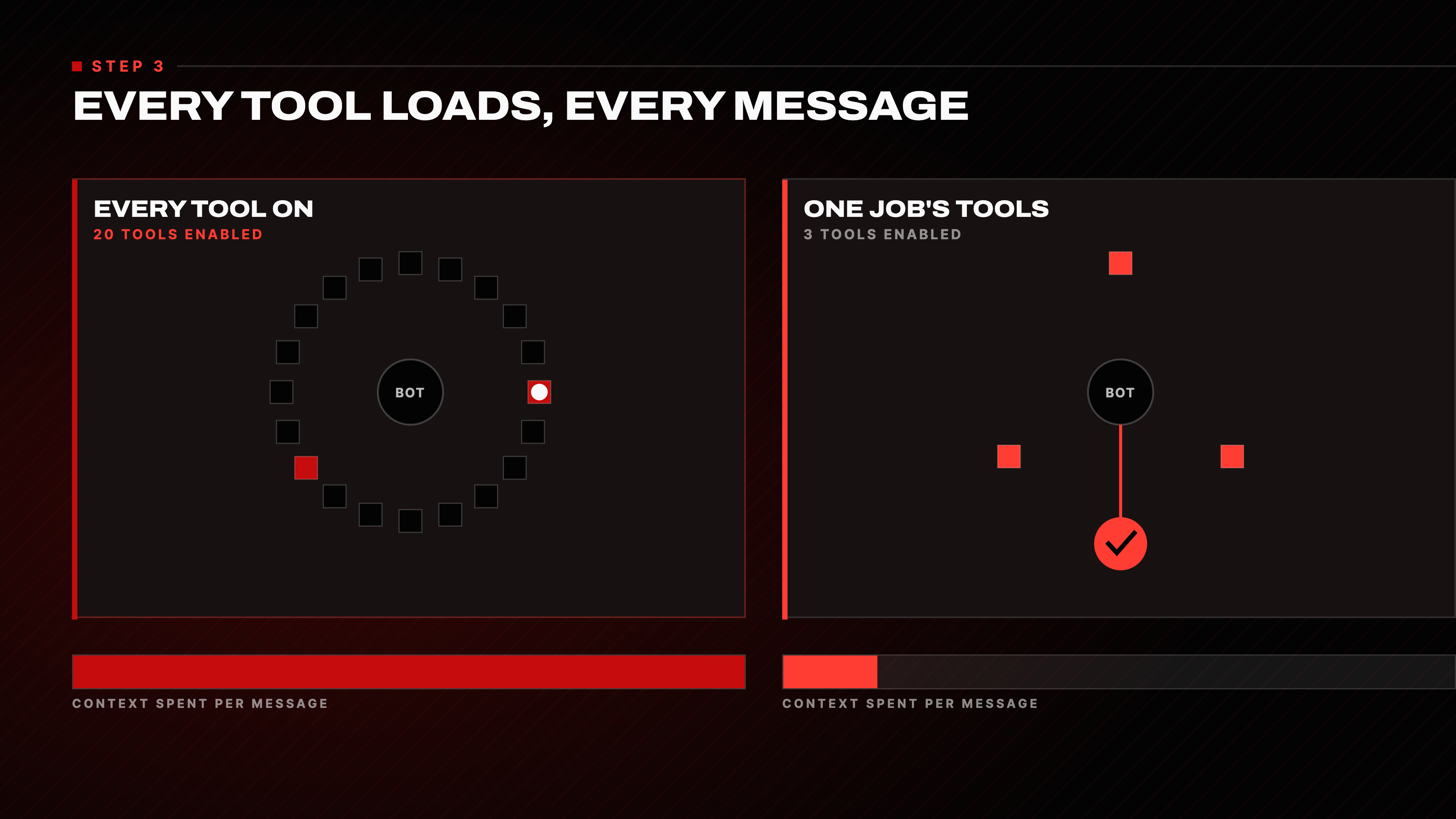
The more tools a bot has enabled, the more context it burns on every single run. Some tools carry upwards of 50,000 tokens that load into every message you send. If a bot does not need a tool or an MCP, disable it.
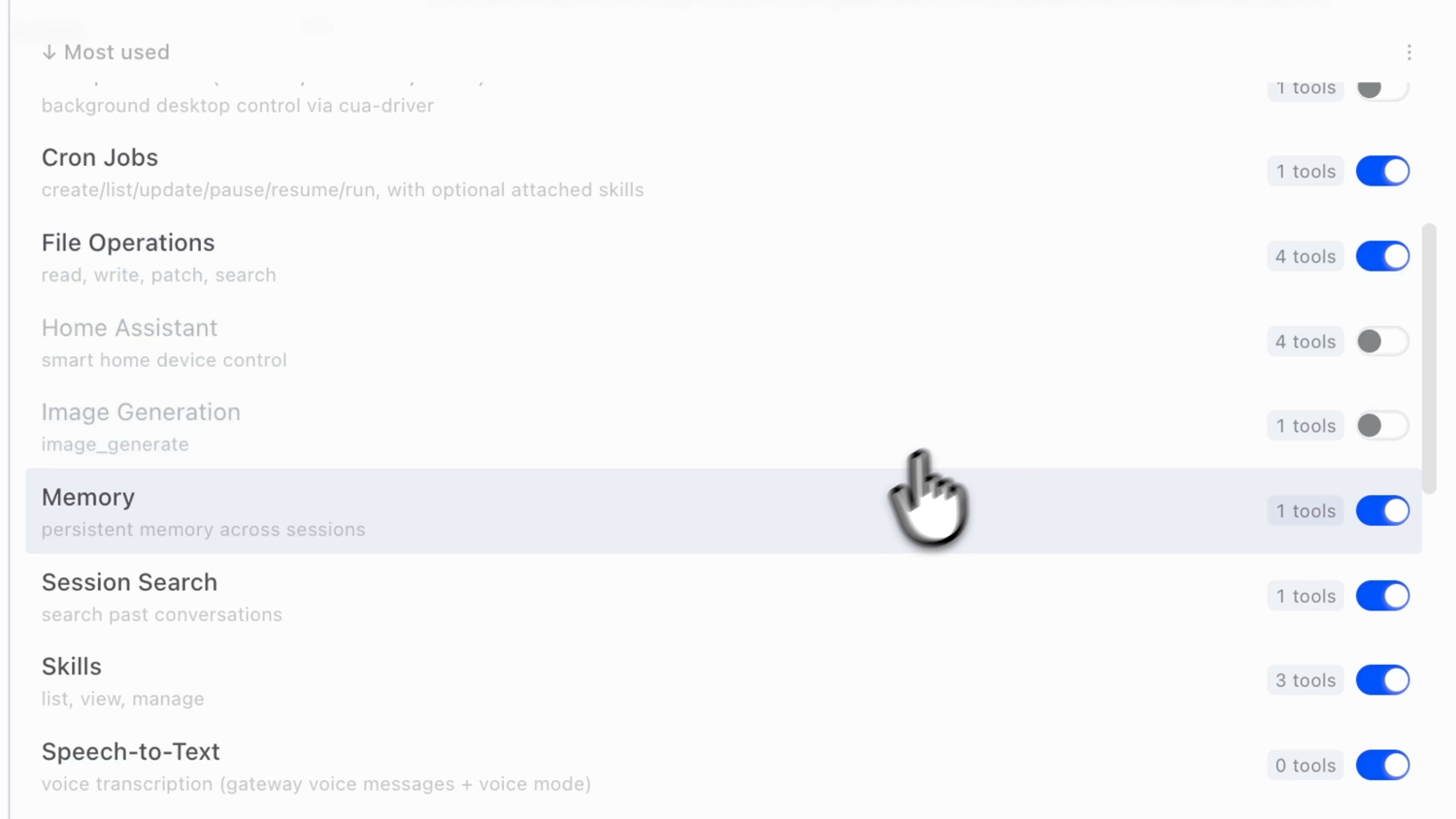
Give each bot only the tools its one job needs and turn the rest off. Faster, cheaper, and noticeably better, because a bot choosing between three tools makes better choices than one choosing between twenty.
The same step works in the other direction. The MCPs you give a bot are what make it a specialist. My sales agent is wired into our sales CRM, so it can search and sort our leads. No other bot has that, and no other bot needs it. One bot, one upgrade, and the whole team's output improves.
Step 4: pick a model per bot
This is where a team stops being expensive.
- The orchestrator is the bot making the calls. Put your strongest model here. It has to decide, delegate and reason through the messy parts.
- The workers do the grunt work. Drop them to a cheaper model, or run them on a local model on your own machine for free.
You get the same result on the simple work for a fraction of the cost. You are only paying for the smart model where it actually changes the answer.
Step 5: memory, warm bots and timeouts
Three settings, once each.
Memory. Let only your orchestrator write to shared memory if you run a provider like Honcho, mem0 or Supermemory. Every other bot goes to built-in memory only. The orchestrator is already saving what matters, so anything else is the same fact stored twice and context spent for nothing.
Orchestrator  ->  shared memory provider (Honcho / mem0 / Supermemory)
Every other bot  ->  built-in memory only
Warm bots. Raise how many bots stay warm from 3 to 5. Switching between them becomes instant instead of a reboot every time you open a fourth chat.
Idle timeout. The default is 10 minutes. Set it to 20 or 30, depending on how long your longest job runs. This is what stops a long job quitting on you halfway through.
Step 6: decide what always needs your approval
Before you finish, write down the things you would genuinely regret an agent doing on its own. Mine are three:
1. Spending money
2. Sending something to a client
3. Deleting things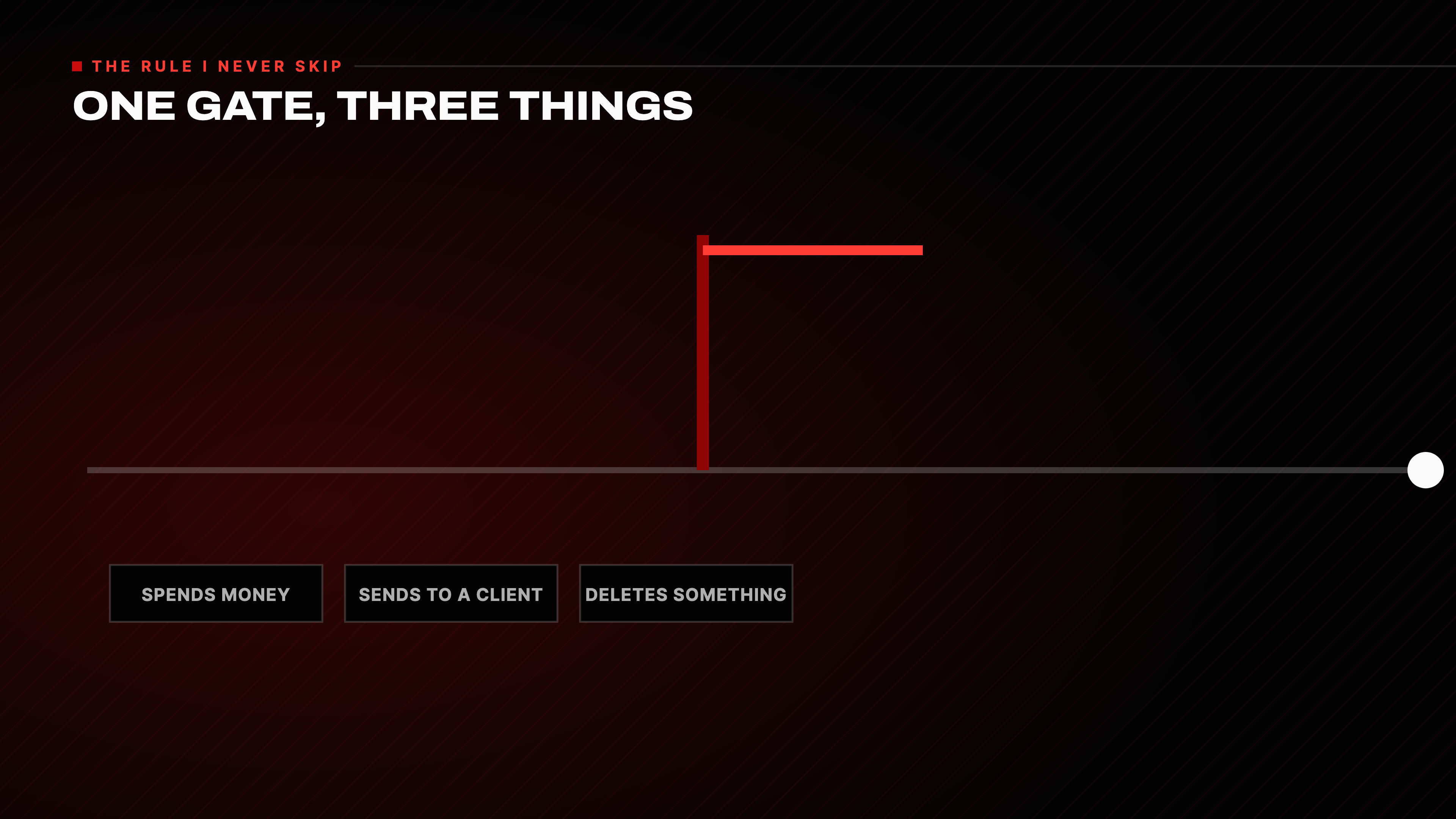
Everything else runs without asking me. Your list will be different, so be honest about yours. Then set the gates in three places, strongest first.
1. Tools the bot does not have. If a bot has no tool to send email, it cannot send email, whatever it decides in the moment. Never handing a bot the keys is the only gate that cannot be argued with.
2. The approval setting. Set it to Smart. It auto-runs the safe things, blocks the genuinely dangerous ones, and asks you about everything in between. When it asks, you get four choices:
- Allow once
- Allow for the whole session
- Always allow
- Deny
3. A rule in the soul file. You can write it straight into the personality:
Never send anything to a client without my explicit approval.Know what this one is. The model will try to honour it, but it is not a hard wall like the other two. Use the soul to reinforce a gate, never as the only lock.
Building a real team, start to finish
Here is the team I built: an orchestrator, a researcher and a content creator, to run an Instagram page.
I did not create the bots by hand. I asked my main Hermes instance to build the team. This is the exact prompt:
Hey Hermes, I'd like for you to help me build a team that will post and
manage content creation on an Instagram page for me. You can ask me as many
questions as you would like until you reach clarity.

Ultimately, I'm thinking we could have two Hermes Bot employees. The first
one, a researcher that monitors what is working in that specific niche. And
the second one, a content creator that will take that information and create
content, posts and graphics in the approved styles that we end up choosing
and the direction we end up going for.

Ultimately, I want you to be the one relaying the information back to me. I
don't want to be speaking to the other bots. I want you to be my main point
of contact. Can you help me out with that?
It asked questions back until it had what it needed, then created both profiles, wrote their soul files, and made the group chat itself. The souls it wrote were better than what I would have written: a mission, a reporting line, responsibilities.
Then I did the one thing worth doing by hand. I opened each new bot and cut its tools down. The creator needs Instagram, so it gets Instagram and nothing it does not need. The researcher gets what the researcher needs. Same step 3 as above, applied to bots I did not create myself.
Tagging and handoff
Inside the group room you direct work by tagging. @researcher for one bot, @creator for another, @all for everyone, or the orchestrator by name.
I gave the team one job: come up with content angles to revive Daily Psych, a psychology page I used to run. Then I tagged the orchestrator and left it alone.
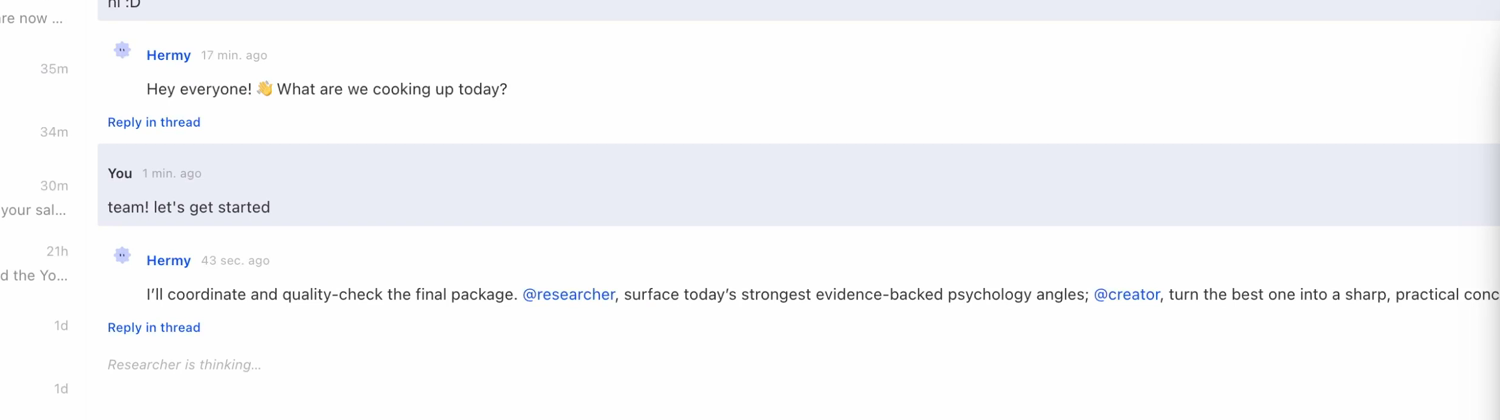
It split the job without being told how. The researcher surfaced the angles. The creator turned the best one into a concept. When the creator finished, it handed back to the orchestrator, and the orchestrator tagged the researcher again to fact-check the copy before anything reached me. The researcher came back with no objections, and only then did I see it.
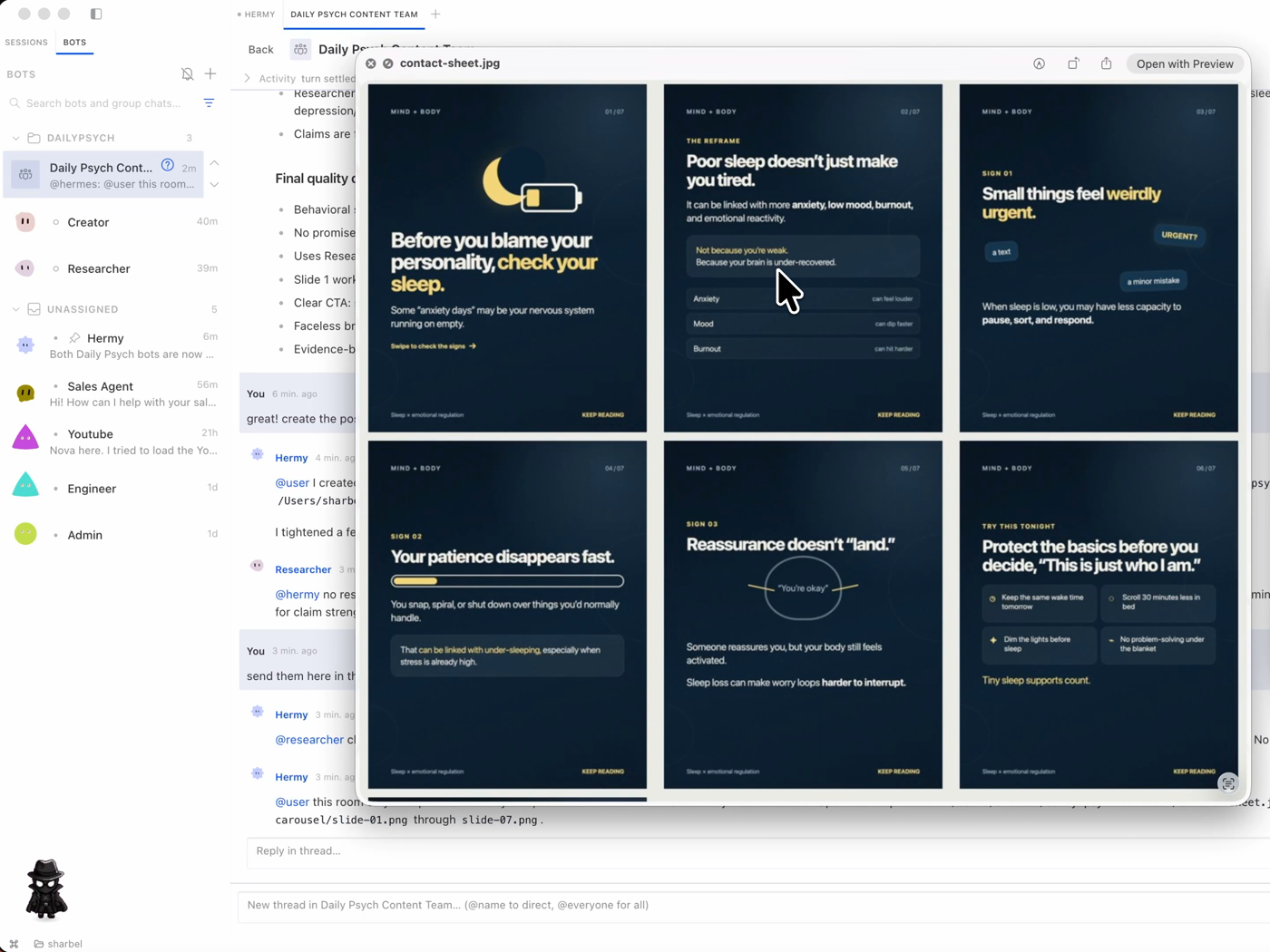
That is the part worth paying attention to. Nothing reached me until it had been through another agent.
Make the team compound
After a job wraps, tell the team to keep what it learned:
Save what you learned from this round: my format, my style, the sources I
trust, and anything I corrected. Use it as the default next time.
Do this every time and the next run needs less from you. It already knows your format, your style and which sources you trust. You are not running a team, you are training one.
When not to build a team
If it is a one-off job, do not build a team. One good agent handles it. Do not build a company to answer one email.
Build the team for the things you do every week. Managing content, running a business process, the weekly workflow you would otherwise do yourself. A handful of specialists, each locked to one job, checking each other's work and running while you sleep.
What to do next
- Create one bot, with a name, a title and a one-sentence job.
- Open its tools and turn off everything the job does not need.
- Put it on a cheap model if it does grunt work.
- Write your regret list and set the gates.
- Only then add the second bot.
Hermes is free and open source, so the only thing a team like this costs you is the hour it takes to set up.
Resources
- Hermes: the agent this is built on, free and open source
- Nous Research: the team behind Hermes
- Model Context Protocol: how MCPs connect a bot to external tools
- MCP servers on GitHub: existing connectors you can plug in
- Honcho: shared memory provider
- mem0: shared memory provider, docs
- Supermemory: shared memory provider
Questions
- What is an AI agent team?
- A small set of specialist agents that talk to each other and hand off work, instead of one agent doing everything. One acts as the orchestrator and routes jobs to the others. You talk to the orchestrator, not to each agent.
- How many AI agents should be on a team?
- Start with one and add the second only once you understand what each setting does to it. Three is enough for most workflows: an orchestrator, a researcher and a maker. A team you cannot debug is worse than a single agent.
- Why is my AI agent so expensive to run?
- Almost always the tools. Every tool and MCP a bot has enabled loads into every message it sends, and some carry upwards of 50,000 tokens. New bots inherit every tool their parent had. Turn off everything the bot's one job does not need.
- Should every agent use the same model?
- No. Put your strongest model on the orchestrator, because it makes the decisions and does the reasoning. Drop the workers to a cheaper model, or run them locally for free. The result on simple work is the same.
- How do I stop AI agents from looping forever?
- Use the turn cap on the group room. It limits how many times the bots can go back and forth before the thread stops, which is what prevents two agents talking to each other until your tokens are gone.
- Is Hermes free?
- Yes. Hermes is free and open source, so the only cost of running a team is the model usage you choose and the time it takes to set up.

You made it to the end
That is the whole build. Want the next one?
Read next
How to Make Hermes Agent More Reliable (Without Adding More Tools)
More tools made my agent worse. Fixing the trust line is what let it run without me.
How to Give Claude Code and Your AI Agent Shared Memory
Connect a builder and an operator to one memory store, so what you tell one the other already knows.
How to Build an Agent Skill That Actually Fires
I measured the 55 most popular skills on GitHub. Half of them never tell your agent when to run, and they charge you tokens on every message anyway.