How to Build a Claude Skill: Three Ways, With the File
A skill is one folder with one SKILL.md file. Here are the three ways to write it, and where to find the ones already built.
From the videoHow To Build A Claude Skill (And Where To Steal The Best Ones)
A Claude skill is one folder with one file in it, called SKILL.md. Two lines at the top tell your agent when to reach for it. Everything below tells it how to do the job. You can write that file by hand, describe the job and let Claude write it, or record your screen and let it watch. All three take minutes, and the third one exists.
Everything from the video is on this page: the starter SKILL.md to copy, every prompt I used, and the full list of places to find skills other people have already built. Nothing is gated and there is nothing to sign up for.
What a Claude skill actually is
Think about your phone. The AI model is the processor. The agent running it is the operating system. Skills are the apps.
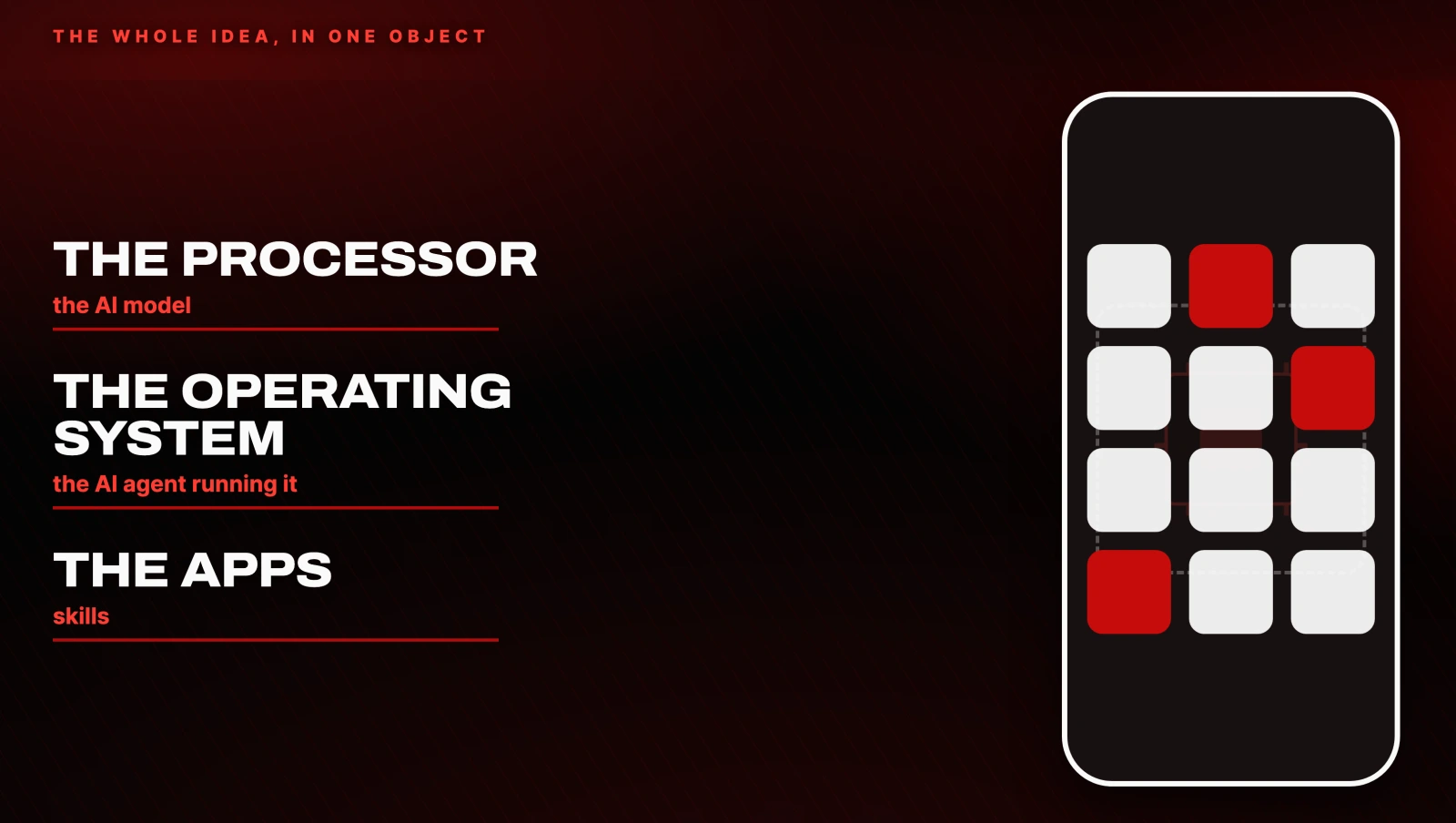
You do not buy a new phone every time you want a new feature. You install an app, and the phone can suddenly do something it could not do a minute ago. A skill is exactly that for your agent.
The mechanics are almost disappointingly small. One folder. One SKILL.md inside it. The top of that file has two lines that matter: the name and the description. The description is not for you. It is for the agent. It is how the agent decides, on its own, whether this is the moment to open the file.
Below those two lines you write the instructions in plain English: how you want the job done, every time.
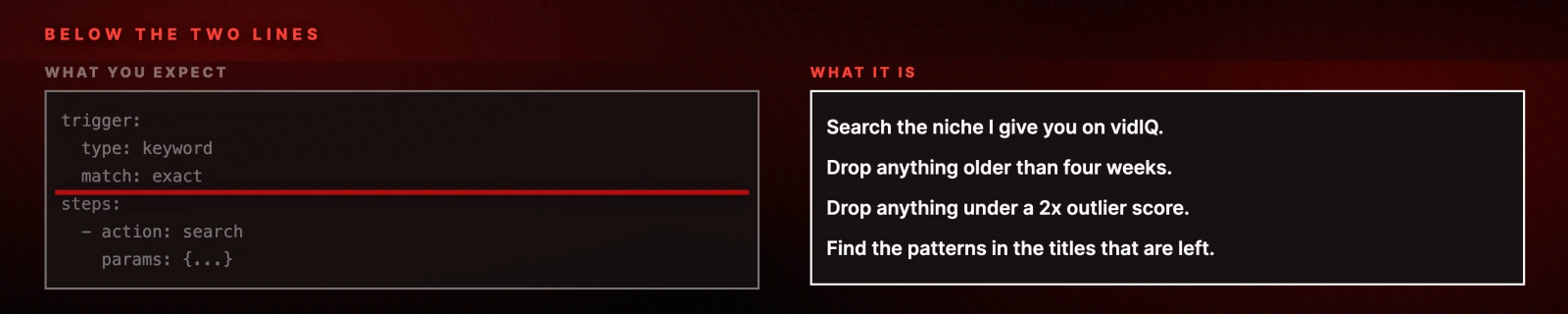
Most people expect YAML, a trigger block, typed step definitions. There is none of that. If you can write a rule book for a new hire, you can write a skill.
Why one agent with skills beats ten agents
Here is the trap, and it cost me about a month. Every time I wanted a job done, I spun up a whole new agent or subagent for it. One for content. One for emails. One for outreach.
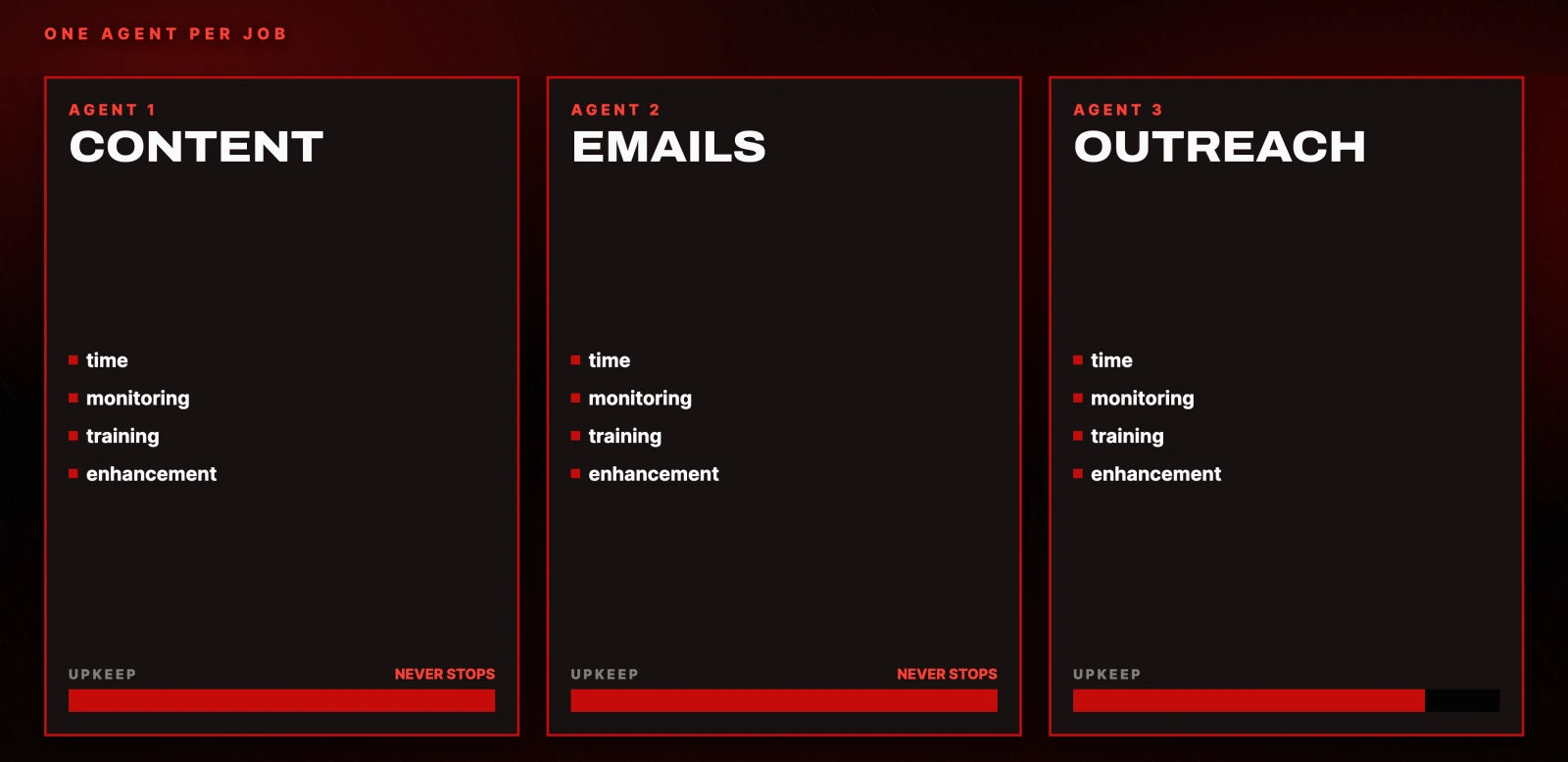
Every single one needed time, monitoring, training, enhancement. The upkeep never stopped, and it scaled with the number of agents, not with the amount of work getting done.
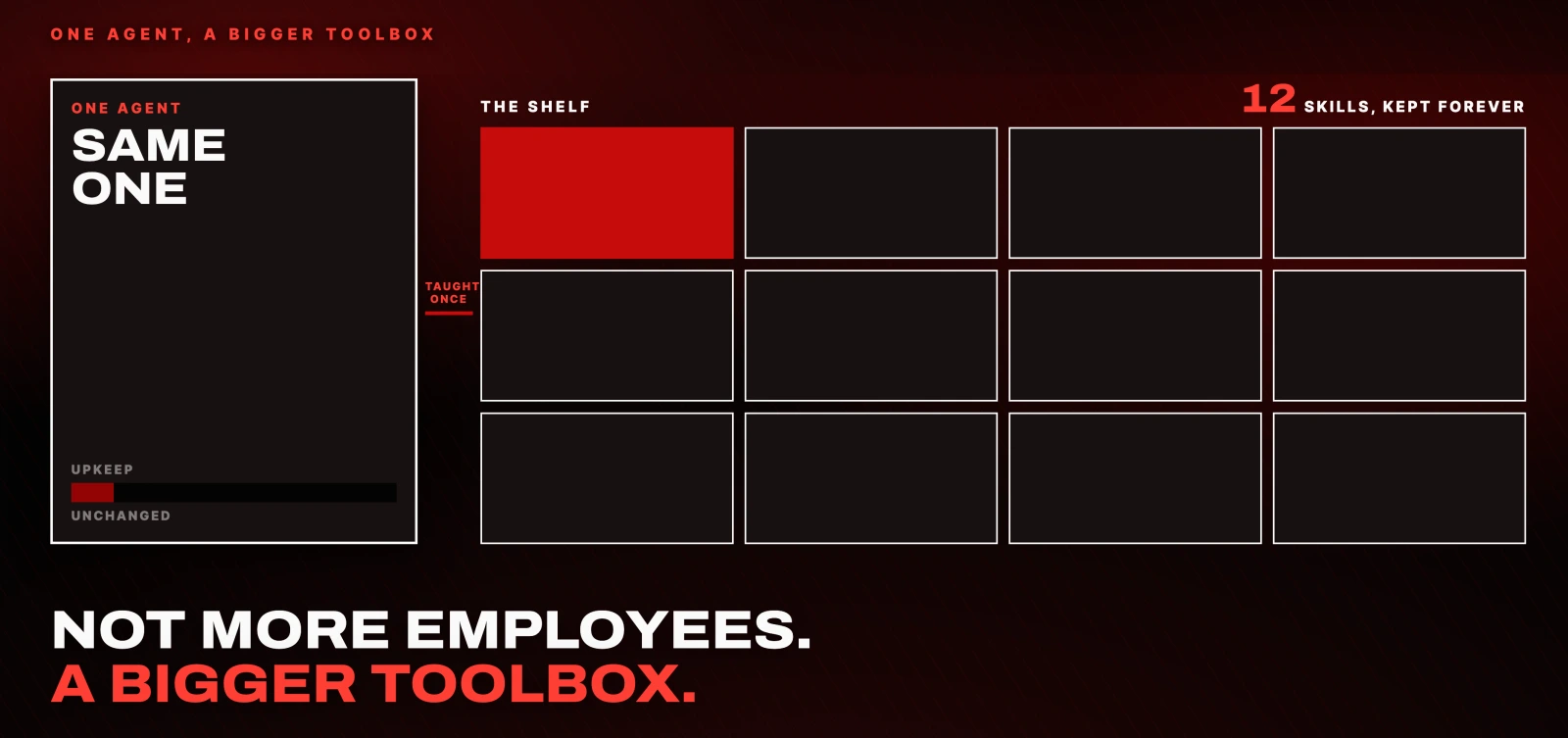
Skills invert that. Teach the agent the job once, save it, and it is on the shelf forever. When you learn skill building you stop hiring more AI employees and start handing one employee a bigger toolbox.
Why your agent does not read every skill you own
This is the part that makes a shelf of skills practical instead of expensive.
Your agent does not load every skill on every message. If it did, twelve or twenty skills would eat your context window before you finished typing.
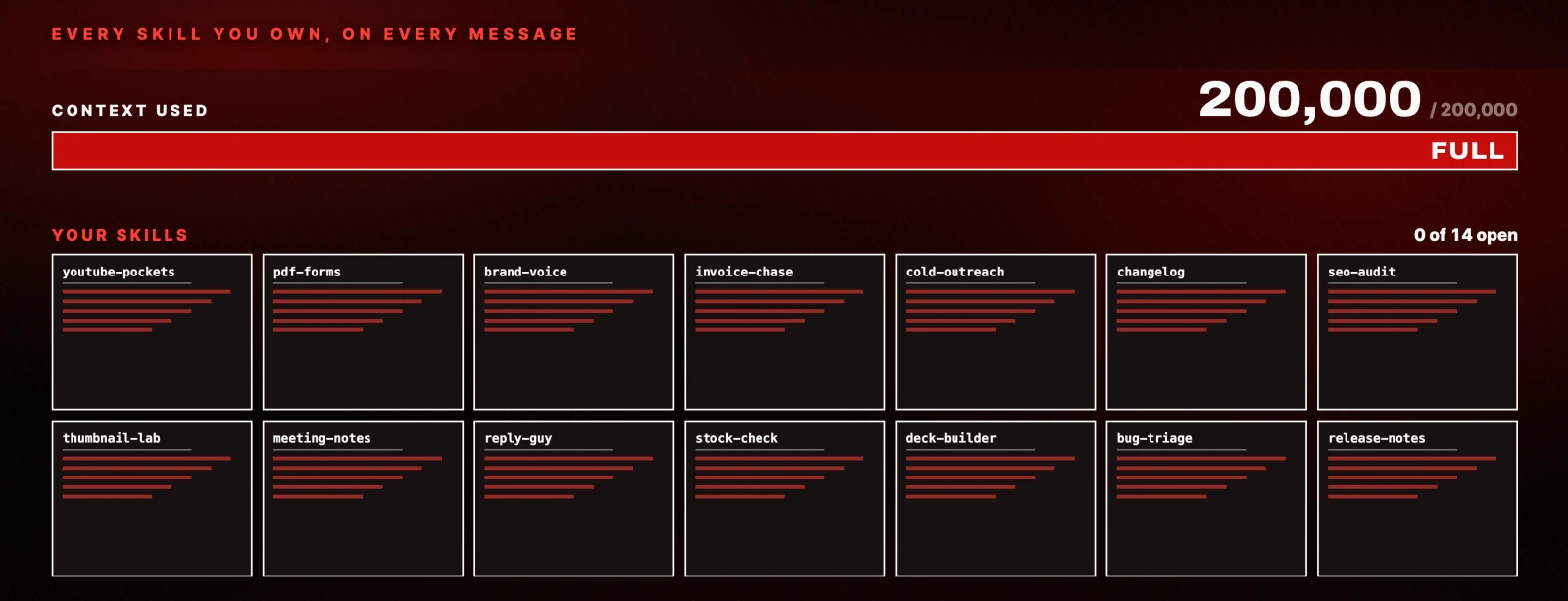
Instead it reads only the name and the description of each one, and leaves the rest closed. When a request actually matches a description, it opens that skill in full and follows it. This is called progressive disclosure, which is a long way of saying the toolbox stays shut until you need the tool.
Two consequences worth holding on to:
- Your description is doing real work. It is the only part of the skill the agent sees most of the time.
- A skill you never trigger costs you almost nothing. There is no penalty for having a deep shelf.
The skill we are going to build
To make this concrete, we are building a YouTube research skill. It is the one I use most and the one we teach clients to use.
The job: find the viral pockets inside a niche, and return the top five in order of virality. If you make content, this is where video ideas come from.
By hand, the workflow is this. Open a YouTube search tool like vidIQ, search the niche, then filter hard.
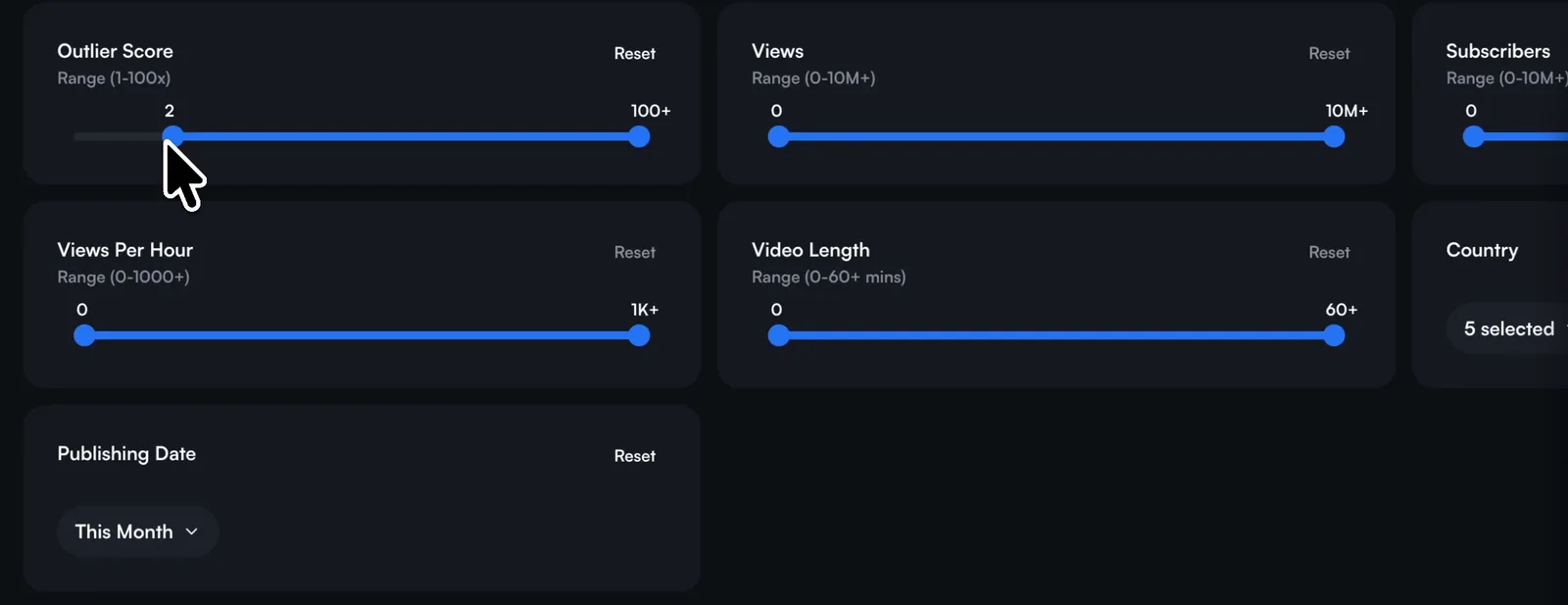
The filters are the whole trick: published this month, outlier score 2x or above, views above 50,000. Then read the titles that survive and look for the patterns, both in topic and in format. "How to ___ in 30 days" is a format. That is what we are teaching the agent to find.
The tool is not load bearing. Plain YouTube search works, it is just slower to filter.
Way 1: write the skill by hand
I would not recommend this to my worst enemy as a daily habit, but do it once. Seeing the inside of a skill teaches you the mechanics better than the other two ways ever will.
In Claude: click the plus icon, then Skills, then Browse skills, then Add, then Create a skill.
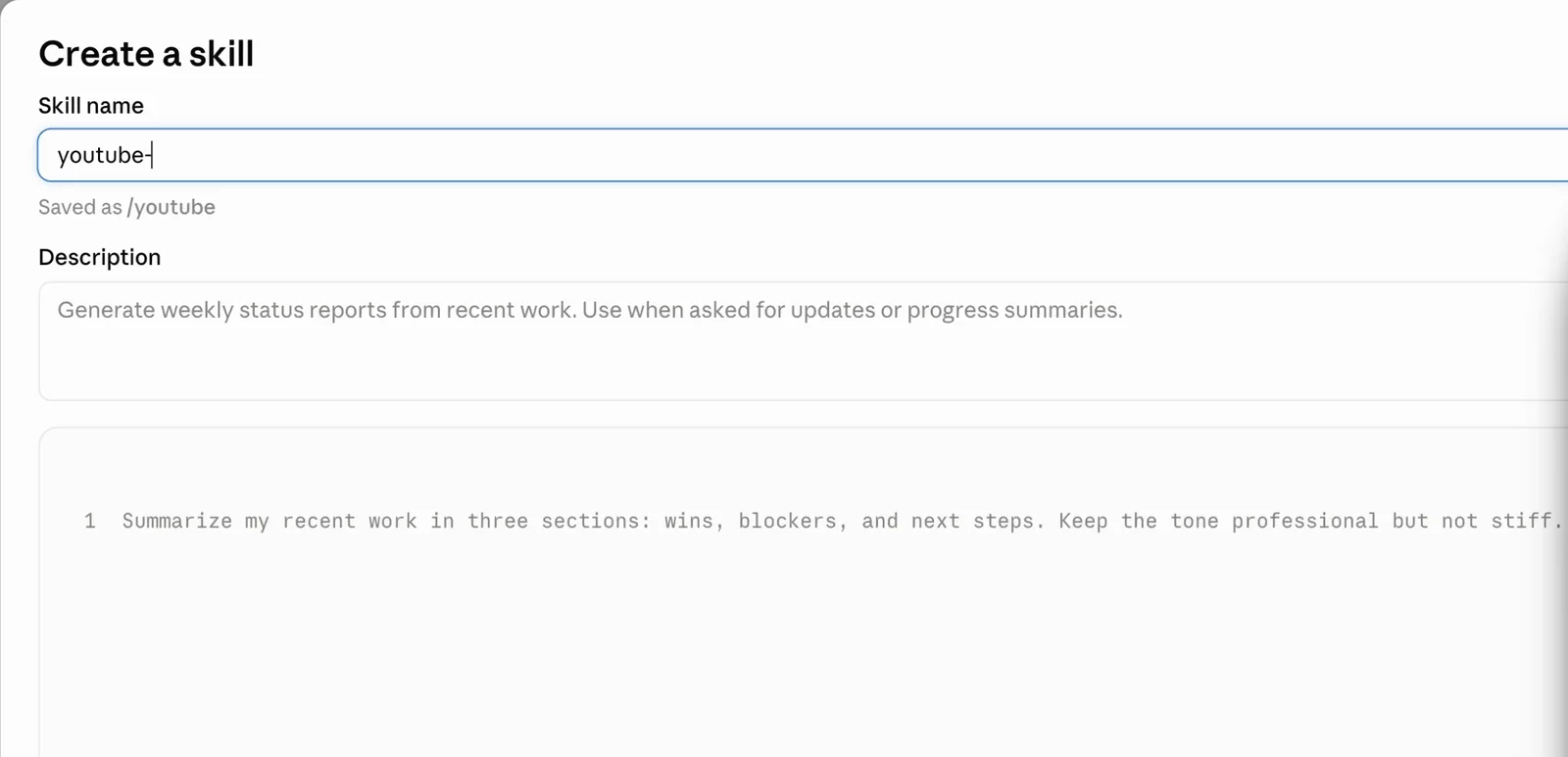
Three fields. Name, description, instructions. The description is where people go wrong: be specific about the trigger. "Use when asked to find viral YouTube videos" is fine. "Use when I say youtube-pockets" is better, because it fires on a keyword instead of competing with every other research skill you own.
Here is the finished file. This is the complete skill, not an excerpt.
---
name: youtube-pockets
description: Finds viral YouTube pockets inside a niche. Use when I say "youtube-pockets", or when I ask for viral video ideas, title formats, or content gaps in a niche.
---

# YouTube Pockets

Find the sub-niches inside a niche that are outperforming right now, and the
title formats doing it.

## When to run

Every time I say the keyword `youtube-pockets`, followed by a niche.

## Steps

1. Ask me questions until you have everything you need. Do not write anything
   before you have asked.
2. Search the niche I give you on vidIQ. If vidIQ is not connected, use
   YouTube search.
3. Filter: published in the last 4 weeks, outlier score 2x or higher, views
   above 50,000.
4. Read every title that survives the filter.
5. Group them into pockets: sub-topics that several different channels are
   winning with at the same time.
6. For each pocket, pull out the title FORMAT, not just the title. For example
   "How to ___ in 7 days" or "X ways to ___".
7. Rank the pockets by virality and return the top five.

## Output

For each pocket, give me:

- **Topic**, in one line
- **Title format**, with the blanks left in
- **Why it ranks here**: view counts, how many channels, how recent
- **Based on**: the real videos, with channel, outlier multiple, views, date
- **New titles for my channel**: three, using that format
Hit Create and you have a skill. The Download button next to it hands you the folder, which is how you share one with a colleague.
Way 2: describe the job and let Claude write it
This is the one I use for almost everything. You do not write the skill. You describe the job, and the agent writes the whole file.
The entire thing lives or dies on the prompt. Claude has a starter built in: Skills, Browse skills, Add, then Create with Claude. Paste this into it, or into any agent's chat:
I want to build a skill called youtube-pockets.

The job: when I say "youtube-pockets" followed by a niche, find the sub-niches
inside that niche which are outperforming right now, and the title formats
doing it.

How I do it by hand:
1. Search the niche on vidIQ.
2. Filter to the last 4 weeks, outlier score 2x or higher, views above 50,000.
3. Read the titles that survive and group them into pockets.
4. Pull the title FORMAT out of each pocket, not just the title.
5. Rank the pockets by virality and take the top five.

Ask me questions until you have everything you need. Do not write the skill
until you have asked.
That last instruction is the one that matters. It asked me twelve questions, then three follow-ups, before it wrote a line. Answer them out loud if you like, they are your process, not a spec you have to get right.
Then trigger it the way you said you would:
Use youtube-pockets for the AI niche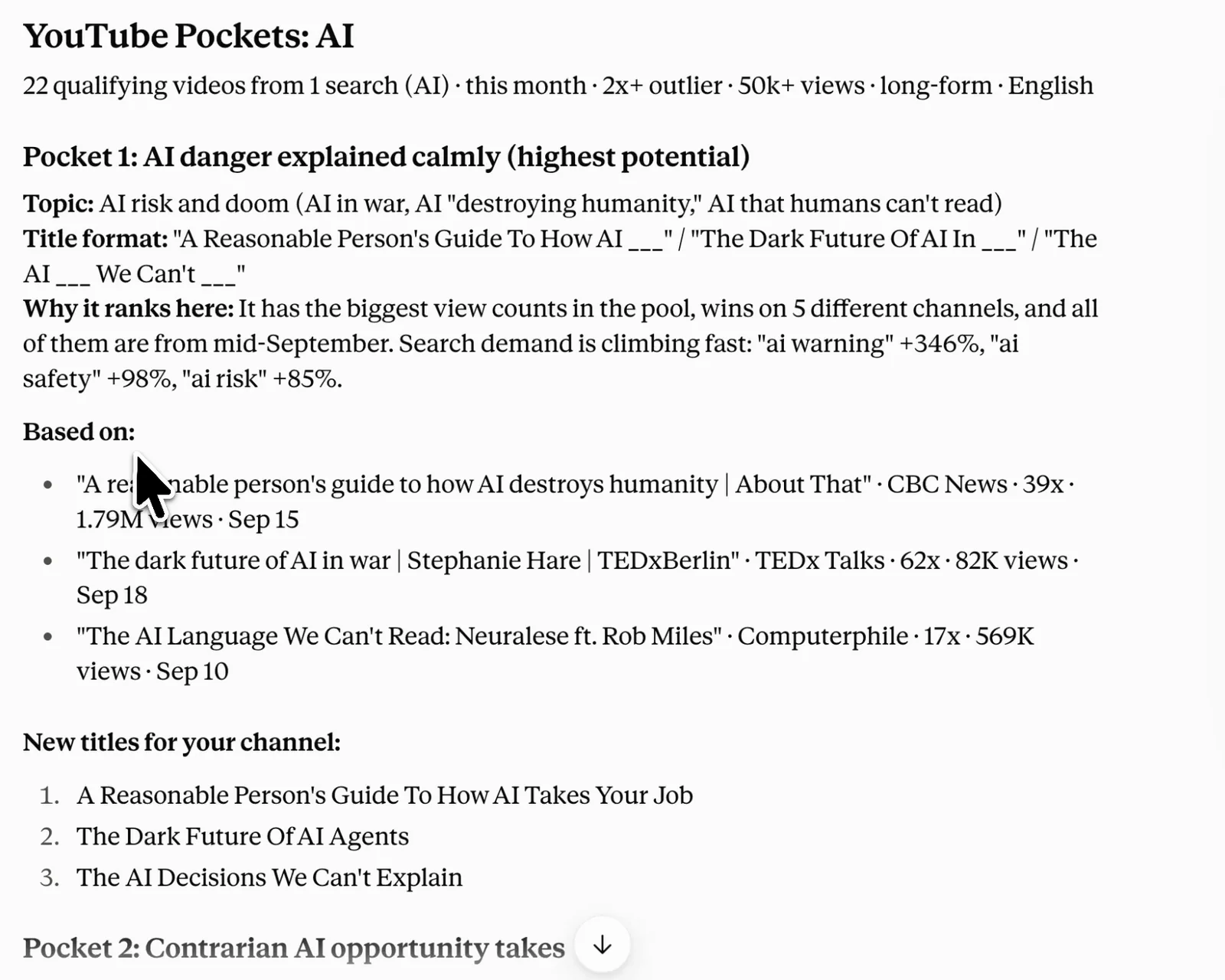
Twenty-two qualifying videos out of one search. The skill was told to return a minimum of two pockets and came back with four: AI danger explained calmly, contrarian AI opportunity takes, AI robots, and a faceless AI pocket. Each one carries its evidence, the real videos it was built from, and three ready titles.
Swap the niche and the same skill works for anything.
Way 3: record your screen
Claude can watch you do the job instead of being told about it. Browse skills, Add, then Record your screen. You do the thing once, it writes the steps down.
It is genuinely good at the mechanical work: he opened this folder, created a file, named it from that other place, and moved these attachments into it. For repetitive manual work with no API behind it, this is the fastest route there is.
It is the wrong tool for our example, because the YouTube skill wants an MCP connection to vidIQ rather than a sequence of clicks. And one caveat worth knowing before you build your workflow around it: screen recording is Claude's own feature. If you are on another agent, Way 2 is your move, because a well written prompt works everywhere.
Where to find skills other people already built
Before you build anything, check whether it exists. Most of the time it does.
The official gallery. Plus icon, Skills, Browse skills. Free to install, and some of it is genuinely excellent.
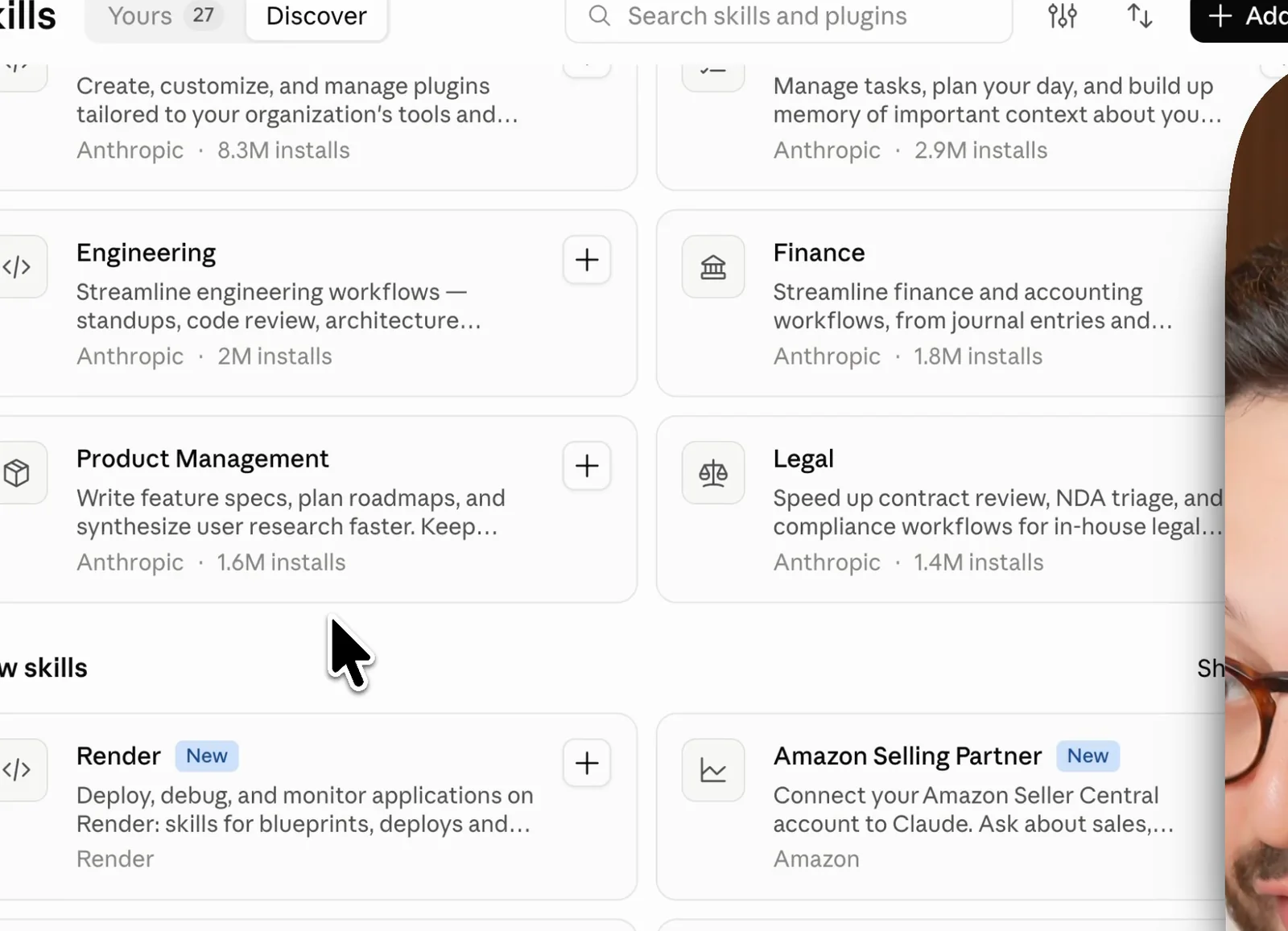
It is also a curated shelf of a few hundred. That is the ceiling.
The community, which is where the depth is. There is now an open standard for Agent Skills, which means one skill folder works across Claude, Codex, Cursor, Hermes, and a long list of others. So the ecosystem is not one company's directory any more.
- GitHub is the biggest source. Search is keyword sensitive, so try the job rather than the category: "marketing skills" beats "skills". GitHub Trending is worth a weekly look.
- claudemarketplaces.com indexes over 23,000 skills with install counts.
- SkillsMP and LobeHub are both worth a pass.
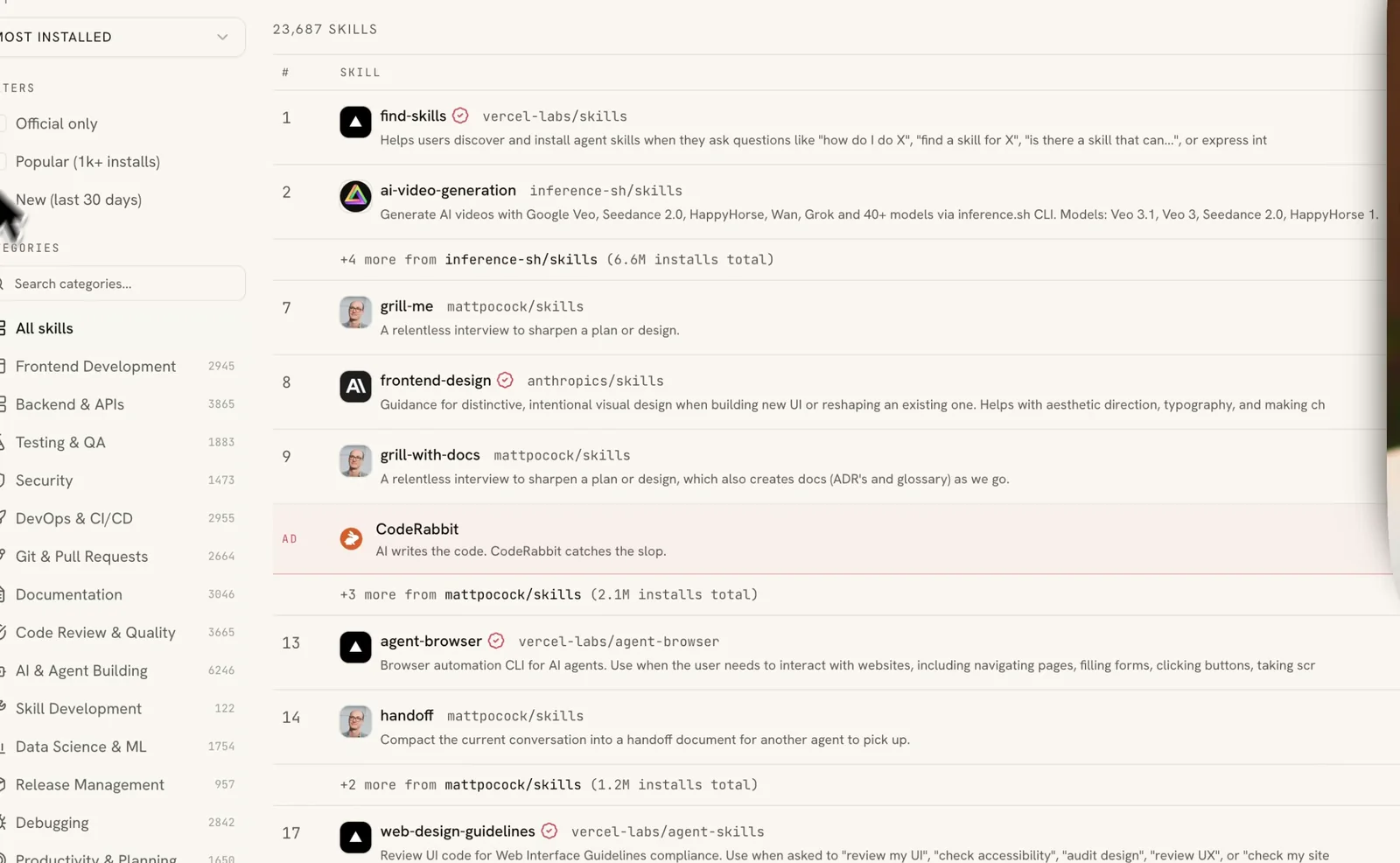
There is a skill called find-skills that does this for you: install it once, and asking "is there a skill that can do X" triggers a search of the marketplaces.
My own are on GitHub if you want working examples to read: hermes-agent-mission-control, a self hostable mission control dashboard, and x-bookmarks, which turns your X bookmarks into actions your agent takes at the end of the day.
Installing one is a paste:
Install this skill for me:
https://github.com/sharbelxyz/hermes-agent-mission-control
Read the skill before you install it
This one is not optional. Skills run code and scripts, and you are installing a stranger's.
Before the install prompt, send this one:
Read this skill end to end. Do not install it.

<paste the repo or skill URL>

Tell me:
- every file it adds or modifies
- every command, script or binary it runs
- every network call it makes, and to where
- anything it reads outside its own folder

Flag anything touching credentials, environment variables, SSH keys, or files
outside the project. Report only.
Most skills are fine. The cost of checking is thirty seconds and the cost of not checking is your machine.
What to do next
Build the three skills you use every week. Steal the rest.
Start with the one job you explain to your agent most often, the thing you retype the context for every single time. Write the description so it fires on a keyword you will actually say. Then go and see what already exists before you write the fourth one.
You do not need more agents. You need one good agent and a shelf.
Resources
- Agent Skills documentation: the official spec and setup
- agentskills.io: the open standard, and which tools support it
- Equipping agents for the real world with Agent Skills: Anthropic's engineering write-up
- Don't Build Agents, Build Skills Instead: Barry Zhang and Mahesh Murag, Anthropic
- claudemarketplaces.com: 23,000+ skills, sortable by installs
- SkillsMP: skills marketplace
- LobeHub: skills marketplace
- GitHub Trending: where new ones surface first
- vidIQ: the YouTube research tool used in the example
- hermes-agent-mission-control and x-bookmarks: two of mine, free, readable
Questions
- What is a Claude skill?
- A skill is one folder containing one file, normally called SKILL.md. The top of that file carries a name and a description, which tell the agent when to reach for it. Everything below is plain English instructions telling it how to do the job.
- Do Claude skills work with other AI agents?
- Yes. Agent Skills is an open standard, so the same folder works across Claude, Codex, Cursor, Hermes and a long list of others. The one exception in this guide is the screen recording feature, which is Claude's own. If you are on another agent, describe the job in a prompt instead.
- Do skills use up my context window?
- Barely. Your agent reads only the name and description of each skill until a request matches one, then opens that skill in full. This is called progressive disclosure, and it is why a deep shelf of skills costs almost nothing to keep.
- Are third-party Claude skills safe to install?
- Most are fine, but skills run code and scripts, so read one before you install it. Ask your agent to report every file it adds, every command it runs, every network call it makes, and anything it touches outside its own folder. Thirty seconds of checking against an unknown author's script is a good trade.
- Where can I find Claude skills that already exist?
- Claude's own gallery under Browse skills holds a few hundred. The community is much larger: GitHub, claudemarketplaces.com with over 23,000 indexed, SkillsMP and LobeHub. There is also a skill called find-skills that searches the marketplaces for you.

You made it to the end
That is the whole build. Want the next one?
Read next
How to Build an Agent Skill That Actually Fires
I measured the 55 most popular skills on GitHub. Half of them never tell your agent when to run, and they charge you tokens on every message anyway.
How to Build a Team of AI Agents That Actually Work Together
One agent does a task. A team splits the work, checks itself and runs while you sleep. Here is the exact setup.
How to Give Claude Code and Your AI Agent Shared Memory
Connect a builder and an operator to one memory store, so what you tell one the other already knows.