How to Give Claude Code and Your AI Agent Shared Memory
Connect a builder and an operator to one memory store, so what you tell one the other already knows.
From the videoHermes + Claude Code Is The Ultimate Cheat Code
Claude Code and a background agent do not share anything by default. Tell one something and the other has no idea it happened. The fix is a shared memory layer: one store both tools write to and read from, connected in about five minutes, using the same account and the same user ID on each side. Here is the exact setup, and what it makes possible once it works.

Why Claude Code forgets and your agent does not know
These two kinds of tool do opposite jobs, and the split is the reason the memory problem exists at all.
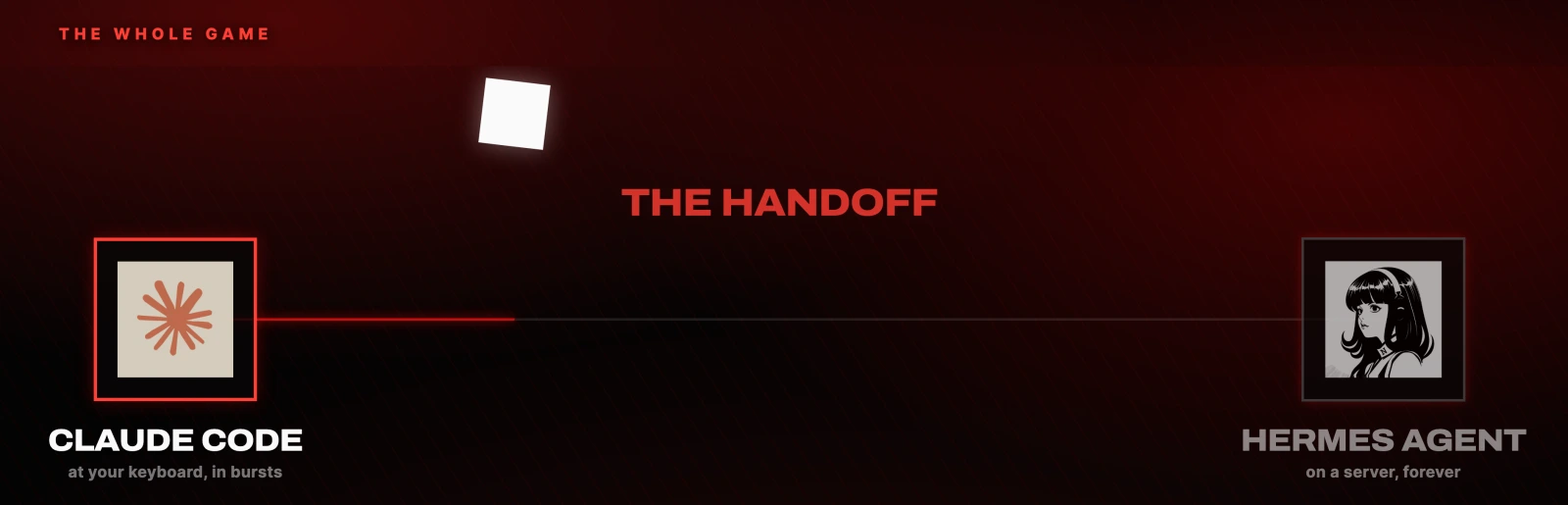
Claude Code is a builder. It sits with you at your keyboard, it makes things, and it works in bursts while you drive it. Close the session and it forgets your project. That is not a flaw. A builder is supposed to be a tool you pick up.
An operator is the other half. Hermes Agent is the one I run, but the category matters more than the brand. An operator lives on a server or on your own machine, runs on a schedule, and works in the background without you. You talk to it from your phone. It is a worse coder than Claude Code and it is not trying to be one.
The pattern that comes out of this is the whole thing: you build it once with the builder, then you hand it to the operator to run forever.
If you already pay for ChatGPT you already have Codex, and Codex does the same builder job. You can run this entire stack on Codex plus an operator and never pay for anything new. Use whichever builder you already have.
What "shared memory" actually means here
It is not a feature inside either tool. It is a third service both tools connect to, and it is additive. It does not replace or break Claude Code's own memory or your agent's own memory. It sits on top of both.
Picture one notebook. The builder writes in it. The operator reads it back later. The operator writes in it. The builder reads that. Nothing is passed between the tools directly, so neither has to know the other exists.
The rule that makes it work is boring and it is the part people get wrong: both tools must point at the same memory account under the same user ID. Two accounts, or one account with two different IDs, gives you two notebooks and no shared memory at all. It will look connected and it will fail silently.
How to connect Claude Code to a shared memory
Two routes, and they end in the same place.
In the desktop app. Click the + at the bottom left of the composer. Then Connectors, then Add connections. Search for your memory provider and authorise it.
In the terminal. Paste these two:
/plugin marketplace add mem0ai/mem0
/plugin install mem0@mem0-plugins
The first adds the marketplace (mem0ai/mem0). The second installs the plugin. Restart the session afterwards, because a connector added mid session is not always picked up by the one already running.
How to connect your agent to the same memory
For an operator agent there is usually no UI step. You ask it, in plain language, to connect to the memory service, and you hand it the API key. That is the whole setup on that side.
Two things to get right:
- Use the same user ID as Claude Code. This is the step that silently breaks
everything. If your builder writes under
sharbeland your operator writes underdefault_user, both will report success and neither will ever see the other's notes. - Rotate the key if you pasted it somewhere shared. If the key went into a group chat or a shared channel to get it to the agent, replace it in the provider dashboard afterwards and update the stored value. Both tools pick up the new one automatically.
Which shared memory to use
I run mem0. It is fast, it is free to start, and it takes the least time to get running. Its connector docs are the ones to follow if you want more than the two commands above. I picked it because it was the first one I tried when I was researching this, which is a worse reason than it sounds but an honest one.
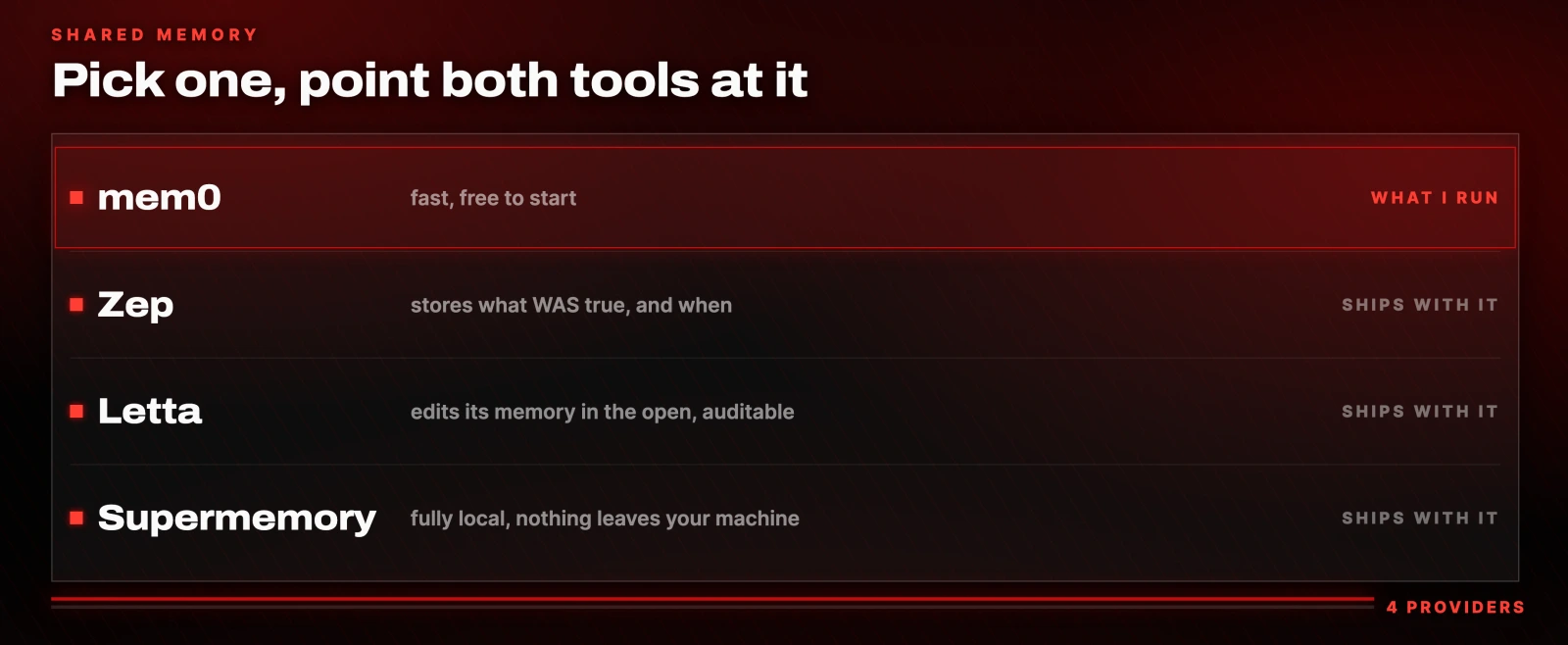
The other three are each better at one specific thing:
- Zep if you care how facts change over time. It does not only store what is true, it stores what was true and when. Useful when your agent acts on a price, a status or a rate that moves.
- Letta (docs) if you want to see everything it remembers. The agent edits its own memory in the open, so every node is yours to audit.
- Supermemory (docs) if you want it fully local. It runs on your own machine, so nothing leaves your workspace.
Any of them works. Pick one, connect both tools, use the same ID.
How to test it in two minutes
Do not trust the setup screen. Test it with facts the model could not guess.
- Tell the builder two arbitrary, unrelated things. Not "I like Python". Use something with no statistical pull, like a specific pair of favourite foods.
- Wait for it to confirm the write. You should see something like "noted and saved to memory".
- Open the operator on your phone and ask it the same question in different words.
If it answers correctly, they are sharing one store. If it guesses something plausible instead, check the user ID before you check anything else. That is almost always what it is.
What it gets you once both tools remember
The point of the shared store is not convenience. It is that both halves can now learn from the same record.
Here is what that looks like on three things I actually run.
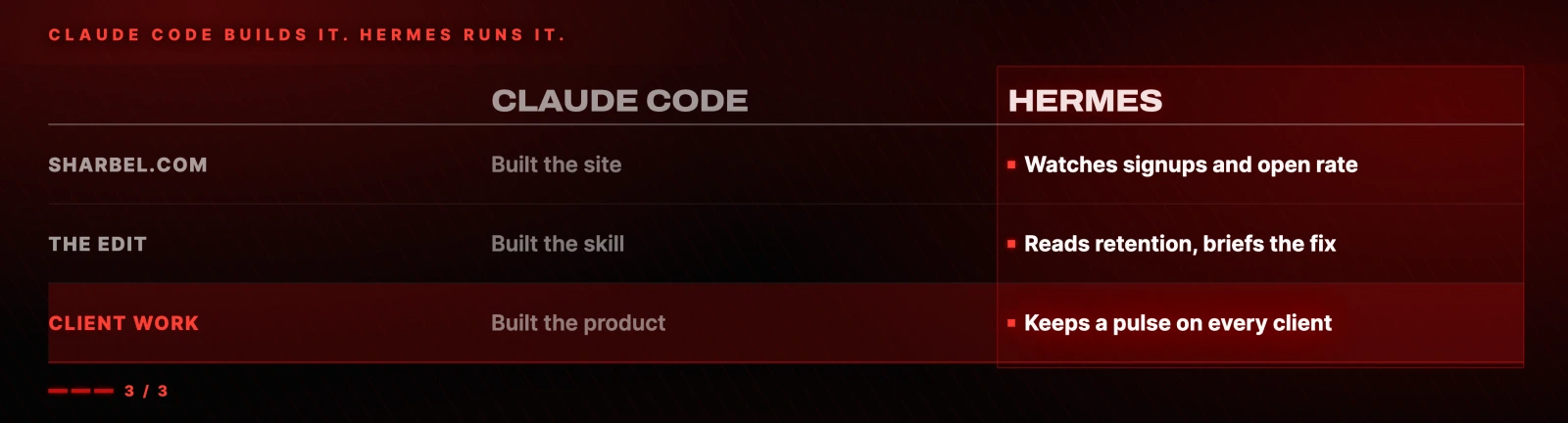
The website. Claude Code built sharbel.com. Building it was the easy part. The operator watches signups and email open rates, and the moment a number slips it pings me and tells the builder exactly what to change.
The content. Claude Code built a video editing skill that edits the way I want. The operator does not only run it. It reads the retention second by second, finds where people dropped off, works out which cut lost them, and hands back a brief. Then it feeds that same brief to the builder, so the skill itself gets better every time. This video was edited by that skill.
The client work. Claude Code builds the product we sell, like FounderFunnel. The operator keeps a pulse on every client and flags a problem before it becomes one.
Same move each time. The builder makes the machine. The operator runs it and reports back.
The system corrects itself
When something breaks, an operator with memory does not fail and move on. It looks at what happened, works out why, and rewrites its own instructions. Every correction you make becomes a permanent skill.
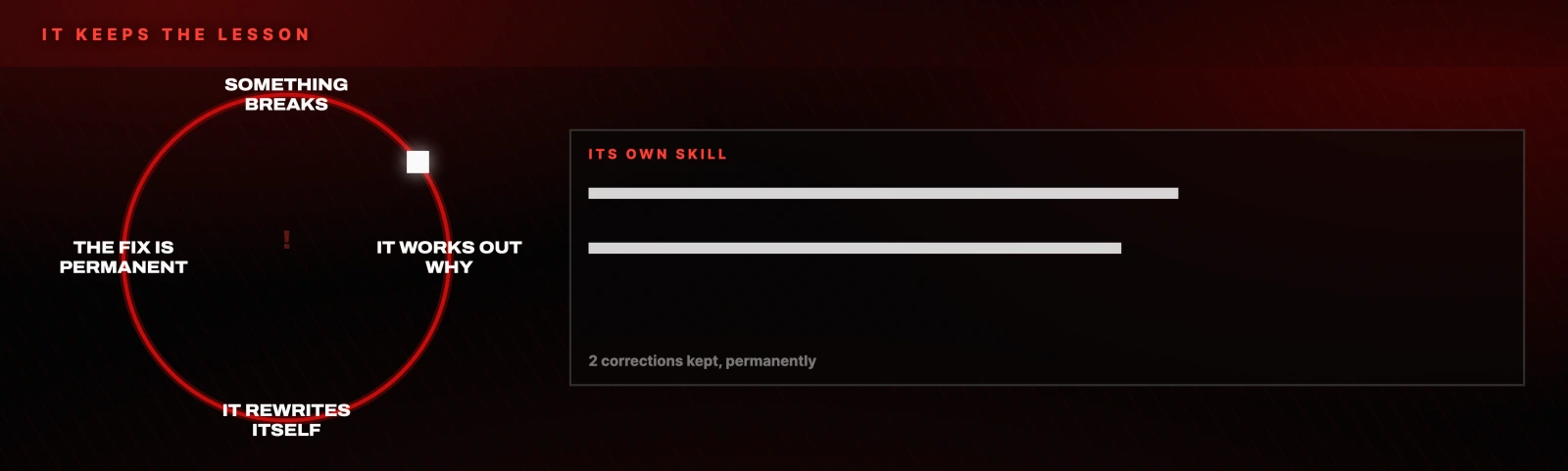
The system you are running in a month is better than the one you launched today, and you did not rebuild it. When it needs a genuine new feature rather than a correction, you go back to the builder, upgrade the machine, and hand it back.
None of mine were right on day one. I built the first version, let it run, watched what broke, and had it fix itself. Start with one. Add the second when the first actually works.
Five moves that make this hold up
These are the things that took the longest to learn.
1. Build with the expensive model, run with the cheap one. Use your best model in the builder for the site, the system, whatever it is. Then let the operator run it day to day on a cheap or local model. You pay for the genius once, not every night.
2. Tell it to build for the handoff from the start. Do not build the thing and work out the handoff afterwards. Say so in the first prompt and the handoff goes from an afternoon of fiddling to instant.
Paste this into your builder as the first message, not the last:
build this so hermes can run it, not just me.
write it as a hermes skill I can drop straight in,
with the schedule and a telegram ping when it's done.
3. Make it check its own work. Add one line to the end of every scheduled job:
verify the result before you call it doneThat single line killed almost every silent failure I used to get.
4. Put a gate on anything scary. One rule, given to the operator once:
you can do anything on your own except send emails,
spend money, or delete something.
for those three, ask me first.
That is what makes it safe to leave running overnight.
5. Let the operator call the builder. When the system needs new code, the operator can wake the builder on a schedule. If you want to run only an operator and already have a Codex subscription or another model, set up a dedicated builder profile and plug your smartest model into that for it to call.
When to reach for what
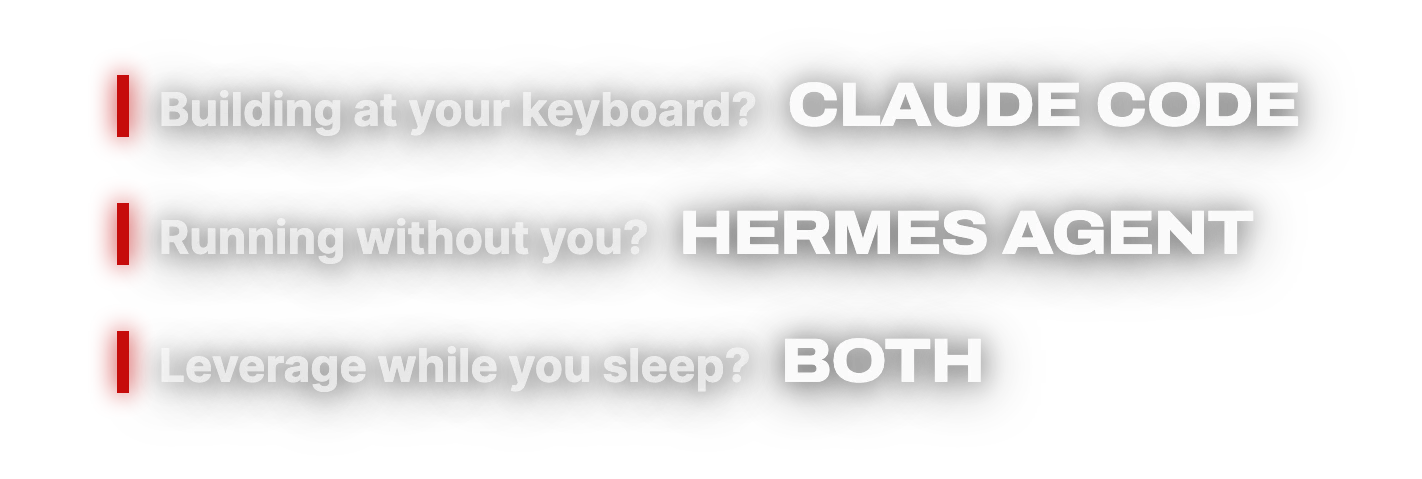
Building something at your keyboard is a builder job. Something that has to run without you is an operator job. Real leverage is both, connected, handing work to each other through one memory.

Everything linked, in one place
The two tools
- Claude Code (docs), the builder
- Codex, the builder if you already pay for ChatGPT
- Hermes Agent, the operator
The shared memory, pick one
- mem0 (docs, GitHub). What I run.
- Zep. Stores what was true, and when.
- Letta (docs). Auditable, edits its memory in the open.
- Supermemory (docs). Fully local.
The prompts
All three from this page, plus the rest of the setup and my full template, are free at sharbel.com. Nothing to buy and nothing gated.
Do this next
Pick one job you never want to do again. Not the whole business, one job.
Build it with your builder, and put "build this so my agent can run it" in the prompt from the first message. Connect both tools to one memory store under the same user ID. Test it with two facts a model could not guess. Add the verify line and the gate before you let it run unattended.
Then leave it alone for a week and read what it wrote down.
Questions
- Does shared memory replace Claude Code's own memory?
- No. It is additive. The shared store sits on top of whatever memory Claude Code and your agent already keep, and it does not overwrite or disable either one. You are adding a third place both tools can read and write, not swapping out their existing behaviour.
- Why can my agent not see what I told Claude Code?
- Almost always the user ID. Both tools have to point at the same memory account under the same ID. If the builder writes under one ID and the operator writes under another, both will report a successful connection and neither will ever see the other's notes. Check the ID before you check anything else.
- Which shared memory provider should I use?
- mem0 is the fastest to get running and free to start. Use Zep instead if you need to know how facts changed over time, Letta if you want to audit every stored node yourself, and Supermemory if it has to stay entirely on your own machine. Any of them works as long as both tools connect to the same one.
- Can I do this without paying for Claude Code?
- Yes. If you already pay for ChatGPT you already have Codex, and it does the same builder job. The pattern is about pairing a builder with an operator, not about a specific product. Run the builder you already have.
- How do I stop the agent doing something dangerous on its own?
- Give it an explicit gate. Tell it that it can act alone on anything except sending emails, spending money, or deleting things, and that for those three it has to ask you first. Add a verify line to every scheduled job as well: verify the result before you call it done.

You made it to the end
That is the whole build. Want the next one?
Read next

Hermes Agent: 7 Real Jobs It Runs, With the Prompts
The seven jobs I hand Nous Research's free, open-source agent, and the exact prompt to copy for each one.

How to Build a Claude Skill: Three Ways, With the File
A skill is one folder with one SKILL.md file. Here are the three ways to write it, and where to find the ones already built.

How to Run a Team of AI Agents, Not Just One
A manager agent, four specialists, and one shared room your human team can actually enter. With every prompt I used.