Claude Code Motion Graphics: The Free Skill That Makes Branded Videos
Motion Director gives Claude your brand, a shot plan, original sound and a critic that scores its own work, and it runs free on your computer.
From the videoI Built The Ultimate Claude Motion Graphics Skill (Steal This)
Claude Code can make motion graphics, but not from a single prompt. Claude writes code, and that code is rendered into a video frame by frame. The result is only as good as the rules Claude follows while writing it. Motion Director is a free skill that supplies those rules. It covers your brand, a shot plan, original sound and a critic that scores its own work. Install it from GitHub and it runs entirely on your computer.
I built it after the video editors we work with told us they were quadrupling their prices. A launch video like the ones below used to cost around a thousand dollars. Claude's own motion tool is only on the Team and Enterprise plans. This one cost me zero dollars to run.
Why Claude Code videos look like AI slop
You have seen the posts: "Claude Code made this in one prompt." So you try it, and you get centred text, a gradient and that generic AI look you can spot from a mile away.
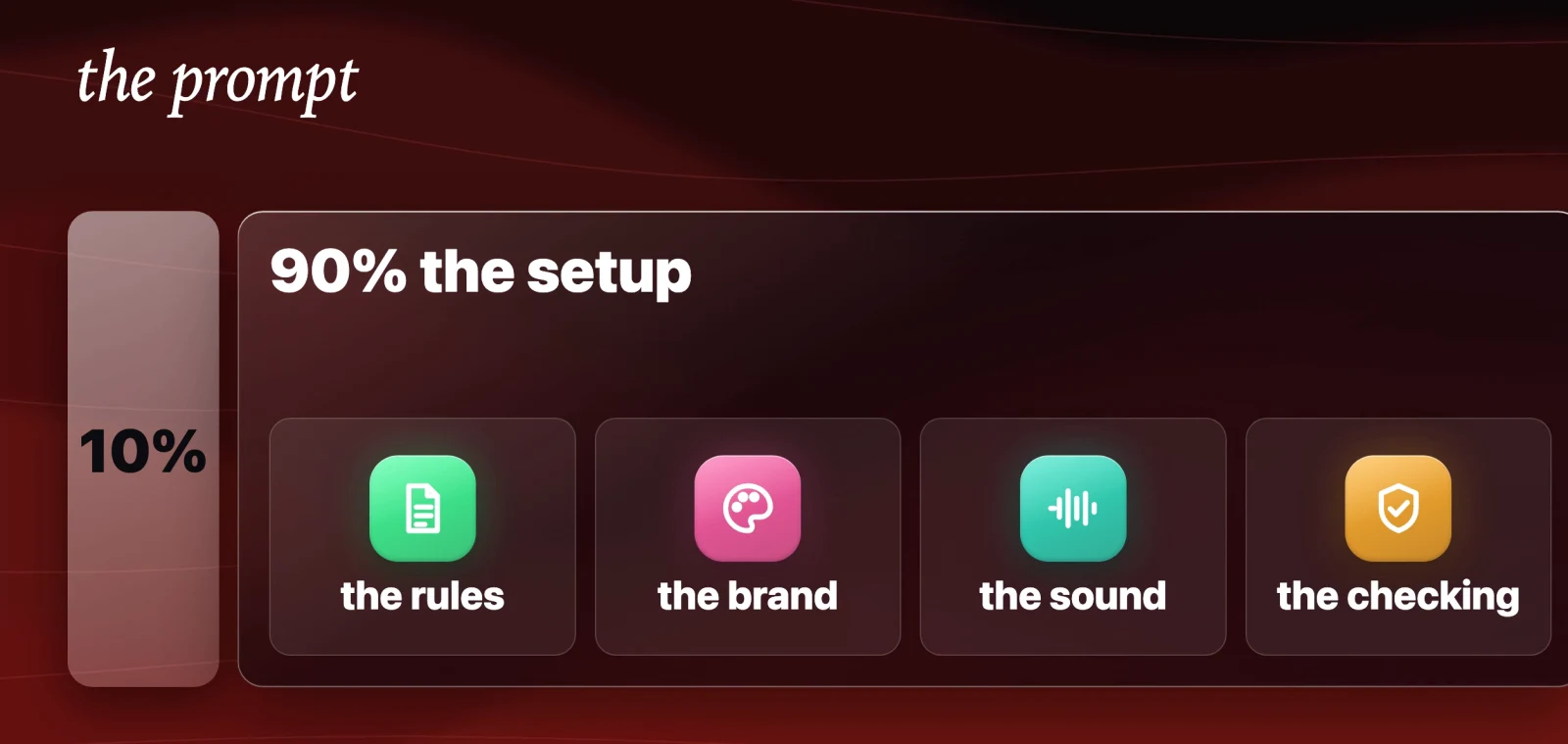
The reason is how it works. Claude cannot output a video file by itself. It writes code, and the code is rendered into frames. So the prompt is maybe 10% of the result. The other 90% is the setup around it: the rules, the brand, the sound and the checking.
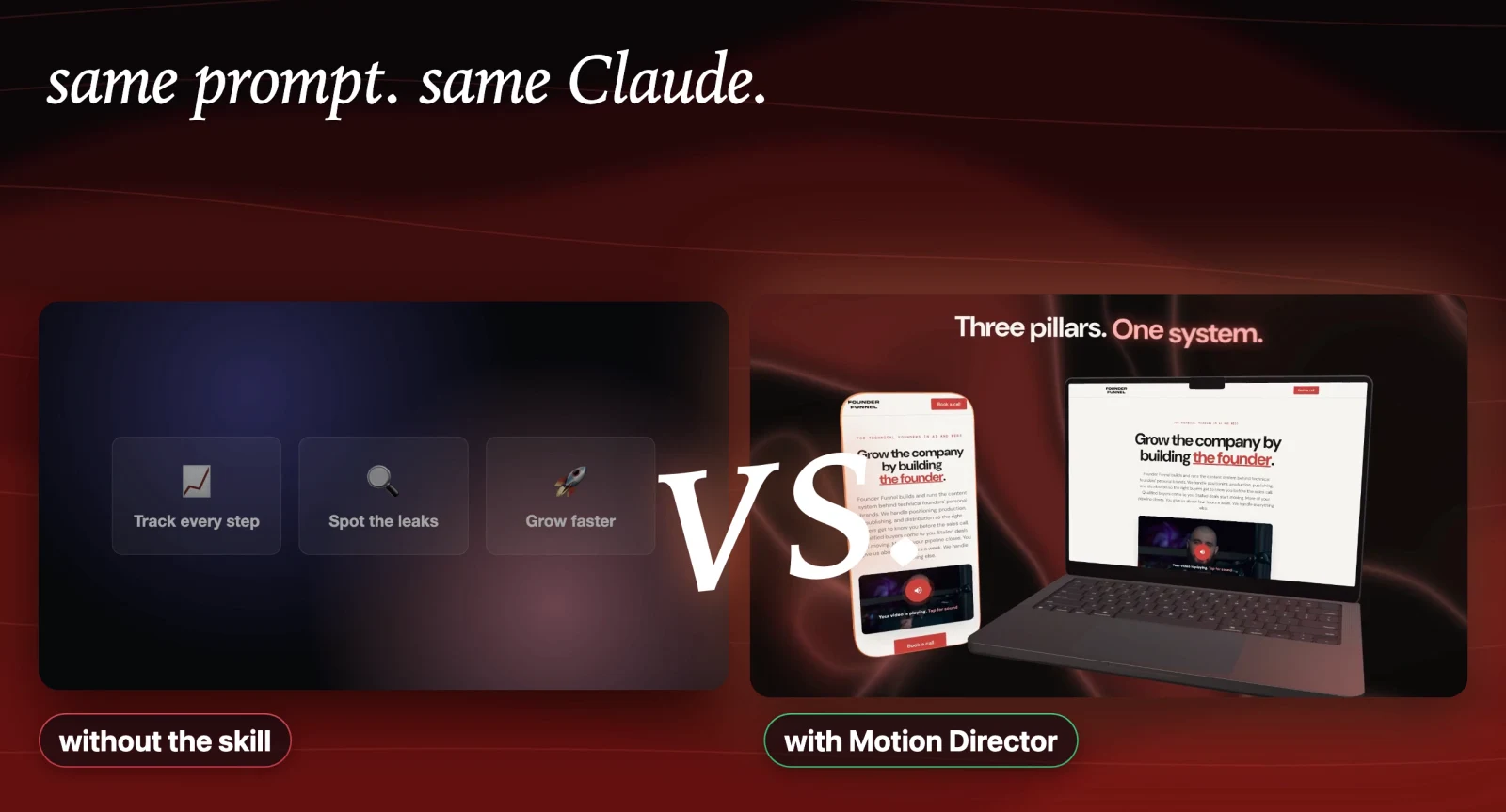
That setup is what the skill is. Same prompt, same Claude, a completely different video:
What the Motion Director skill does
Motion Director does two jobs:
- Whole videos. A 10 to 30 second launch video, product demo, channel intro or explainer, made from a link to your site.
- Animations for a video you filmed. The overlays and B-roll that pop up while you talk: a counter, a notification, a checklist, a chart.
It ships with a library of over 260 animations (266 at the time of writing) and nine complete video styles. It works in Claude Code, Codex, Hermes Agent and any agent that reads SKILL.md skill folders.
Every time you use it, it runs the same five steps.
1. The interview
Before it builds anything, it asks its questions all at once. What is the video for, how long should it be, and what is the one moment people should remember.
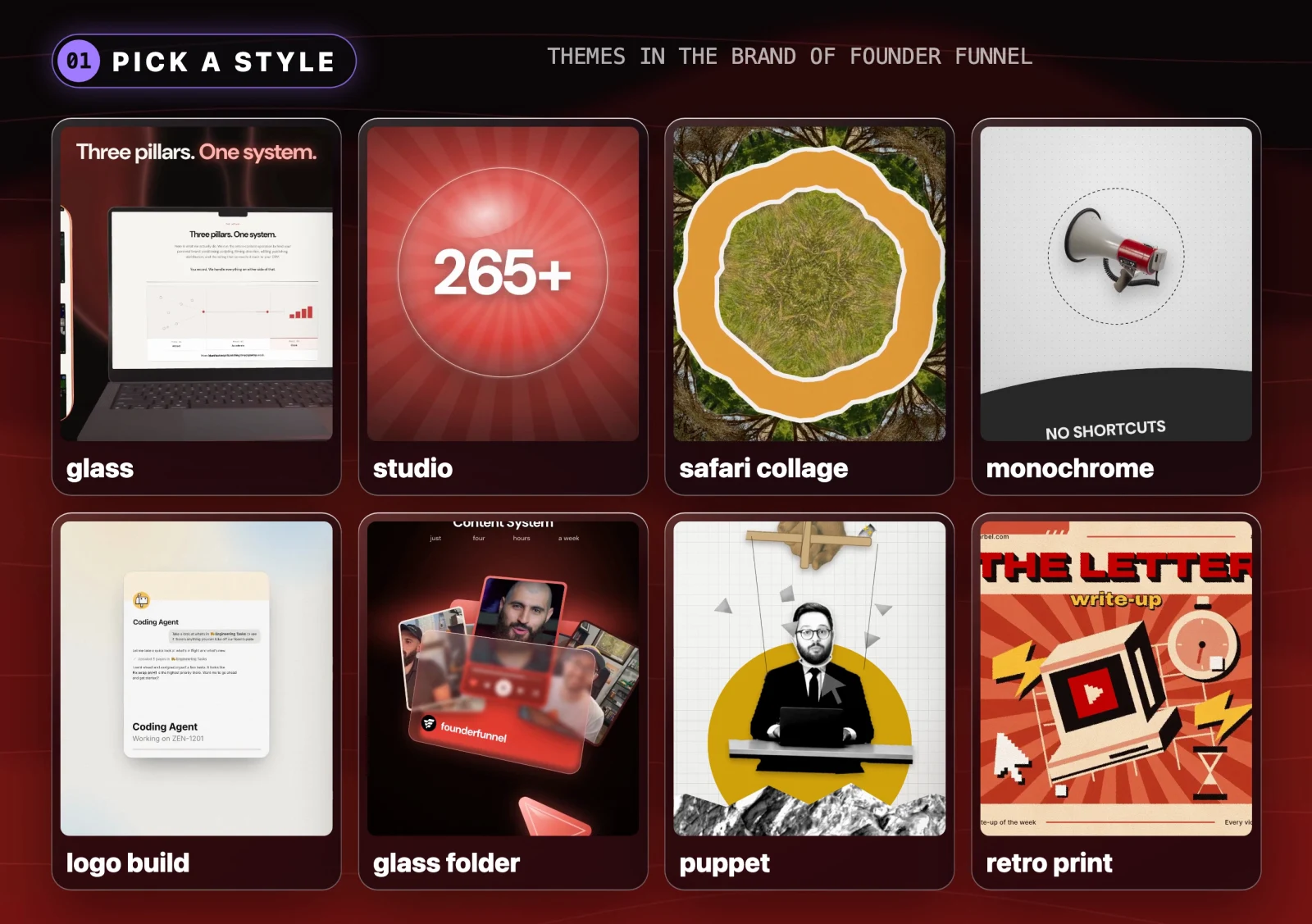
When it asks which style you want, it does not make you describe it in words. It renders a board with every style in your brand and you pick.
2. Your brand
You give it a link and it opens your website on its own. It measures your real colours from how the site uses them, and grabs your fonts, your logo, real screenshots of your product and frames from your product video. It saves all of it, so the next time you skip this step entirely.
3. The plan
It pitches three different ideas for the video, one of them deliberately bold, and tells you which one it recommends. Then it lays out every shot in a table: what is on screen, when it comes on, and what you will hear. It does not write a single line of animation until you say yes.
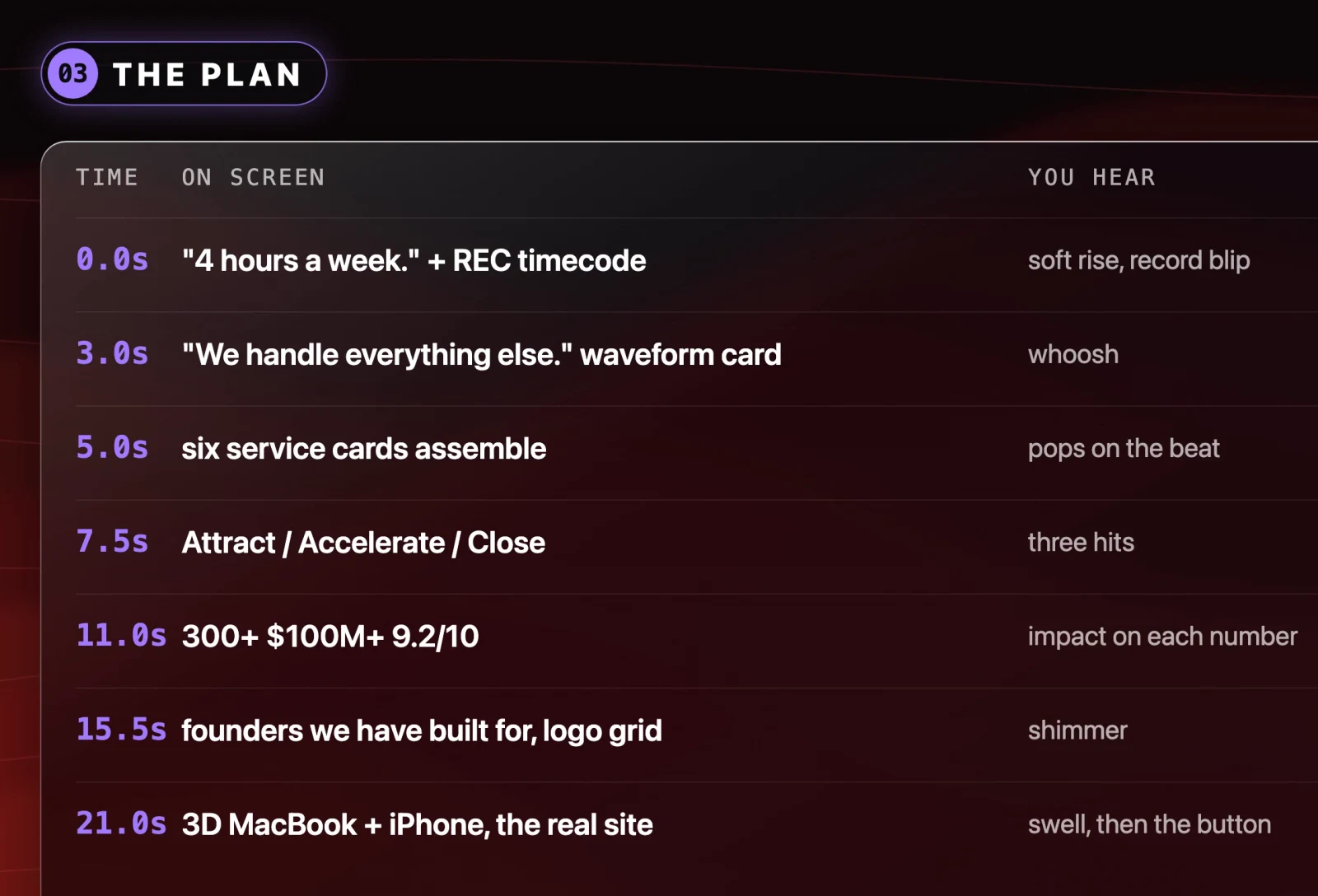
4. Sound
It writes its own original music in code, plus a sound for every click, pop and transition. Each one sits on the exact frame it belongs to. Because it made the music itself, there is no copyright to worry about.
5. The critic
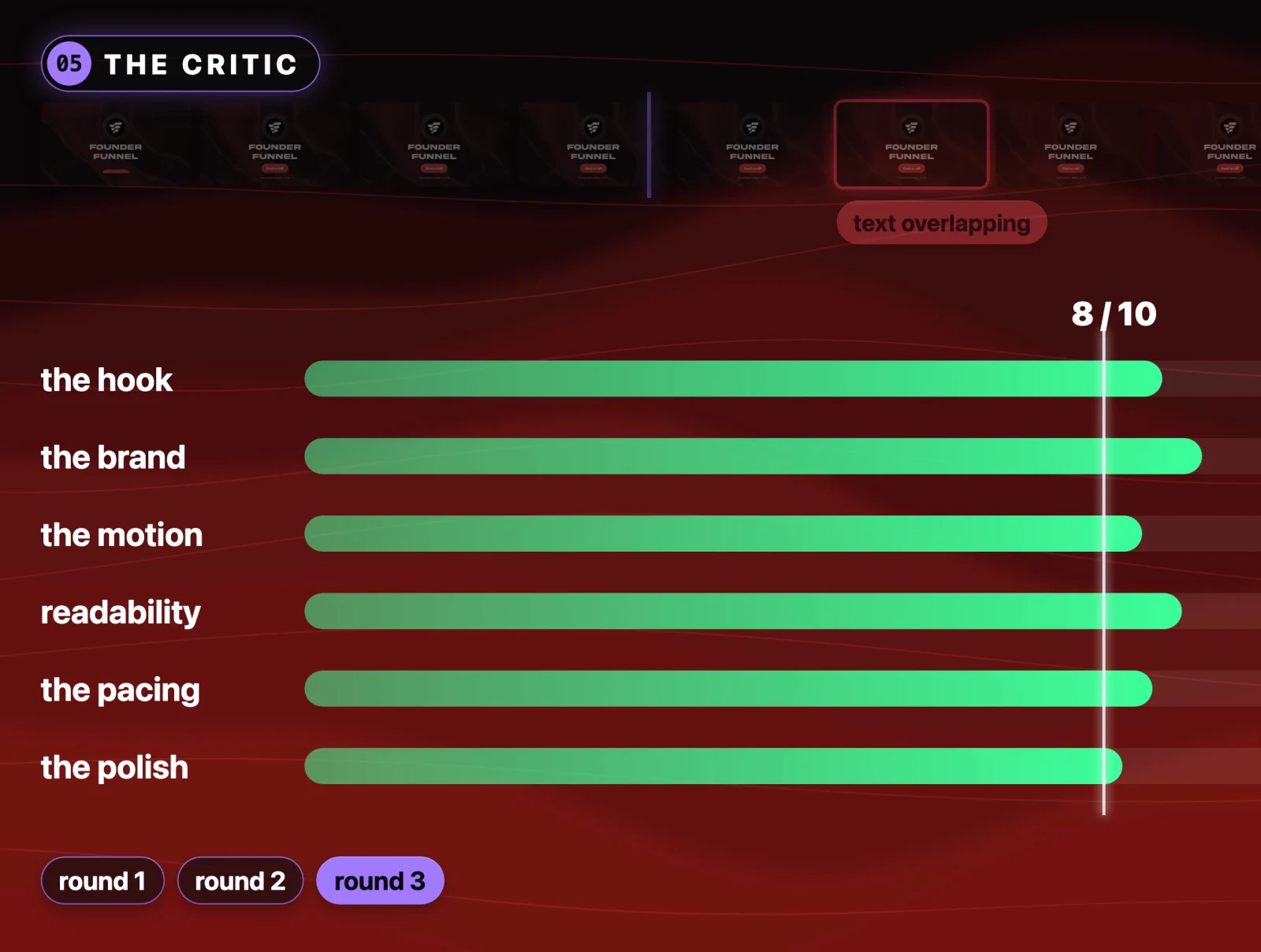
When the render is done, it checks every frame for problems like overlapping text. Then it scores itself out of 10 on six things: the hook, the brand, the motion, readability, the pacing and the polish. Anything under 8 gets fixed and rendered again, for up to three rounds, and it shows you the score each time.
Everything runs on your own computer. There is no account to create, no API key to fetch, nothing uploaded and no stock music.
How to install Motion Director in Claude Code
The skill is free and open source. Open Claude Code and send it this:
Install the motion-director skill, then set up motion director:
https://github.com/sharbelxyz/motion-director
If you would rather install it yourself, the repo has a one-line installer for macOS and Linux. It finds the agents you have and installs into each one:
curl -fsSL https://raw.githubusercontent.com/sharbelxyz/motion-director/main/install.sh | bashOr install for one agent only:
git clone https://github.com/sharbelxyz/motion-director
cd motion-director
./install.sh --claude      # Claude Code   -> ~/.claude/skills/motion-director
./install.sh --codex       # Codex         -> ~/.codex/skills/motion-director
./install.sh --hermes      # Hermes Agent  -> ~/.hermes/skills/creative/motion-director
Then open your agent and say:
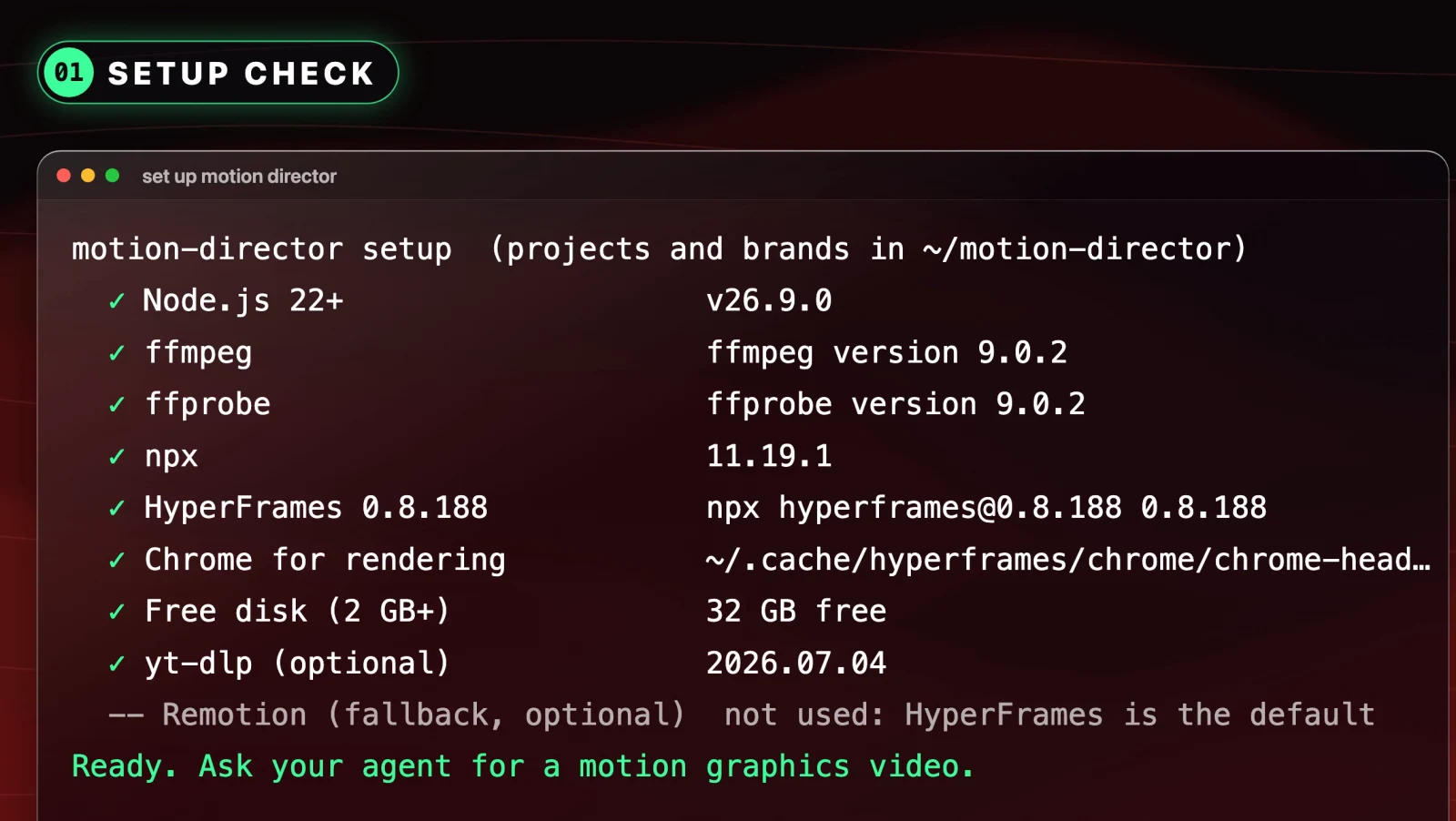
set up motion directorSetup checks that you have everything it needs and installs whatever is missing. That covers Node.js 22 or newer, FFmpeg and the HyperFrames renderer with its headless Chrome. Budget about 2 GB of free disk.
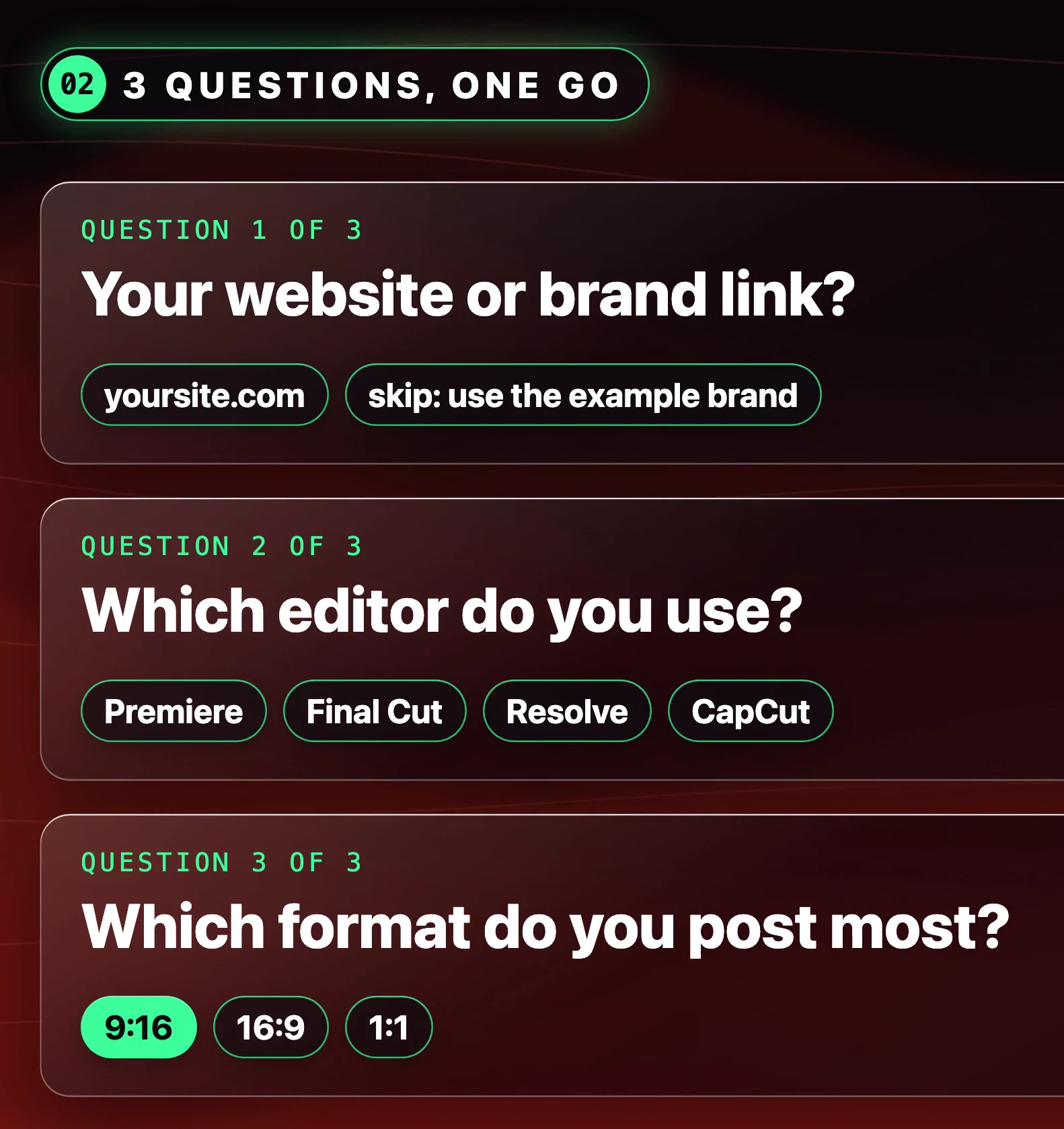
Then it asks three things in one go: your website, which editor you use and which format you post most. That last one covers Reels and Shorts, YouTube videos and product demos. Then it makes your first animation in your own brand, so you can see it working.
On Windows, install Node.js 22+ and FFmpeg first, then copy skills/motion-director into your agent's skills folder. For Claude Code that is %USERPROFILE%\.claude\skills\.
Once it is installed, you can call it directly with /motion-director in Claude Code.
Build 1: a full launch video from a link
I made a launch video for FounderFunnel, the service I run inside our agency. This is the prompt:
Make a 20 second launch video for https://yoursite.com, 16:9, using motion-director.It interviewed me first. It already had the FounderFunnel brand from an earlier run, so it skipped straight to the styles. I picked the glass theme, then picked the one signature moment I wanted people to walk away remembering, and submitted. From there it built the animations and went back and forth with its own critic until the video was good enough.
The result was 20 seconds on the dot, exactly what I asked for and what we agreed on in the plan. The closing shot is a 3D MacBook with FounderFunnel's real website scrolling on the screen. I did not make that. The skill did.
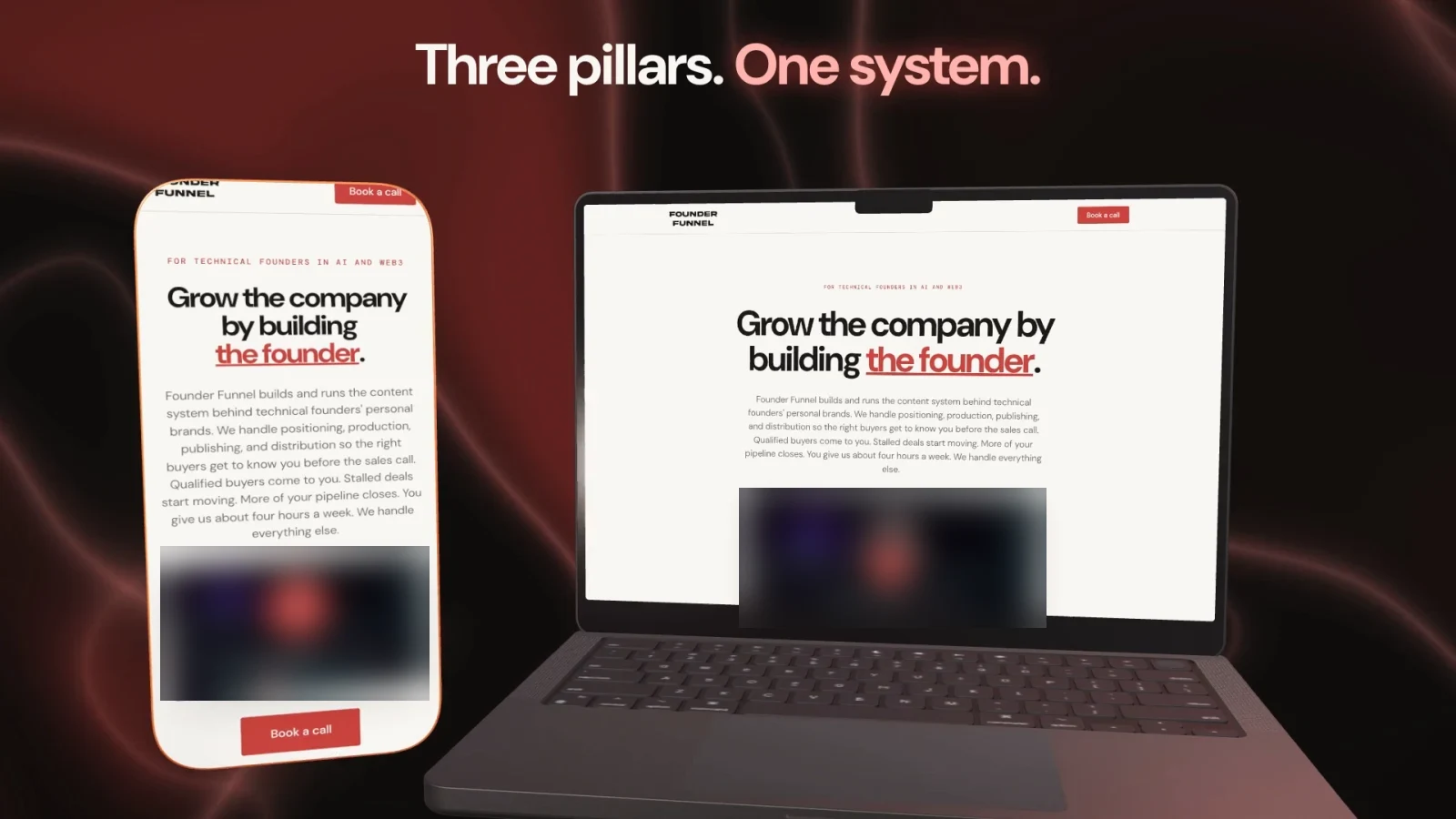
The critic's first round scored the film 6.8 out of 10. By the final round it was at 8.5, and the whole thing cost exactly zero dollars. If you do not like the soundtrack, ask it to change it. It wrote the music, so it can write another one.
What to expect on time: it can take a while. Your own computer is doing all the rendering, and the critic keeps sending the video back until it scores well enough. You do not need to sit and watch it. The second video for the same brand comes out much faster, because by then it already knows your brand.
Build 2: motion graphics for a video you already filmed
This is the job I use every week. A talking-head video does not need a whole film. It needs the small animations that appear while you are talking. Attach your footage and send:
Here is my footage. Use motion-director to pick b-rolls and overlays for it and give me the list.It transcribes what you actually say and picks an animation for every idea worth seeing. A number gets a counter. A product you name gets that product's screen. A list gets a list card. You approve the list, then it renders each one.
The overlays come out with a transparent background, as ProRes 4444 .mov files you drop straight on top of your video in Premiere, Final Cut or DaVinci Resolve. If you edit in CapCut, it gives you a green screen version instead. It remembers which editor you use, so you only tell it once.
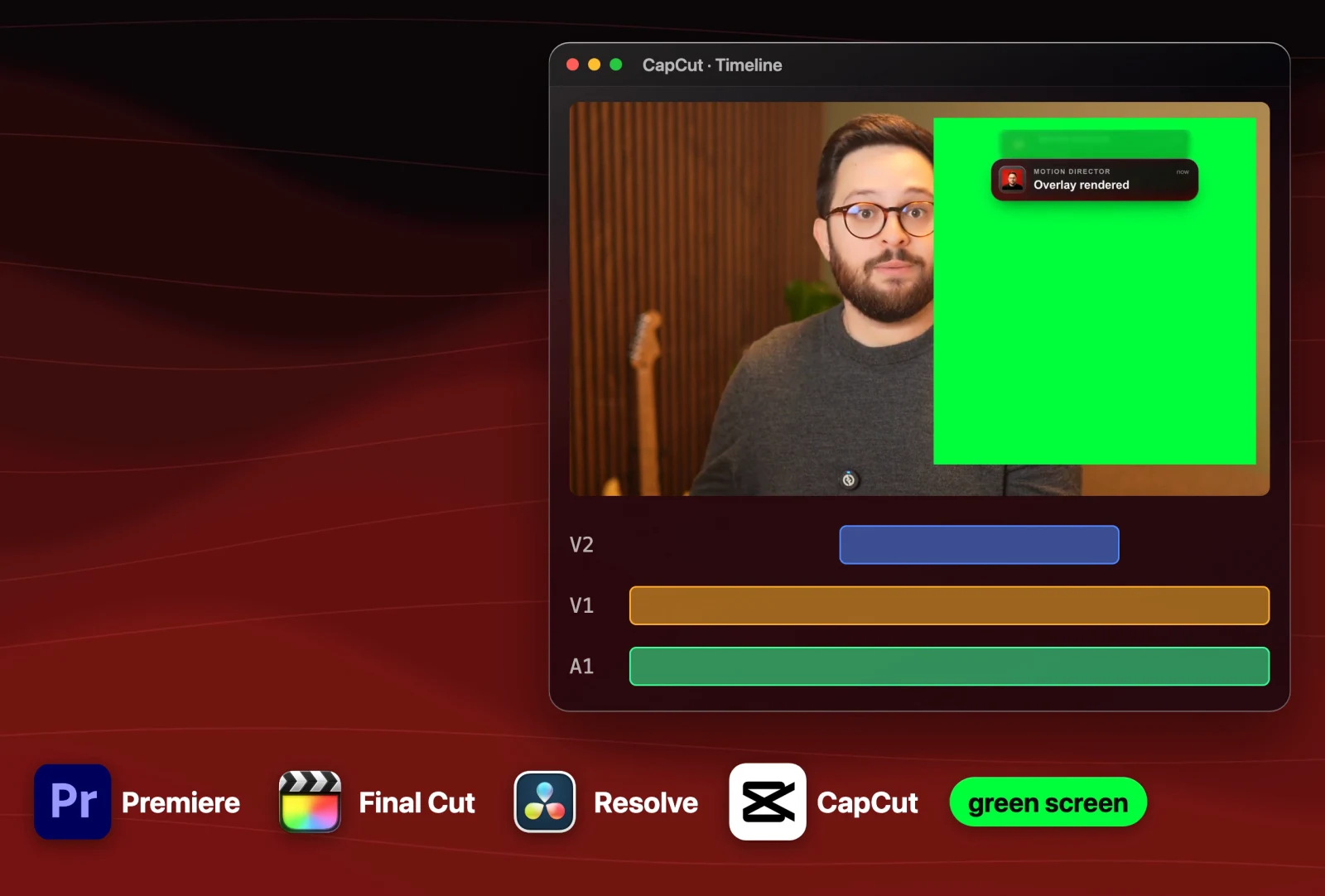
Every animation in the video above this article was made this way.
Build 3: teach it any animation you find
This is what makes the skill better than anything else I have tried. The better the picture you give Claude, the better it can make what you want. So when I see an animation I like on Pinterest, YouTube or Instagram, I do not try to describe it. I send it the link.
I found a safari collage on Pinterest with lemurs and an "Africa Rocks" end card. I sent it this, with a few photos of me attached:
Add this to the motion-director library:
<link to the animation>

But instead of the lemurs it's me, and instead of Africa Rocks it's Sharbel.com at the end.

I've also attached images of me that you can cut out and use accordingly for replacing the lemurs.
It studied the reference frame by frame, cut me out of the photos, built the move and rendered it. I overshot a little, there is a lot going on, but it got the feel right, paper rips and all.
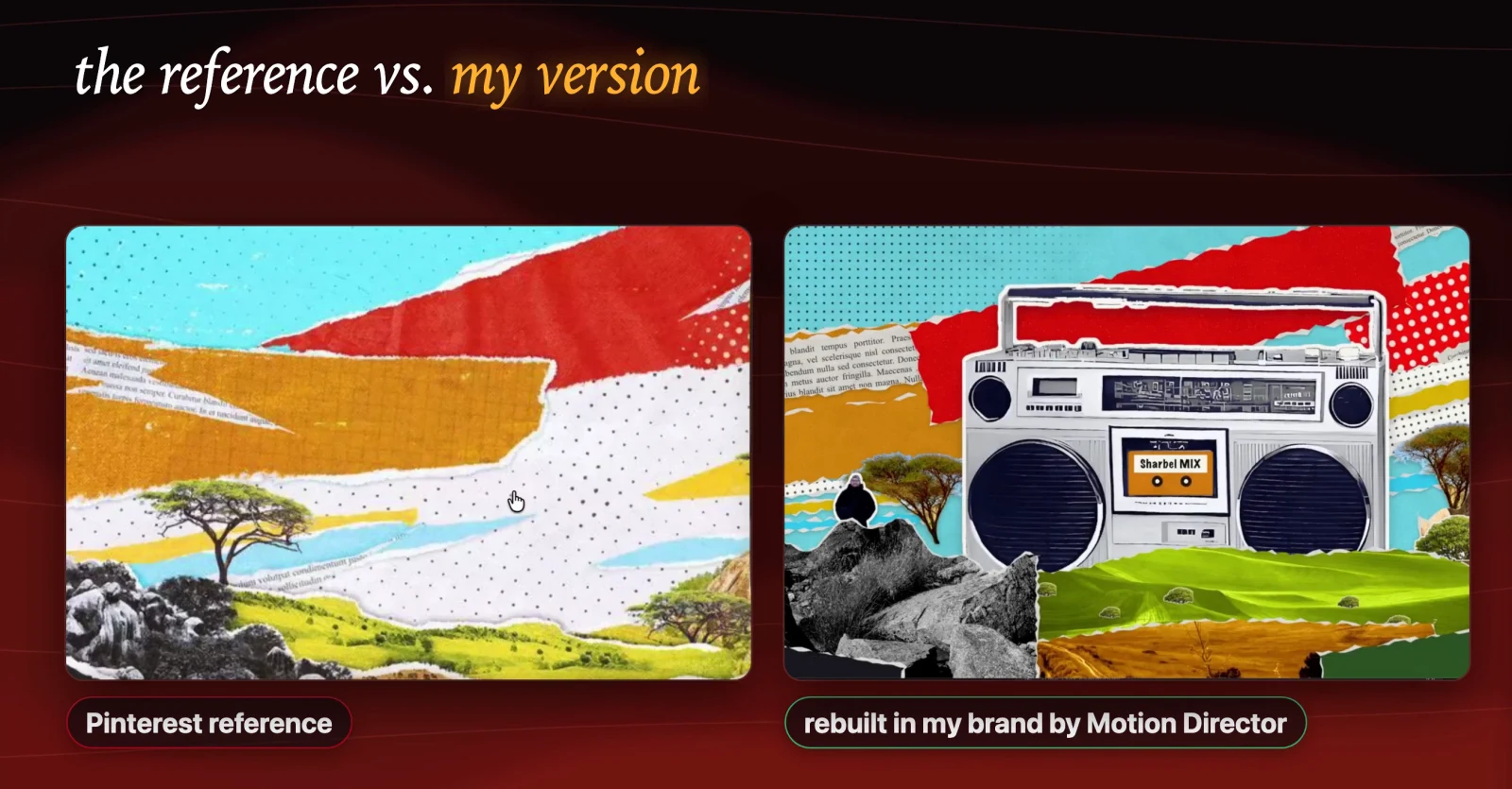
It copies the style, never the content. You never end up with someone else's logo, footage or music in your video. That is how the whole library was built: every time I saw something I liked, I sent it in and asked for it in my style. Every move you add makes your copy better than the one you downloaded.
Starter prompts for Motion Director
If you do not know what to ask, setup ends with a list of starter prompts. Here they are. Copy any of these into your agent:
Make a 20 second launch video for https://yoursite.com, 9:16.Here is my script: <paste it>. Pick B-roll and overlays for it and give me the list.Give me a transparent overlay for when I say "we hit 10,000 sign-ups".Show me the gallery of moves.Make a channel intro for https://youtube.com/@yourchannel.Copy the style of this video for my brand: <link>.Add this to the library: <link to a motion graphic you like>.What to do next
Install the skill from the GitHub repo, run set up motion director, and point it at your own site. Make one launch video tonight, then try the footage prompt on the next video you film. When you see an animation you like, send it the link.
Resources
- Motion Director on GitHub: the skill, the installer and the full gallery of moves
- One-line installer script
- The install prompt, the three build prompts and the starter prompts above
Further reading
- Claude Code and its skills documentation
- Codex
- Hermes Agent
- HyperFrames, the renderer the skill uses
- Node.js and FFmpeg
- Premiere, Final Cut, DaVinci Resolve, CapCut
- FounderFunnel
Questions
- Can Claude Code make motion graphics?
- Yes. Claude writes animation code that a renderer turns into video frame by frame. On its own the output tends to look generic. A skill like Motion Director supplies the brand, shot plan, sound and quality checks that make it look designed.
- Is the Motion Director skill free?
- Yes. It is open source under the MIT licence on GitHub. It renders on your own machine, so there is no account, no API key and nothing uploaded.
- What do I need to run Motion Director?
- Node.js 22 or newer, FFmpeg and about 2 GB of free disk. Setup fetches the HyperFrames renderer and its headless Chrome for you and installs anything that is missing.
- Does Motion Director work with Codex or Hermes Agent?
- Yes. It works in Claude Code, Codex, Hermes Agent and any agent that reads SKILL.md skill folders. The one-line installer finds every agent you have and installs into each.
- Can I use the overlays in Premiere or CapCut?
- Yes. Overlays render as transparent ProRes 4444 .mov files for Premiere, Final Cut and DaVinci Resolve. For CapCut it renders a green screen version instead.
- How long does a Motion Director video take to render?
- It depends on the job and your computer, because everything renders locally and the critic can send a video back up to three times. The first video for a brand is the slowest. Later ones are faster because the brand is already saved.

You made it to the end
That is the whole build. Want the next one?
Read next

How to Run Claude Code for Free on a 550B Model (3 Ways, No GPU)
Keep the Claude Code app, swap the small local brain for a huge hosted one, and pay nothing.

How Anthropic Engineers Use Claude Code: 7 Habits to Copy
Anthropic went from 2,500 to 30,000 merged changes a day. These are the seven habits behind it, with the prompts to set each one up.

How to Run Claude Code for Free With a Local Model
Keep the real Claude Code and point it at a model on your own machine. Three free routes, every command, and the trade-off each one asks for.