How Anthropic Engineers Use Claude Code: 7 Habits to Copy
Anthropic went from 2,500 to 30,000 merged changes a day. These are the seven habits behind it, with the prompts to set each one up.
From the videoHow Anthropic Engineers Actually Use Claude Code
Anthropic's engineers use Claude Code by reviewing the intent of a change instead of every line, giving each agent one thing to watch, telling Claude "no", making it prove its work, catching mistakes on every edit, giving each Claude its own worktree, and handing it goals instead of tasks. Below is each habit, with the exact prompt or command to set it up in your own Claude Code today.
Why Anthropic had to change how it works
In May, Anthropic was merging about 2,500 code changes a day. By September it was over 30,000 a day, and more than 80% of the code going in was written by Claude.

So many Claudes were writing code at once that Git, the system almost every developer uses to track changes, could not keep up. A team of seven built a replacement and moved the entire codebase onto it in about five months. Anthropic wrote it up in Redesigning source control at Anthropic.
You can't use that system, and they say it isn't meant to replace Git for normal teams. What you can use is how their engineers work now. When Claude writes most of your code, your job changes. Some of these habits aren't new, but seeing them hold up at 30,000 changes a day is the best proof they work.
Habit 1: Review the intent, not every line
This is the one that sounds scariest. The post says the team now examines the intent of a change, what it is trying to do, instead of reading every line of code.
They didn't stop reviewing. They changed what they review. In Anthropic's video, How the Claude Code team uses Claude Code, they explain that Claude handles the nitpicks and the humans check the big picture:
- Is this the right approach?
- Is it touching something it shouldn't?
- Does the design actually make sense?
Here is how I do it. After Claude changes something, before I look at a single line, I send this:
before i look at this, explain what this change is trying to do in 3 sentences. then list the 3 riskiest spots, with the file and line number, and why they're risky.Then I run Claude Code's built-in reviewer, which goes through the change looking for actual bugs:
/code-review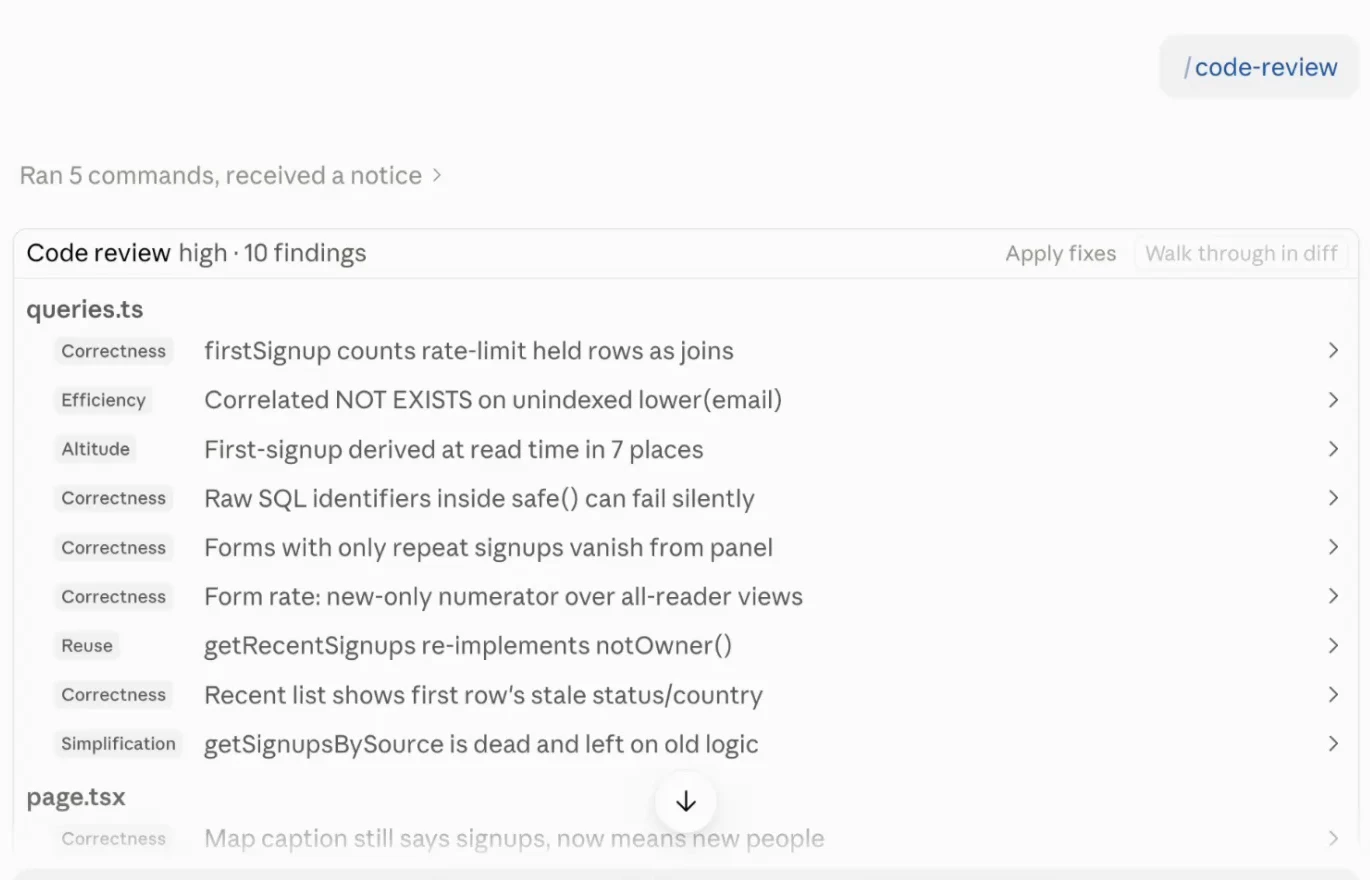
From there I fix everything it finds, or only the ones that matter. Instead of reading 400 lines, I read three sentences and let the reviewer hunt for bugs. The Code Review docs cover the options.
One trick: the session that wrote the code already believes the code is right. For anything important, open a brand new session and run the review there, so it looks with fresh eyes the way a real reviewer would.
Habit 2: Give one agent one thing to watch
Anthropic also runs agents that watch their systems around the clock. They call them superfans: Claudes whose only job is to watch one part of the system. They read logs, watch numbers, and catch the weird things normal alerts miss.
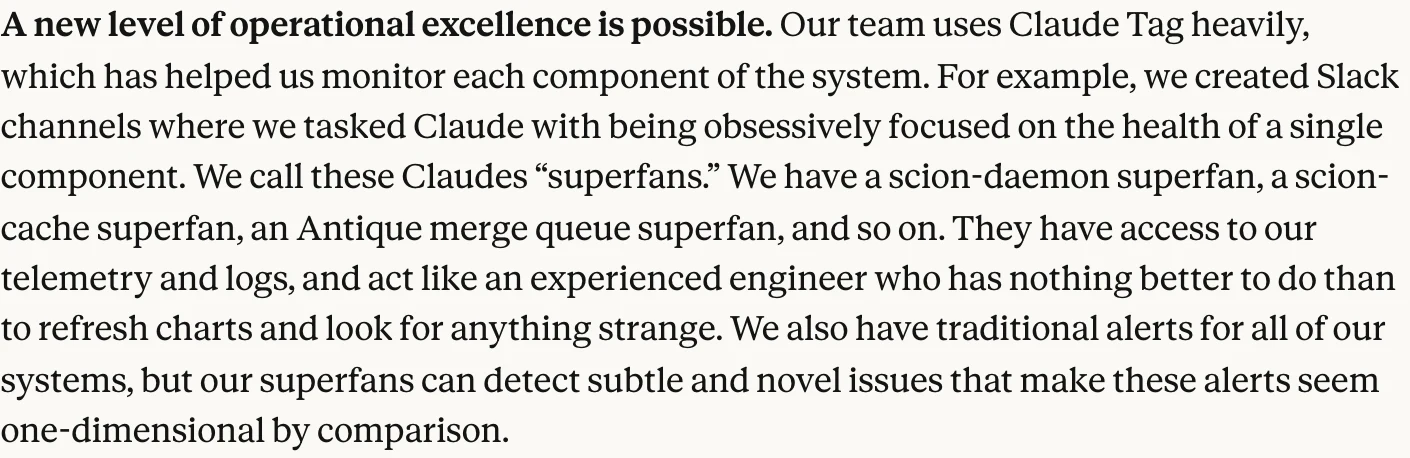
Anthropic describes them as acting like an experienced engineer who has nothing better to do. That is every founder's dream employee.
You can build a small version with /loop. The format is /loop, then how often, then the task. This is the one I run:
/loop 30m check that yoursite.com is up and every page loads properly. if anything is down or broken since last time, tell me what broke and the most likely cause. if nothing changed, don't say anything.The last sentence matters. Without it you get a status report every 30 minutes and stop reading them. With it, Claude only speaks up when something is actually wrong.
/loop has two limits: it only runs while that session is open, and it stops on its own after seven days. If you want something that keeps running with your laptop closed, use /schedule. It runs on a fresh copy of your project in the cloud, at most once an hour, and needs a paid Claude plan (Pro or higher). It can't read files sitting on your laptop, so it's better suited to checking your code than your local machine. See routines for the details.
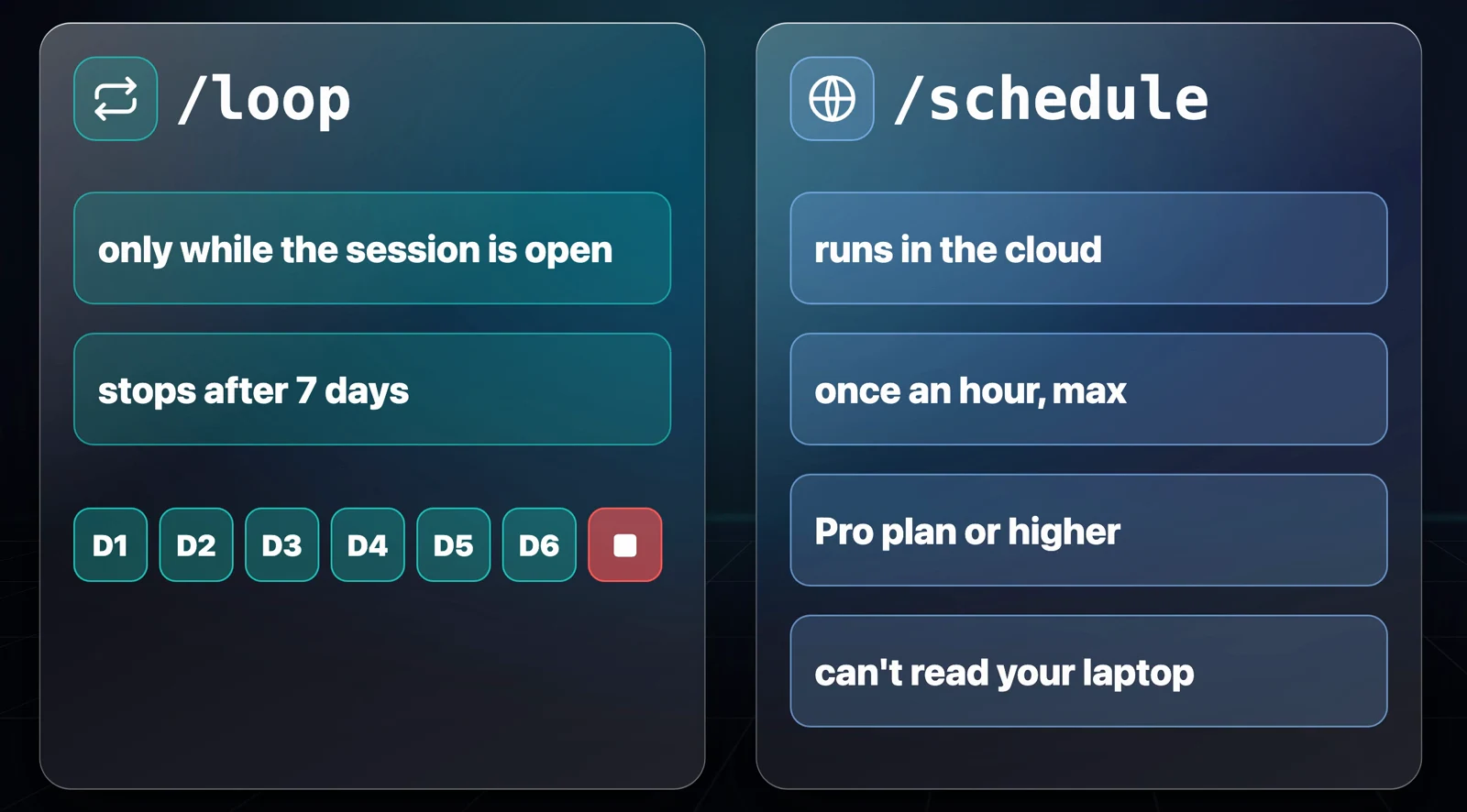
The rule is the same one Anthropic follows: one agent, one thing to watch. An agent watching everything ends up catching nothing.
Habit 3: Tell Claude no
The more freedom you give Claude, the more it tries to do. This was my favourite line in the whole post:
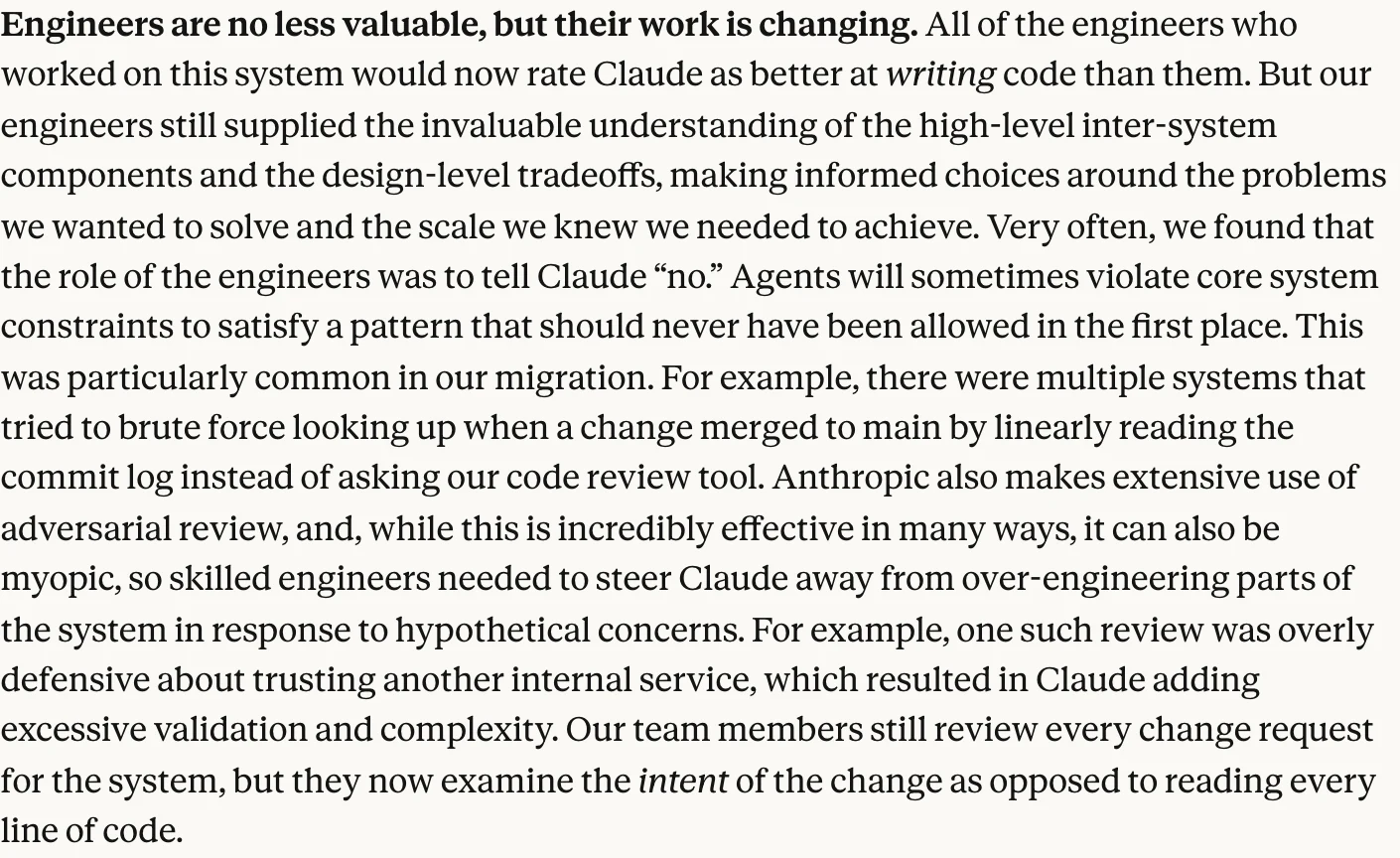
Claude sometimes broke core rules of their system. When they had Claude review code, it pushed to over-engineer. Anthropic called those reviews "myopic", a fancy word for short-sighted. So the engineers' real job became saying no. I do it in two ways.
1. A short no list in CLAUDE.md. CLAUDE.md is the file Claude reads at the start of every session in your project. Every time Claude does something I don't want, it goes on the list. You don't have to open the file yourself:
add this to the no list in my CLAUDE.md: never install a new package without asking me firstTo see the whole thing:
show me my CLAUDE.mdI keep two: a global one for every project and one per project. This is the no list in my global file:
## No list
- Never install a new package without asking me first
- Never delete files. Move them to an _archive folder and tell me
- Never touch .env or anything with passwords or API keys
- Never push, deploy or publish anything without asking me
- Don't change the design, colors or fonts unless I ask
- Don't add features I didn't ask for. Suggest them instead
Keep it short. Anthropic's own best practices say to look at every line and ask whether removing it would cause Claude to make a mistake. If not, cut it.
2. Put a brake on reviews. I ran the same review twice, side by side. First the normal way:
review my code and find problemsThen with a brake:
review this code. only flag problems that affect whether it works correctly or does what i asked for. ignore style and nice-to-haves.The braked review finished first, short and clean. The other one was still running, had planned three big steps, and spun up three background agents. When it finished, the output was massive by comparison. That second prompt comes from Anthropic's docs, which warn that chasing every finding leads to over-engineering.
One caveat: CLAUDE.md is the soft layer. Claude tries to follow it, but it's closer to a suggestion than a rule. If something has to happen every single time, you need something Claude can't ignore. That's the next habit.
Habit 4: Nothing is done without proof
Claude has a habit of saying it's done when it isn't. At Anthropic that doesn't fly: the Claude Code team says Claude's work comes back with tests and screenshots attached. Their docs say the most useful thing you can give Claude is a way to check its own work. There are two ways to force it.
The easy one is /goal. Type /goal, then define what done looks like:
/goal every link on my website (yoursite.com) works, and you've shown me proof you checked each oneAfter every turn, a small, fast model checks whether that is actually true. If it isn't, Claude keeps going on its own until it is. When I ran this, it kept finding broken links and fixing them one at a time, and it wouldn't stop until it was done.
If you're not sure how to word a goal, ask Claude to write it:
I want to write the best /goal for you to check that every link on my website (yoursite.com) works, and that you've shown me proof you checked each oneThis is what it gave me to paste in. It's far more specific about what done means:
/goal Check every link on https://yoursite.com and show me proof for each one.

Scope:
- Crawl every page on yoursite.com: start at the homepage, follow every internal link, and add every URL in /sitemap.xml. Stay on yoursite.com for crawling.
- On each page, collect every link: internal links, external links, #anchors, mailto:, and the src of images, video and scripts. Keep one row per unique link, and list every page it appears on.

What counts as working:
- Internal links: the final response is 200 after any redirects, the page isn't a "not found" page that returns 200 anyway, and any #anchor actually exists on the page.
- External links: the final response is 2xx or 3xx. If a site blocks bots (403, 429 or 999 from X, LinkedIn, Instagram and similar), open it in the browser and mark it "verified in browser". Don't call it broken until it fails there too.
- mailto: links only need to be well formed. Flag any redirect chain longer than 2 hops, and any http:// link that should be https.

Proof (the goal isn't met until all of this exists):
1. A report file, link-check-<date>.csv, with these columns: link, link text, source page(s), type, status code, final URL, result (OK / BROKEN / REDIRECT / VERIFIED-IN-BROWSER), time checked.
2. Totals that add up: pages crawled, unique links found, how many are OK / broken / redirect / browser-verified. Pages crawled must match the sitemap count plus any pages that aren't in the sitemap, and you must list those extra pages.
3. A screenshot of every link that's broken or only verified in the browser.
4. A short summary in chat: what's broken, which page it's on, the likely fix.

Rules: read-only. Don't edit, commit or deploy anything. Suggest fixes and wait for me to approve them.
One thing to know: the checker can't run anything itself. It only sees what Claude shows it. So write your goal as something Claude can prove, like showing you it checked every link.
The harder one is a stop hook. A hook is a small script that runs automatically at a set moment. A stop hook runs the second Claude tries to finish, and if your check fails, Claude isn't allowed to stop. The easiest way to set one up is to ask Claude:
add a stop hook to this project that checks every link on my website (yoursite.com), and blocks you from finishing if any of them are broken.Swap the check for whatever "done" means in your project. Now if Claude tries to finish with even one broken link, it gets sent straight back to fix it.
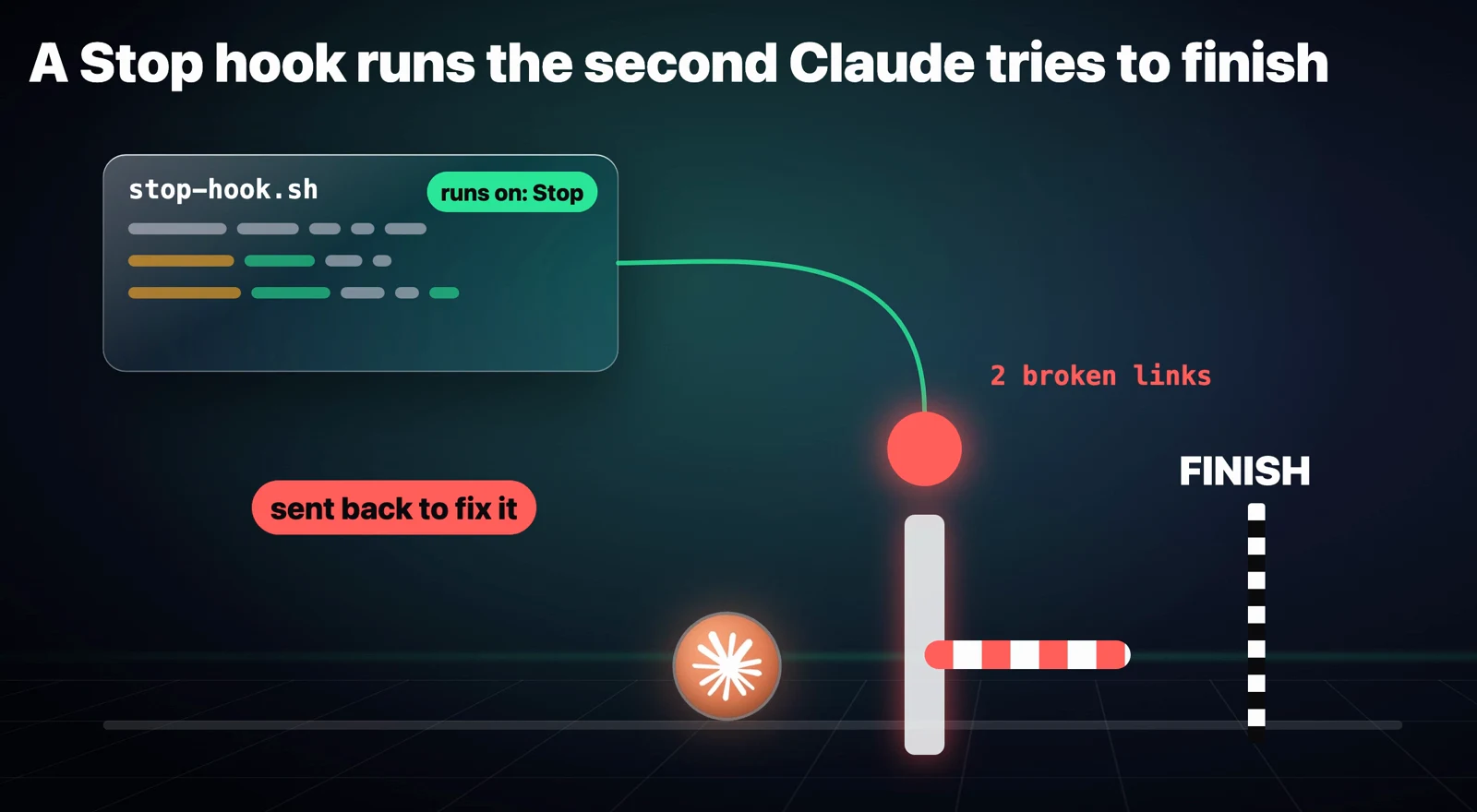
A hook costs zero tokens unless it has something to tell Claude. That's the difference between asking Claude nicely and actually forcing it.
Habit 5: Give Claude red squiggles
A stop hook only checks the work at the very end. Anthropic catches mistakes the second they happen.
Think of the red squiggly line under a typo in a doc: you fix it right there, before it spreads. An engineer on the Claude Code team put it this way in a talk at NDC Copenhagen: the fastest way to make an agent better at your codebase isn't necessarily a smarter model, it's a tighter feedback loop.
So they give Claude its own red squiggles: a hook that runs right after every edit, checks the code, and sends any errors straight back. Ask Claude to set it up:
add a hook to this project that checks every file for mistakes right after you edit it, and sends any errors straight back to you so you fix them before moving on.It picks the right checker for your project, called a linter (a tool that flags real mistakes in your code), and wires it up. Then give it a normal job:
add a newsletter signup box to my homepageEvery time it edits a file, that file gets checked. If Claude makes a mistake, it sees it immediately and fixes it before moving on.
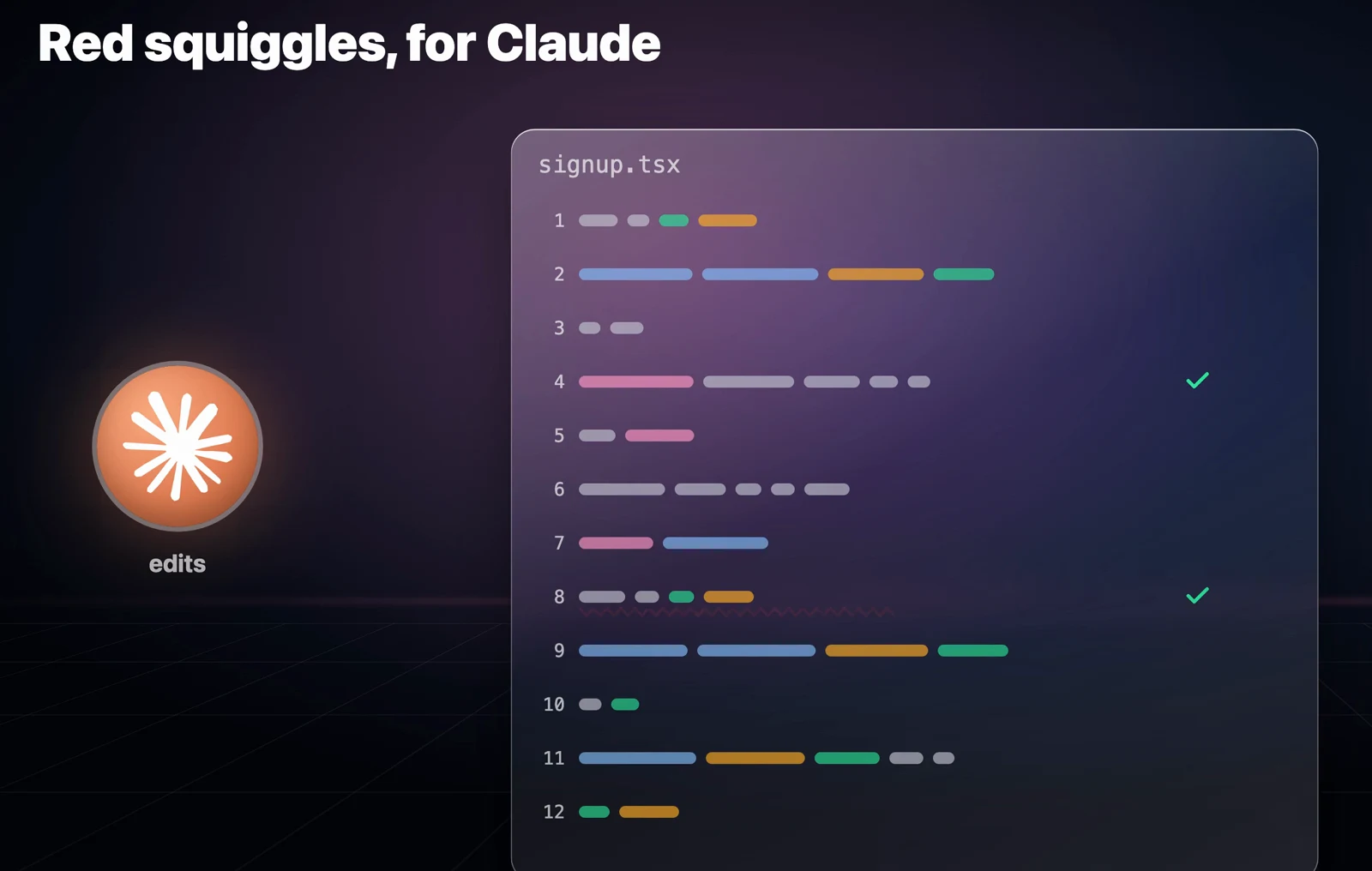
One note from my own setup: Claude Code only loads a project's hooks when a session starts, so restart the session after adding one.
Habit 6: One Claude per lane
That makes one Claude much better. But one Claude can only go so fast. The same engineer said going from running five Claudes at once to 20 gets you roughly four times the work done.
If you watched my video on why Anthropic's engineers stopped building AI agents, this might sound like the opposite advice. It isn't. The problem there was building a brand new agent for every job, one for content, one for email, one for outreach, each needing its own training and babysitting. Here every Claude is the same Claude with the same skills, working on a different job at the same time. You're not hiring 20 employees. You're cloning your best one.
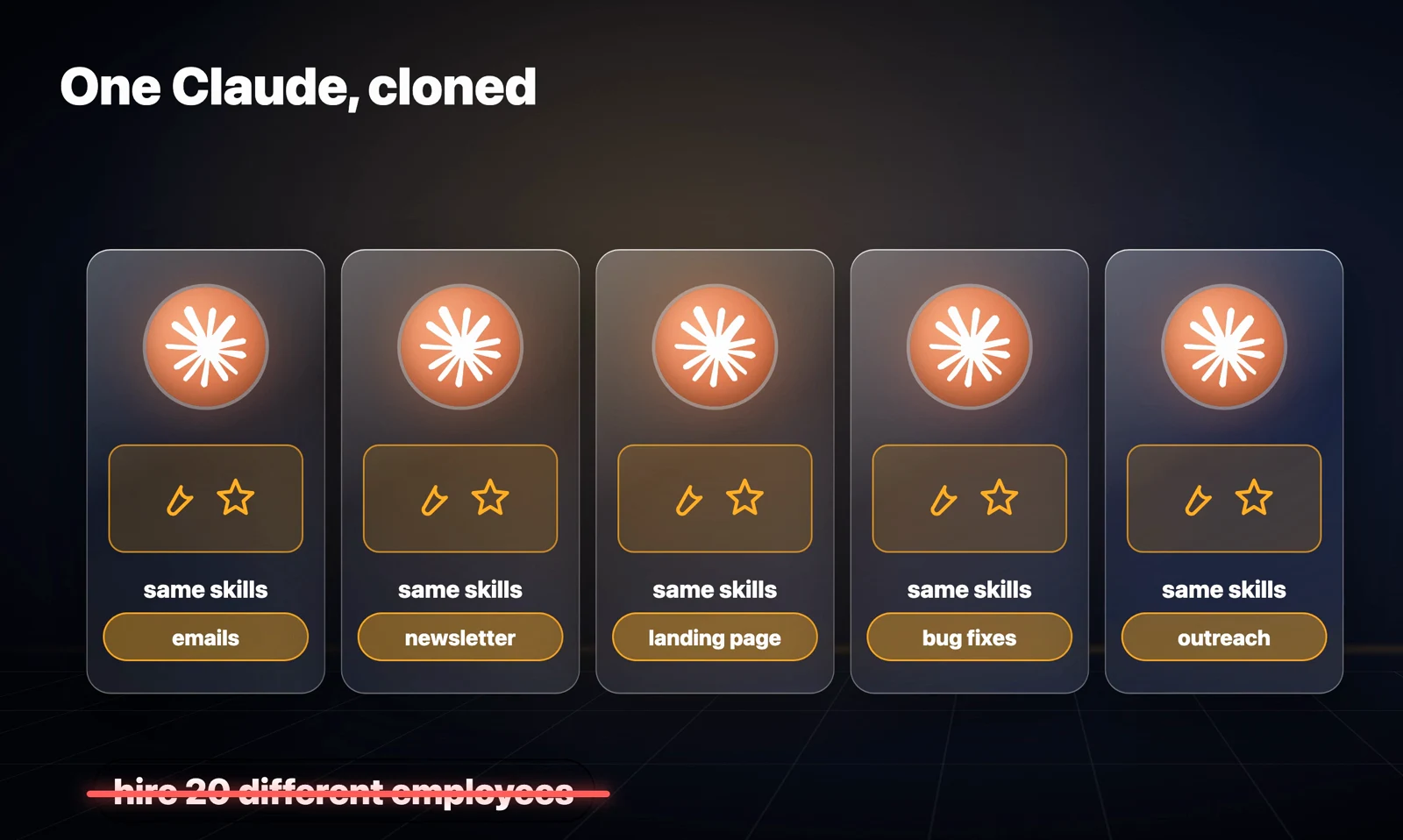
Open five Claude Code windows on the same project, though, and they trip over each other editing the same files. The fix is a worktree: a separate copy of your project, so each Claude has its own space. I open three new sessions and send one of these in each:
work in a worktree for yoursite.com called landing-pagework in a worktree for yoursite.com called newsletterwork in a worktree for yoursite.com called bug-fixesClaude creates its own copy of the project and moves itself into it. Three Claudes, three lanes, nobody stepping on anybody. She also gives each one its own colour, and says it genuinely helps her keep track of which Claude is doing what.
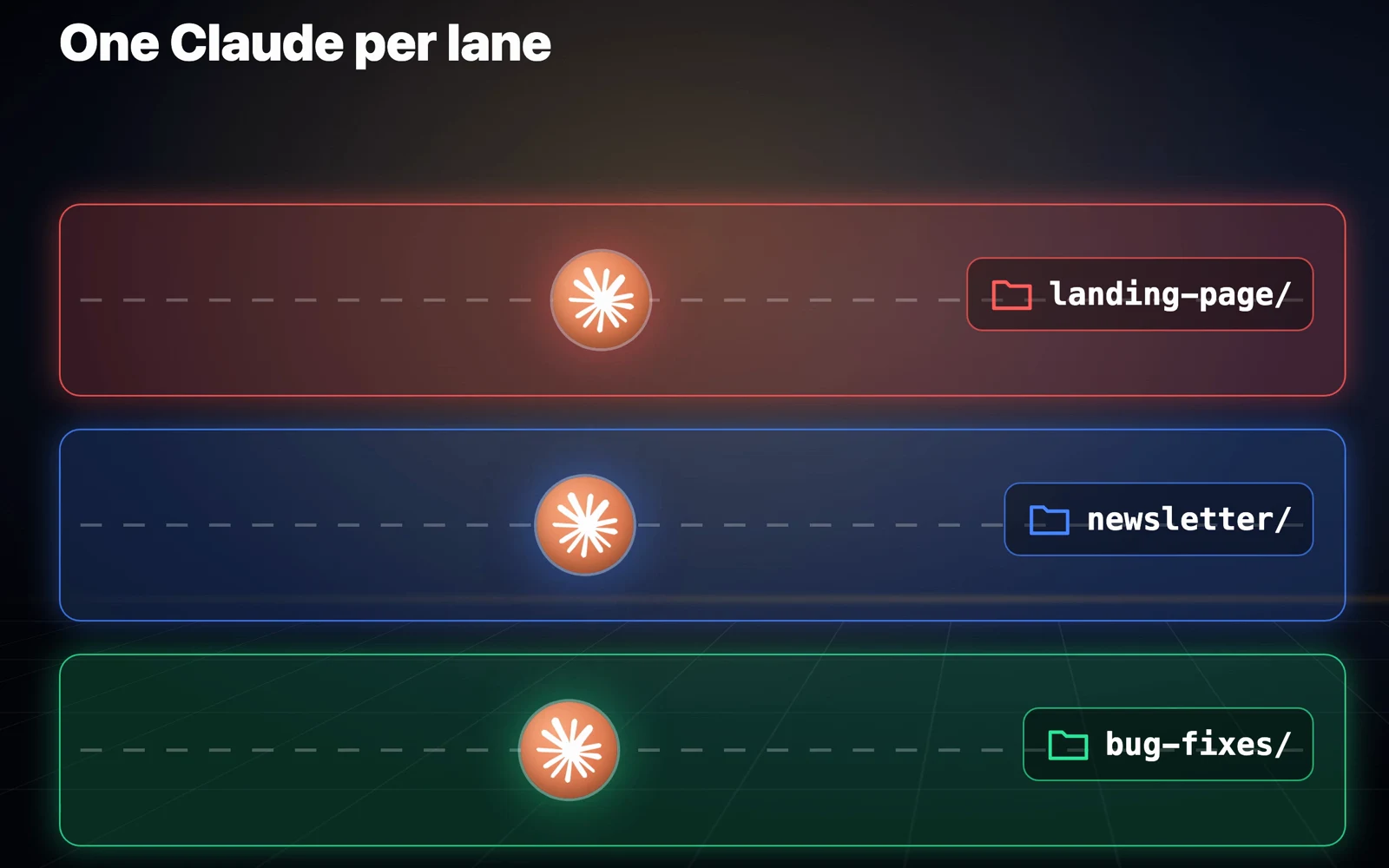
Each lane also gets its own branch, a separate line of changes, so when they're done you review and merge them back one at a time.
Habit 7: Give goals, not tasks
With three lanes, you're still the one handing out all the work. In Anthropic's video, the Claude Code team explains they give Claude goals instead of tasks. Not "add a button here" but "improve the funnel". And they stop watching every step.
For really big jobs they fan out: split the work up, give each piece to its own Claude, check every result and keep the good ones. One of them calls it a MapReduce problem, which is a fancy way of saying split it up, do it all at once, then put it back together.
In Claude Code that's /batch:
/batch give every page on my website a proper SEO title and descriptionClaude first makes a plan that splits the job into pieces and shows it to you. You can reject it, revise it, accept it, or accept it in auto mode. Once approved, a separate Claude takes each piece, all at the same time. When I ran it, every worker got its own /goal, and the plan ended with merging everyone's work and verifying it all.
/batch needs your project to be in Git, because that's how it gives each piece its own lane. It's listed with the rest in the commands reference.
Bonus: Run it from your phone
The same engineer runs her agents on a remote machine and steers them from her phone. She wrote parts of her talk while walking over from her hotel.
I do the same with a Mac mini. Inside a Claude Code session on the Mac mini, I type:
/remote-controlThen I open the Claude app on my phone, go to Code, and the session is right there. I can check on it, answer its questions and hand it the next job from anywhere. Remote Control needs a paid Claude plan. It won't work if you pay through an API key, the pay-per-use way some developers connect to Claude.
Where to start
None of this is a magic prompt. It's the boring stuff around Claude: review the intent instead of every line, give each agent one thing to watch, tell it no, make it prove it's done, catch mistakes the second they happen, give every Claude its own lane, and hand it goals instead of chores.
You don't need to ship 30,000 changes a day for this to work. Set up even one of these tonight and your Claude Code will be noticeably better tomorrow. Which one are you starting with?
Every prompt in this article
Every prompt and command above is in a copy block, in the order you'd set them up: intent review and /code-review, the /loop watcher, the no list and the braked review, /goal and the stop hook, the edit-check hook, worktrees, /batch, and /remote-control. Replace yoursite.com with your own project.
Further reading
- Redesigning source control at Anthropic: the post behind habits 1 to 3, and the 30,000 a day figure
- Recursive self-improvement: where the 80% figure comes from
- How the Claude Code team uses Claude Code: Anthropic's video on intent review and goals over tasks
- How Anthropic uses Claude Code, NDC Copenhagen: the feedback loop, 5 to 20 Claudes, and steering from a phone
- Claude Code best practices
- Docs for each feature: /goal, /loop, routines and /schedule, hooks, CLAUDE.md, worktrees, Code Review, Remote Control, all commands
- Claude plans and pricing
Questions
- Do Anthropic engineers still review code written by Claude?
- Yes. Every change is still reviewed, but they examine the intent of the change, what it is trying to do, instead of reading every line. Claude handles the nitpicks; humans check whether the approach is right, whether it touches something it shouldn't, and whether the design makes sense.
- What is the difference between /loop and /schedule in Claude Code?
- /loop repeats a prompt on an interval but only while that session is open, and it stops after seven days. /schedule runs on a fresh copy of your project in the cloud, at most once an hour, needs a Pro plan or higher, and cannot read files on your laptop.
- How do I stop Claude Code from saying it's done when it isn't?
- Use /goal to define what done looks like; a small model checks it after every turn and Claude keeps working until it is true. For a hard guarantee, add a stop hook that runs a check when Claude tries to finish and blocks it if the check fails.
- How do I run several Claude Code sessions on one project without conflicts?
- Give each session its own worktree, a separate copy of the project on its own branch. Tell each session "work in a worktree called <name>" and Claude creates it and moves itself in. Merge the branches back one at a time when they are done.
- Does /remote-control work with an API key?
- No. Remote Control needs a paid Claude plan. It does not work if you pay for Claude through an API key.

You made it to the end
That is the whole build. Want the next one?
Read next

How to Give Claude Code and Your AI Agent Shared Memory
Connect a builder and an operator to one memory store, so what you tell one the other already knows.

How to Use Claude Code: The Complete Guide
Setup, permission modes, CLAUDE.md, context, cost, skills, hooks and the seven day path to actually learning it.

Claude Code Rate Limit: Why You Hit It and the 7 Fixes That Actually Work
Almost none of your Claude Code usage limit comes from what you type. Here is what actually burns it and how to stop it.