The 10 Best Hermes Marketplace Plugins (And How to Install Each One)
Nous Research's new Hermes Marketplace has almost 1,000 plugins. These are the 10 worth installing first, with the exact command for each.
From the videoThe New Hermes Marketplace Is Insane (10 Plugins To Install Today)
The Hermes Marketplace is Nous Research's new app store for Hermes Agent: one place for plugins, skills and connectors, with almost 1,000 plugins you install with a single command or a single click. These are the 10 worth installing first, counted down from 10 to 1, with the exact install command for each.
I've made over 25 videos on Hermes and run a big part of my business on it, so before recommending any of these I installed every one on my own agent first.
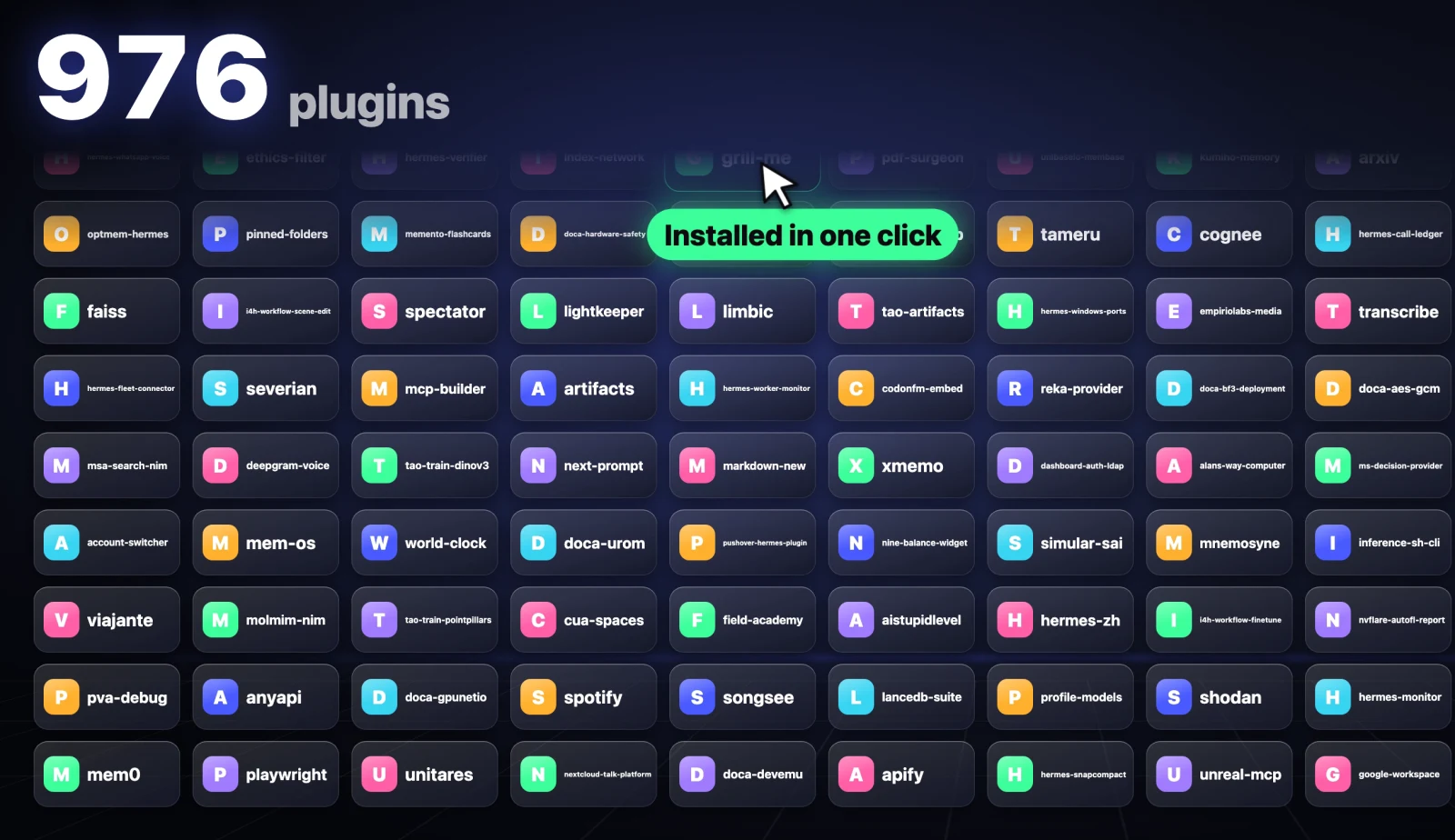
How the Hermes Marketplace works
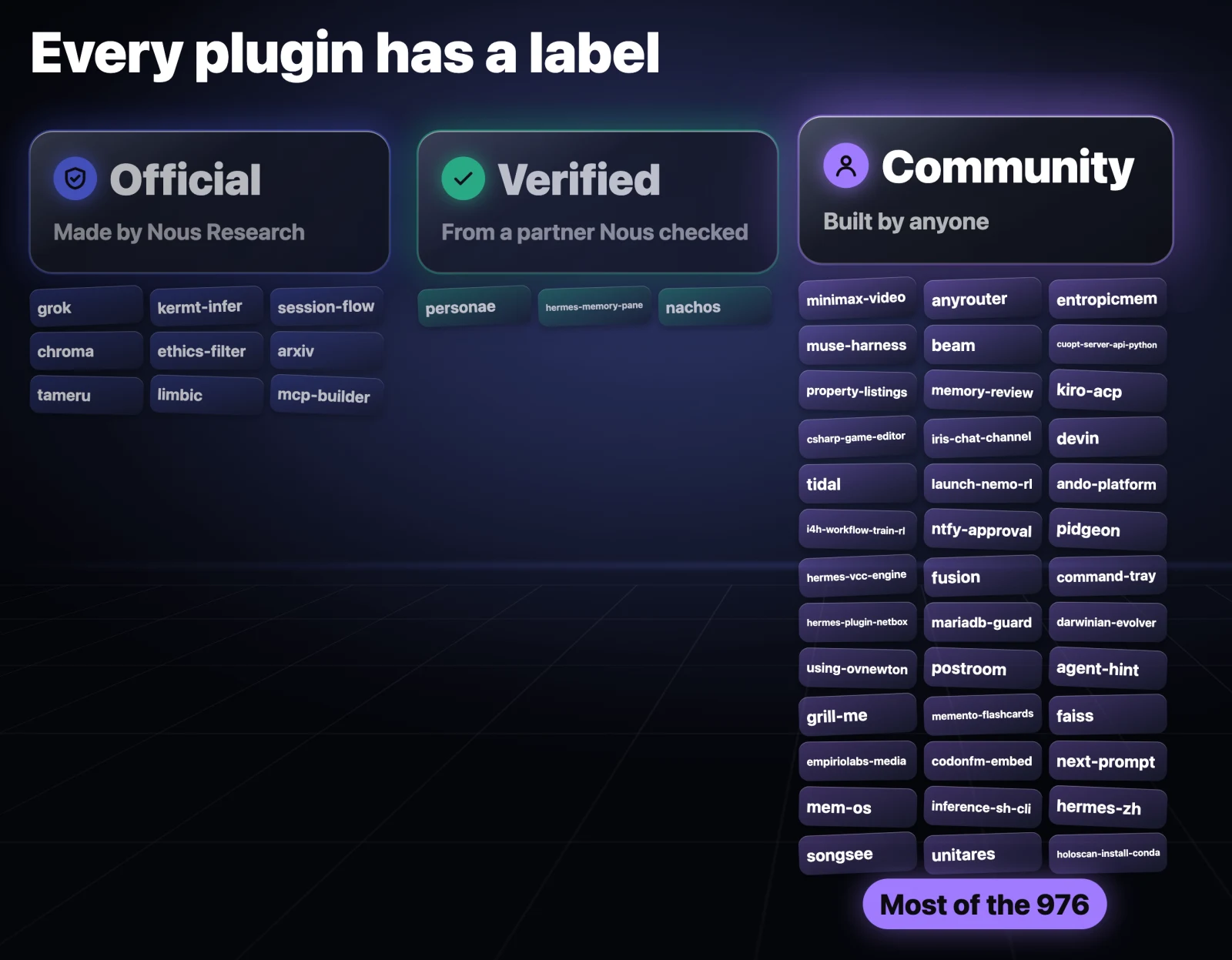
Open it at hermes-agent.nousresearch.com/marketplace. Every plugin carries one of three labels:
- Official: Nous Research made it and maintains it.
- Verified: it comes from a partner Nous has checked.
- Community: anyone else built it. This is where most of the catalog comes from.
There are three ways to install any of them. From a terminal, it's one command plus the plugin's name:
hermes plugins install <plugin-name>If you use the Hermes desktop app, each plugin page has an Install in Hermes button. Or you can ask your agent to install it for you:
Install the <plugin-name> plugin from the Hermes Marketplace and enable it.Read the plugin page before installing anything from Community. The label tells you who stands behind it, not that it's safe.
10. Blender: build 3D models from a sentence
Blender is one of the most powerful free 3D apps there is, and one of the most confusing. This official plugin connects Hermes straight to Blender, so your agent can read your scene and change it. You describe what you want and it builds it.
hermes plugins install blenderI asked it to design a phone stand for my desk with my name on it. This is what came back, ready to slice and print on my 3D printer.

Before you install: it needs Blender 5.1 or newer with its MCP add-on turned on, and it can run code inside Blender. Only use it on your own projects. Plugin page.
9. LetsFG: flights and hotels without 20 tabs
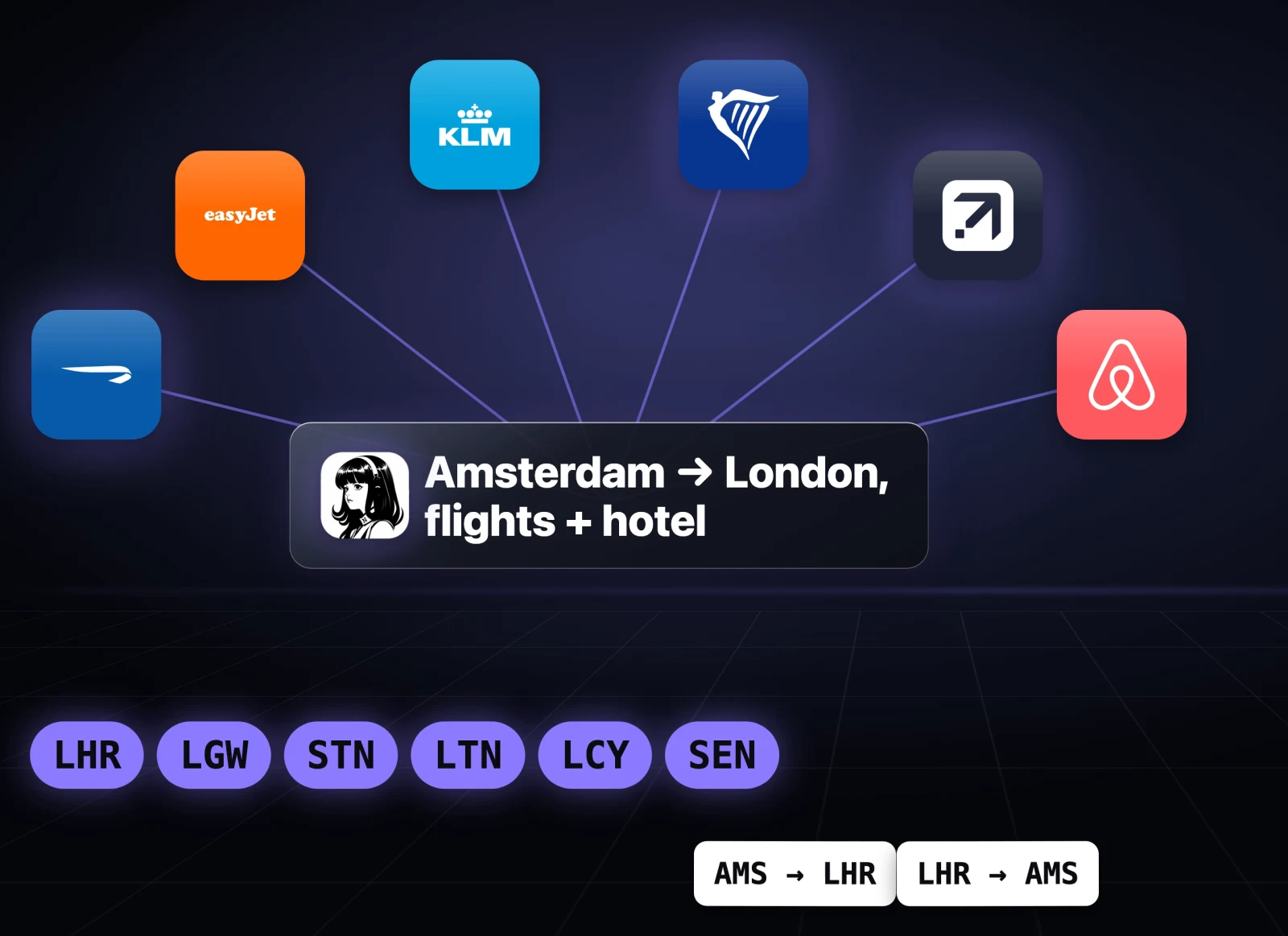
Booking a trip usually means 20 tabs, comparing airlines, checking every airport, and still wondering if you got the best price. LetsFG lets Hermes search and book real flights and hotels. It checks the airlines and the major travel sites together, every airport in a city, and even split tickets.
Install it, enable it, then connect the LetsFG server and sign in once:
hermes plugins install letsfg
hermes plugins enable letsfg
hermes mcp add letsfg --url https://letsfg.co/mcp --auth oauth --connect-timeout 300
I asked it for the best tickets from Amsterdam to London plus somewhere to stay. It checked every London airport and came back with nonstop options from €143 round trip, then three hotels. It booked nothing.

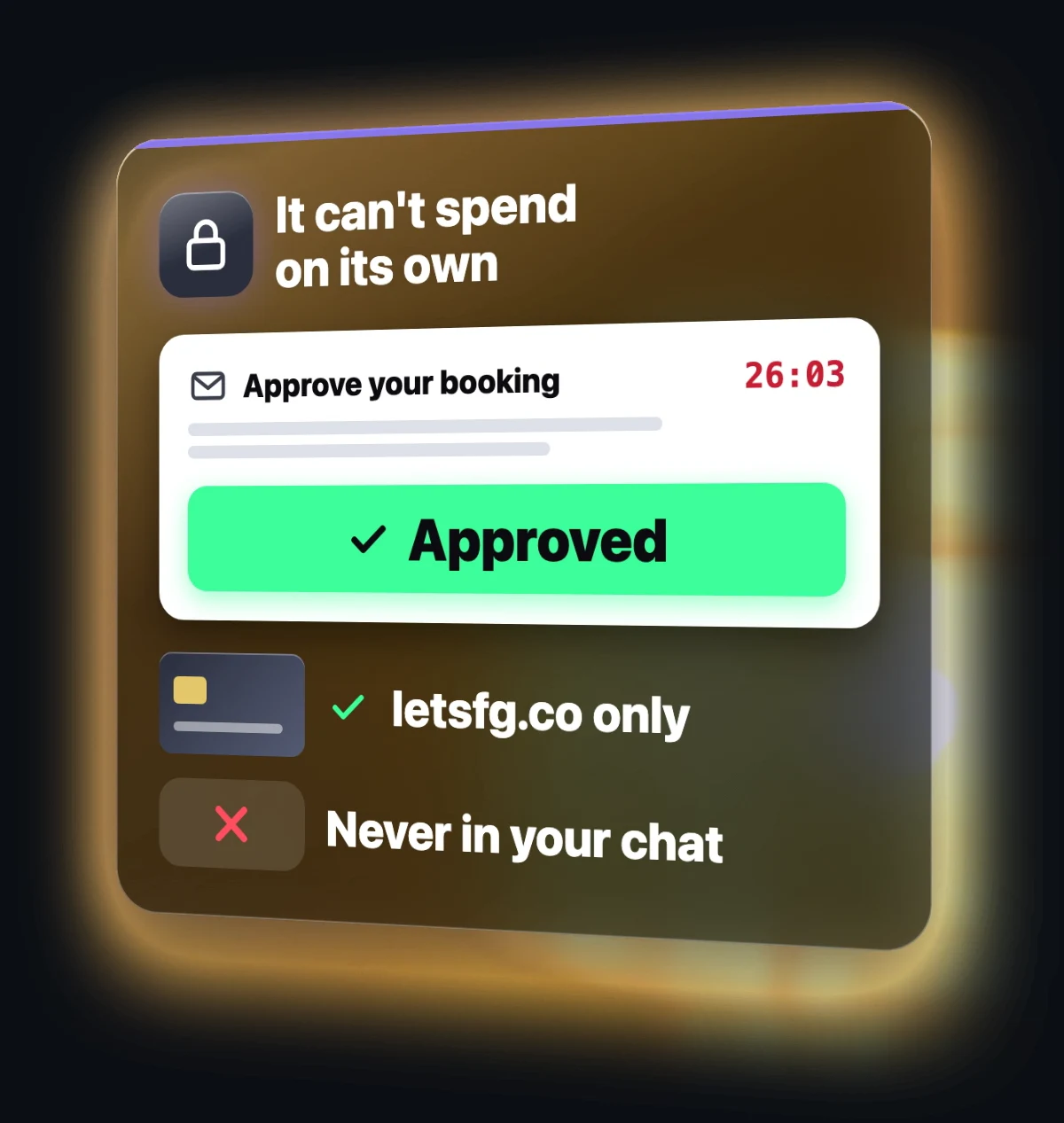
It can't spend your money on its own. Every booking needs you to press Approve in an email, and your card is only ever entered on letsfg.co, never in your chat. Plugin page.
8. Phone Harness: let Hermes use your phone
So much can only be done on your phone, which means your agent couldn't do it for you. Phone Harness lets Hermes use a real phone. On an iPhone it works through iPhone Mirroring on your Mac, and it works on Android too. Your agent can open apps, tap, type and read the screen.
hermes plugins install phone-harnessI asked it to open YouTube and subscribe to my channel, and it did it on its own, tap by tap. It never types your passwords or two-factor codes; it hands those back to you.
One thing to do right away: run hermes tools and turn Phone Harness off for Telegram. Otherwise anyone who can message your bot could control your phone.
hermes tools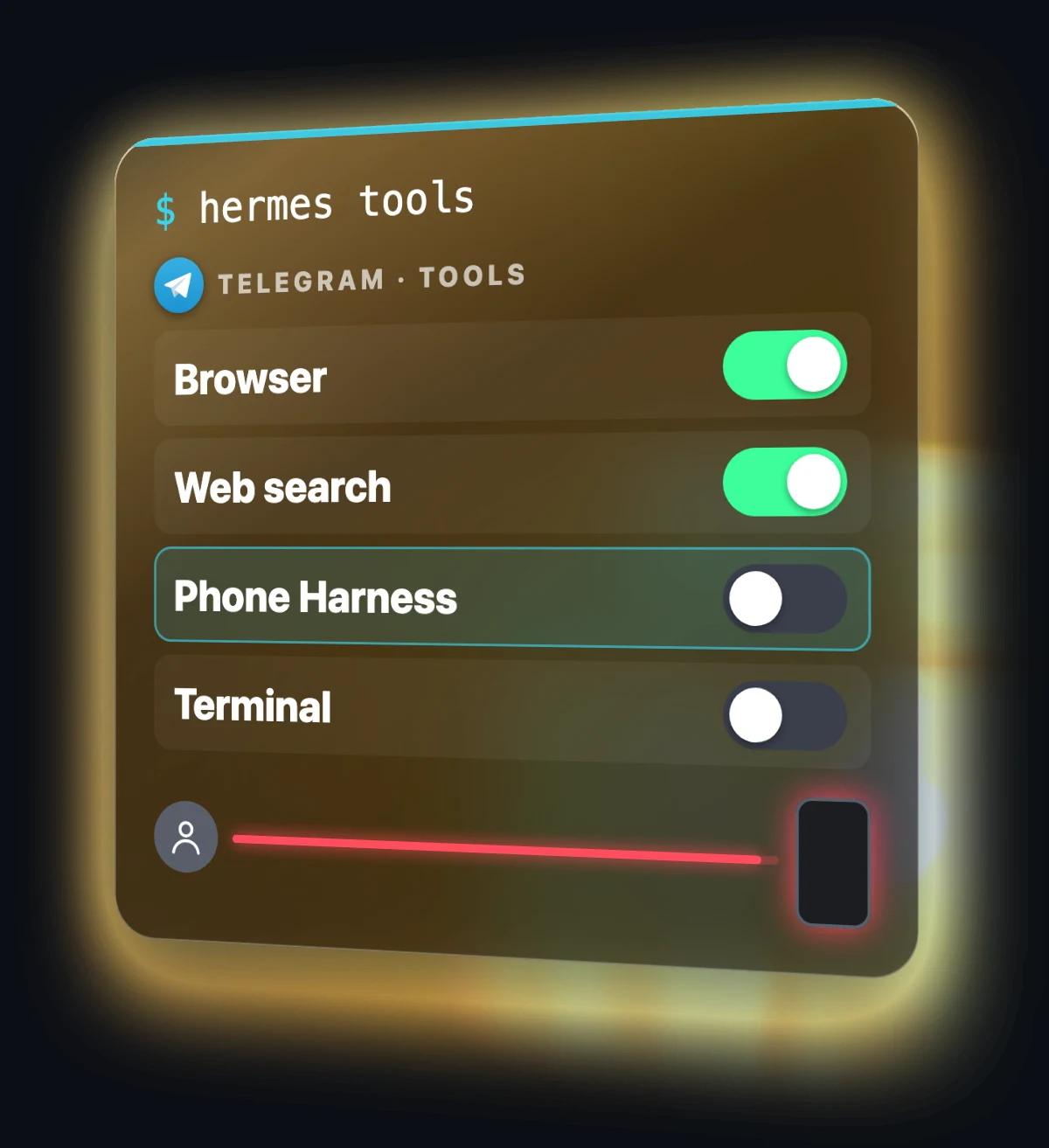
7. Memory Wiki: see what Hermes remembers about you
Hermes remembers a lot about you, but most of us have no idea what. This official plugin turns your history with your agent into a wiki: a page for every topic you've worked on, a daily log of what you did, and a page showing exactly what Hermes carries about you into every chat.
hermes plugins install hermes-memory-wiki --enable
hermes dashboard
Open the dashboard and click the Memory Wiki tab.
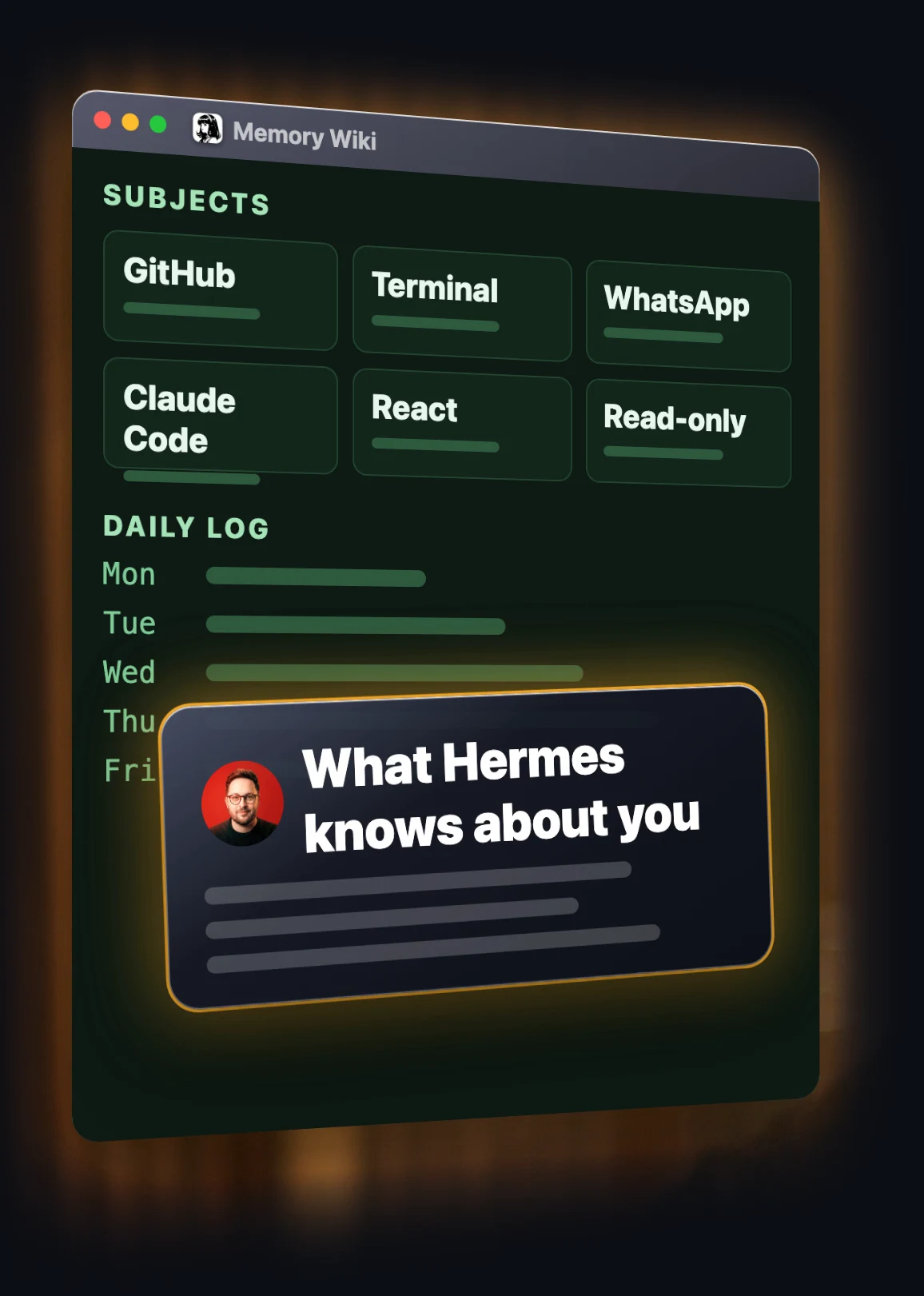
It's read only and never changes anything. If you see something wrong in there, tell your agent to fix it. Plugin page.
6. Oh My Hermes: plans before it builds
Give an agent a big job and it can start building without asking anything, then tell you it's done when it isn't. Oh My Hermes, one of the most popular community plugins in the marketplace, adds a layer on top of Hermes that asks you questions before it builds, makes a plan, picks the right model for each part, and only says something is done once it has seen it work.
hermes plugins install omh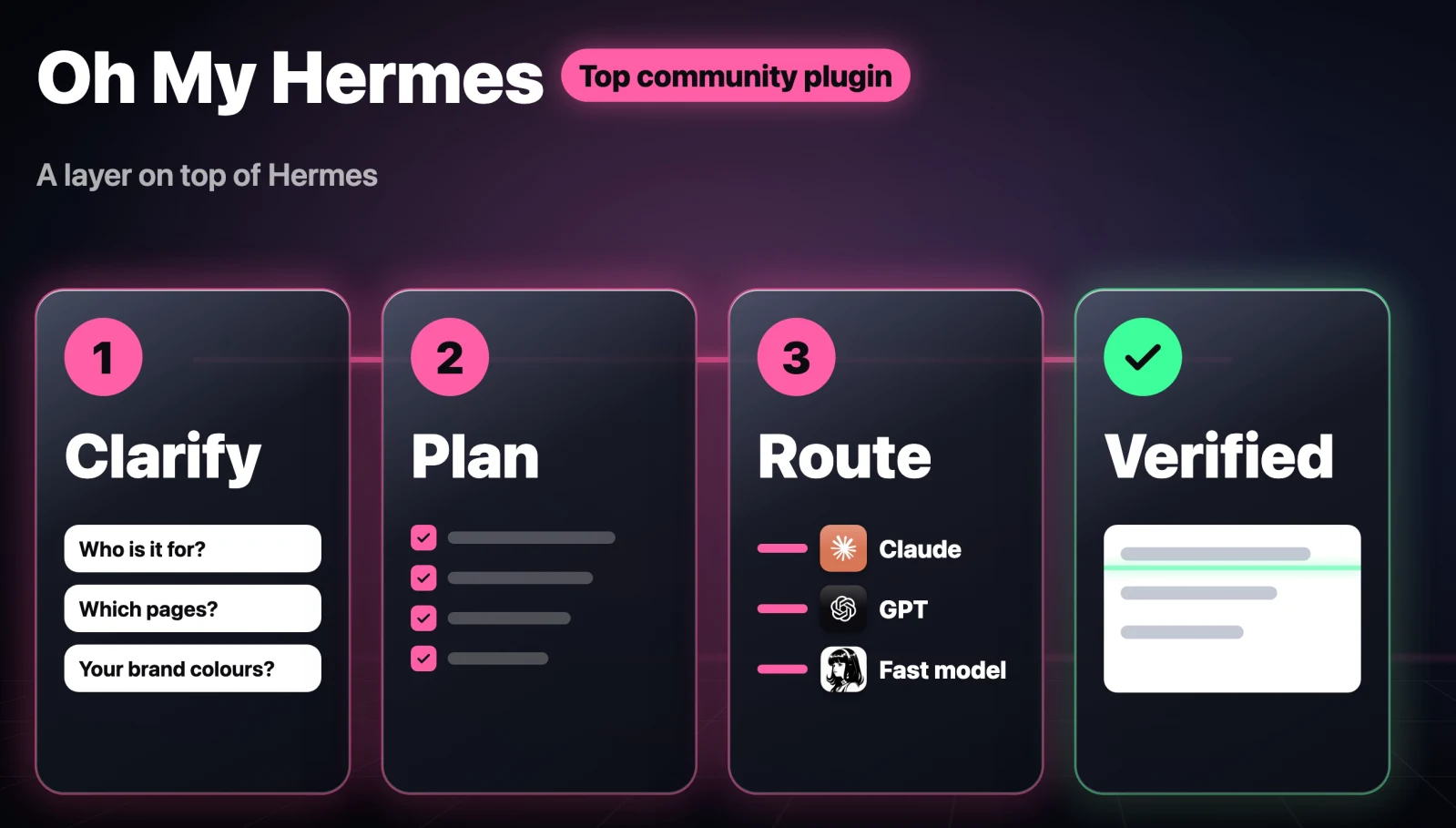
I asked it to build a website explaining the new marketplace, and it built a full one-page site. It's a big plugin that changes how Hermes works, so install it once you're comfortable with Hermes, not on day one. Plugin page.
5. Agent Importers: bring your old agent over
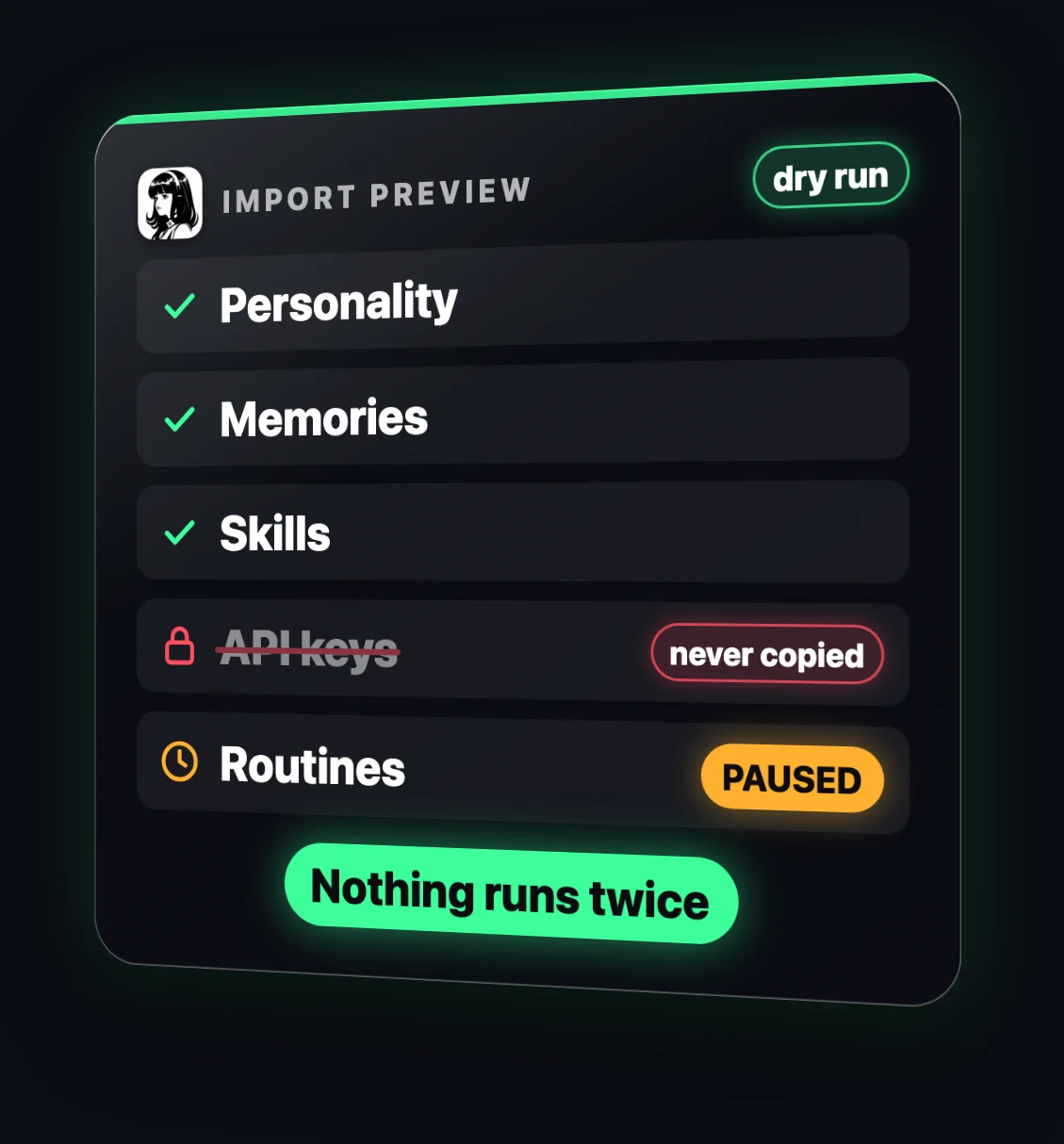
The biggest reason people don't switch agents is the months they've spent setting up the old one. This official plugin brings your whole setup into Hermes in one command. It works with Claude Code, OpenClaw, Codex and even Grok Bot. Your instructions, memories, skills and connected tools all come with you, and Grok Bot routines come over as scheduled jobs.
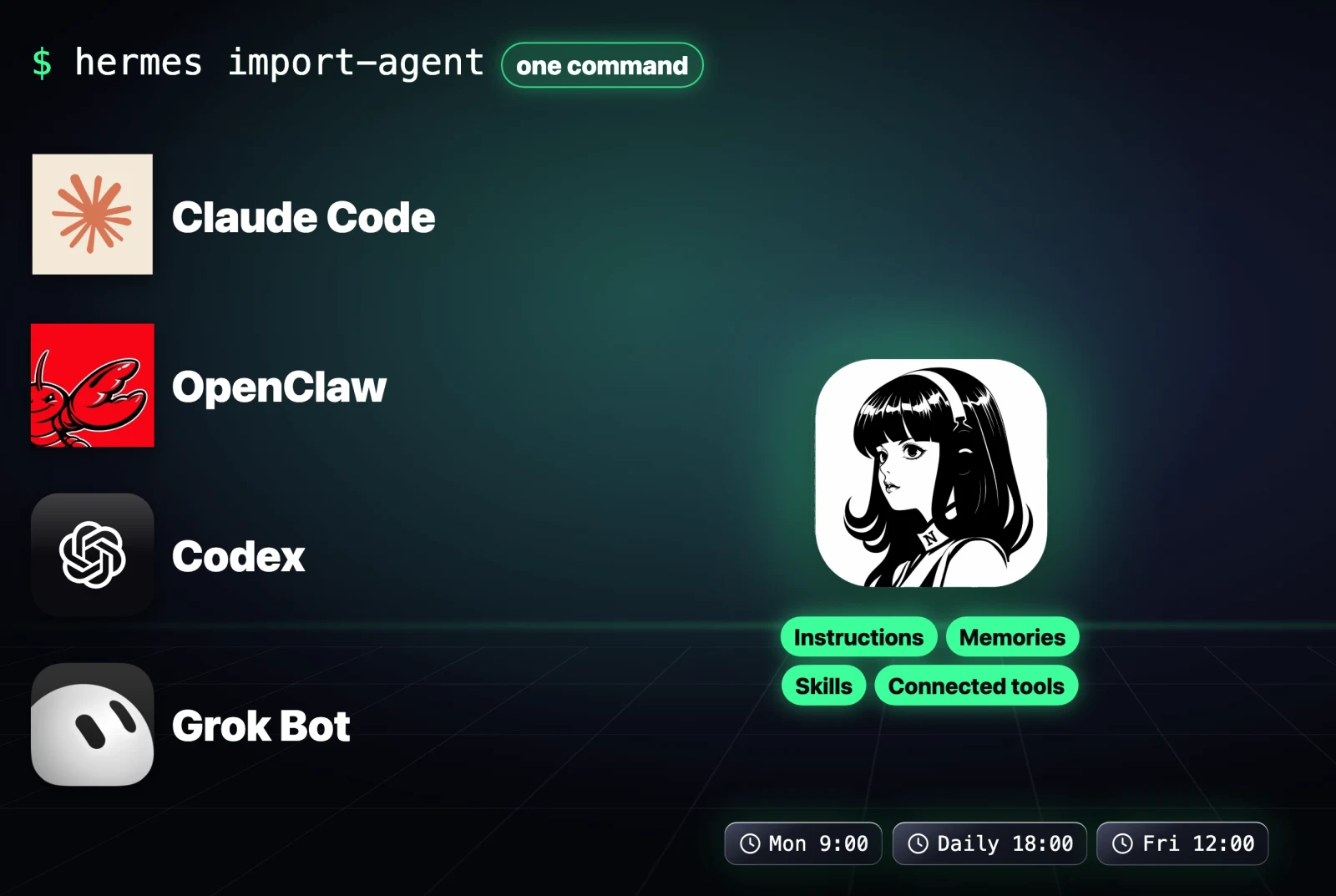
hermes plugins install agent-importersGrok Bot has no export button. Run the importer once and it prints an export prompt. Paste that prompt into the Grok Bot you want to bring over, save its reply as grok-bot-export.json in your Downloads folder, then run a dry run first:
hermes import-agent grok-bot --dry-runIt always shows a preview before changing anything. It never copies your API keys, and imported routines start paused, so nothing runs twice. Plugin page.
4. Workflow Record: teach Hermes by showing it
Explaining every click of a boring weekly browser job to an agent can take longer than doing it. With this plugin from Nous, you do the job once in your browser while it records you. Then you type /learn in Hermes, and it turns the recording into a skill your agent can repeat whenever you want.
hermes plugins install workflow-record
hermes record --slug newsletter-signup
Do the job, press Ctrl-C to stop, then send this in Hermes:
/learn the recording newsletter-signup using the workflow-record replay skill. Make the email address an input I give you each time.It only works in Chrome-type browsers (Chrome, Chromium, Brave, Edge). It hides passwords, but anything you type into a normal field gets saved, so don't record anything private. Plugin page.
3. Connectors: 54 apps, one sign-in each
Connecting an agent to your apps used to mean API keys, setup guides and a lot of trial and error. The marketplace now has 54 apps you connect with one sign-in each, like Slack, Notion and Stripe. You sign in once in your browser and your agent can work in that app straight away.
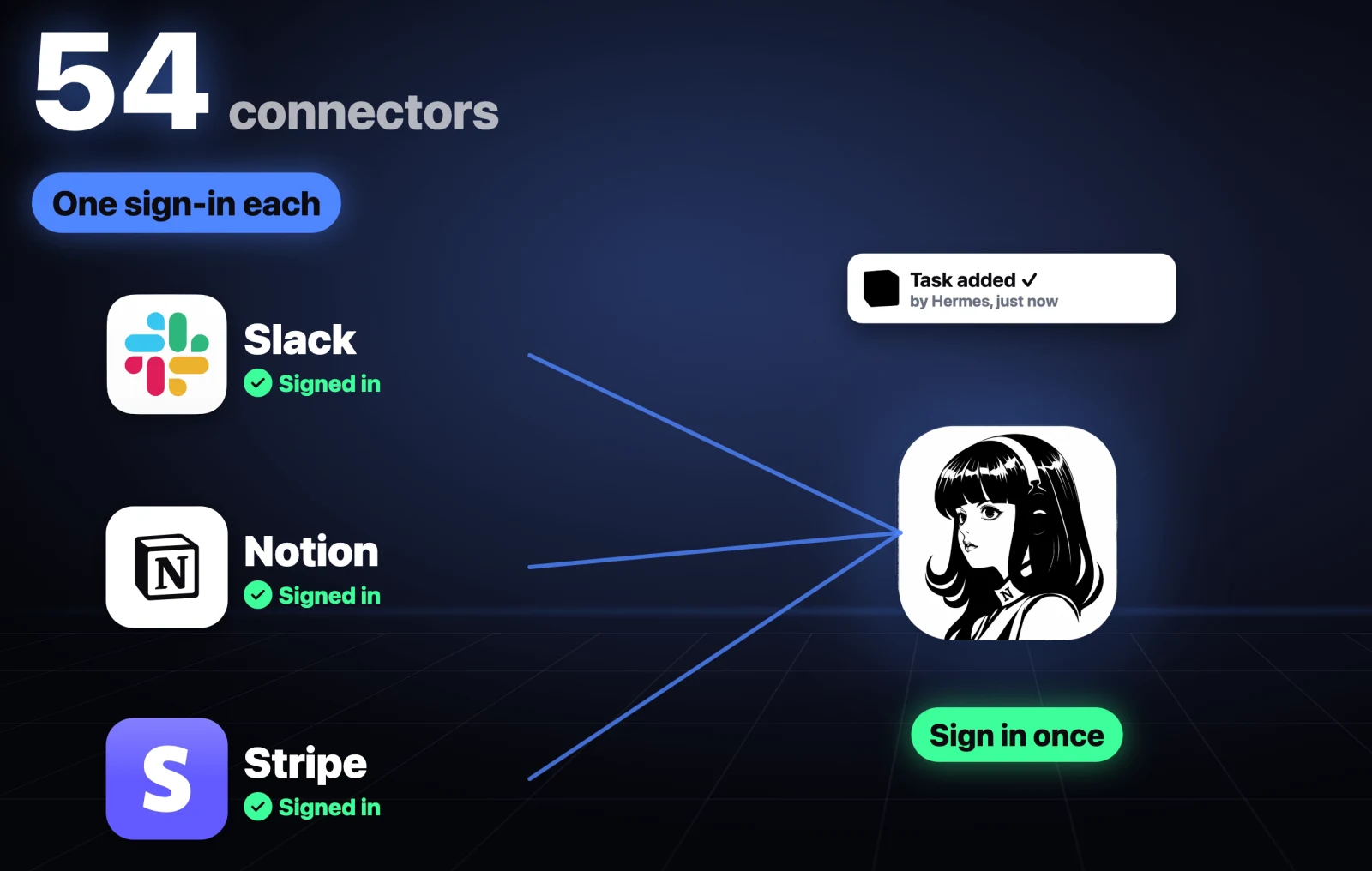
hermes connectorsI connected my Notion, and now I manage my team's work from my own Hermes agent.
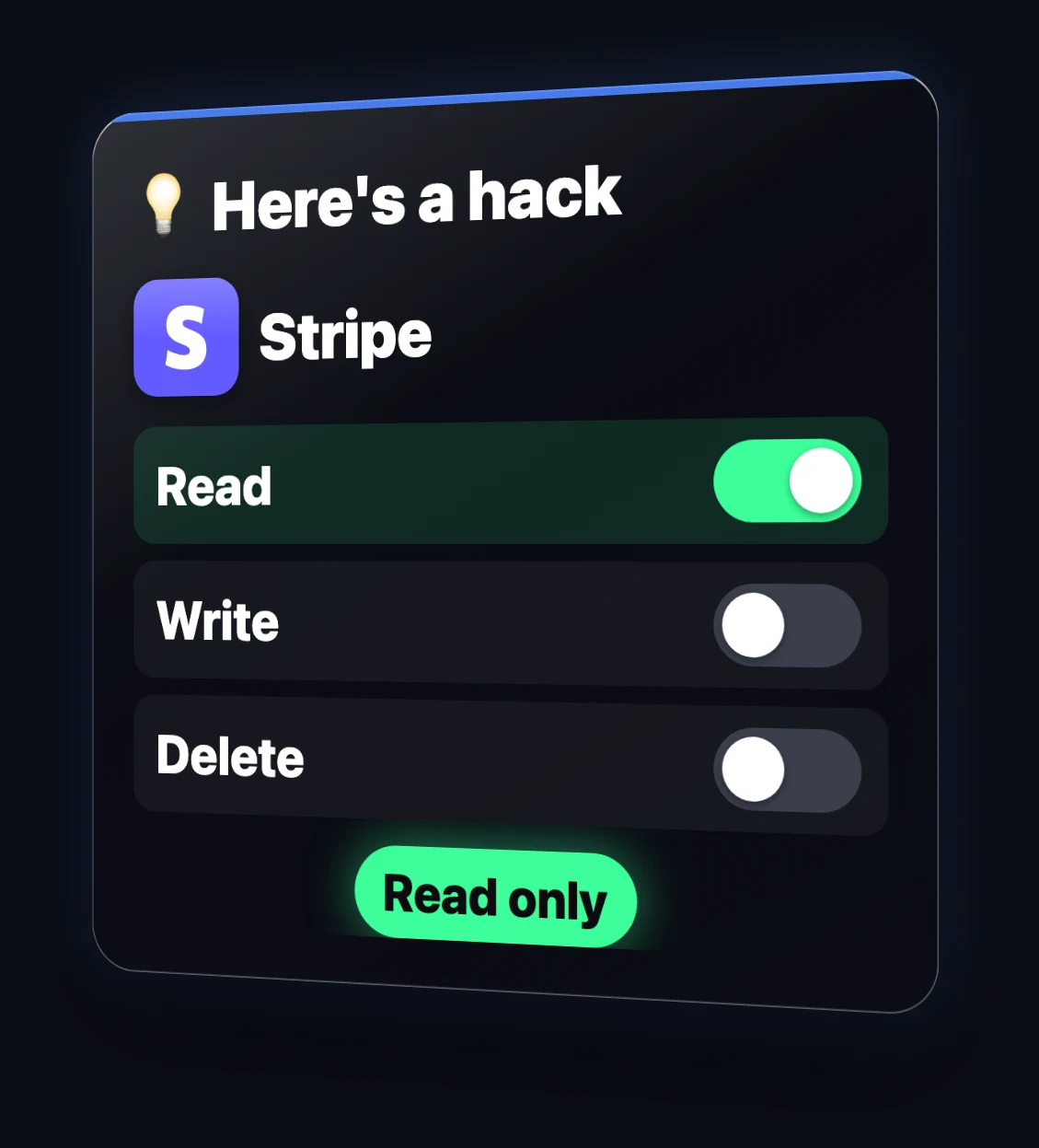
Here's a hack: you can limit each app to reading only, or let it write but never delete. For something like Stripe, keep it on read only.
2. Telegram Business: an AI secretary that asks first
Customer messages never stop, and every reply pulls you out of what you were doing. This plugin turns Hermes into your secretary on Telegram. When a customer messages your business account, Hermes writes a reply and sends it to you first, with three buttons: Send, Edit or Discard.
hermes plugins install hermes-telegram-businessThen in @BotFather, open your bot and turn on Business Mode. In Telegram, go to Settings → Telegram Business → Chatbots, add your bot and allow it to reply. Send /biz to your bot to confirm it's connected.
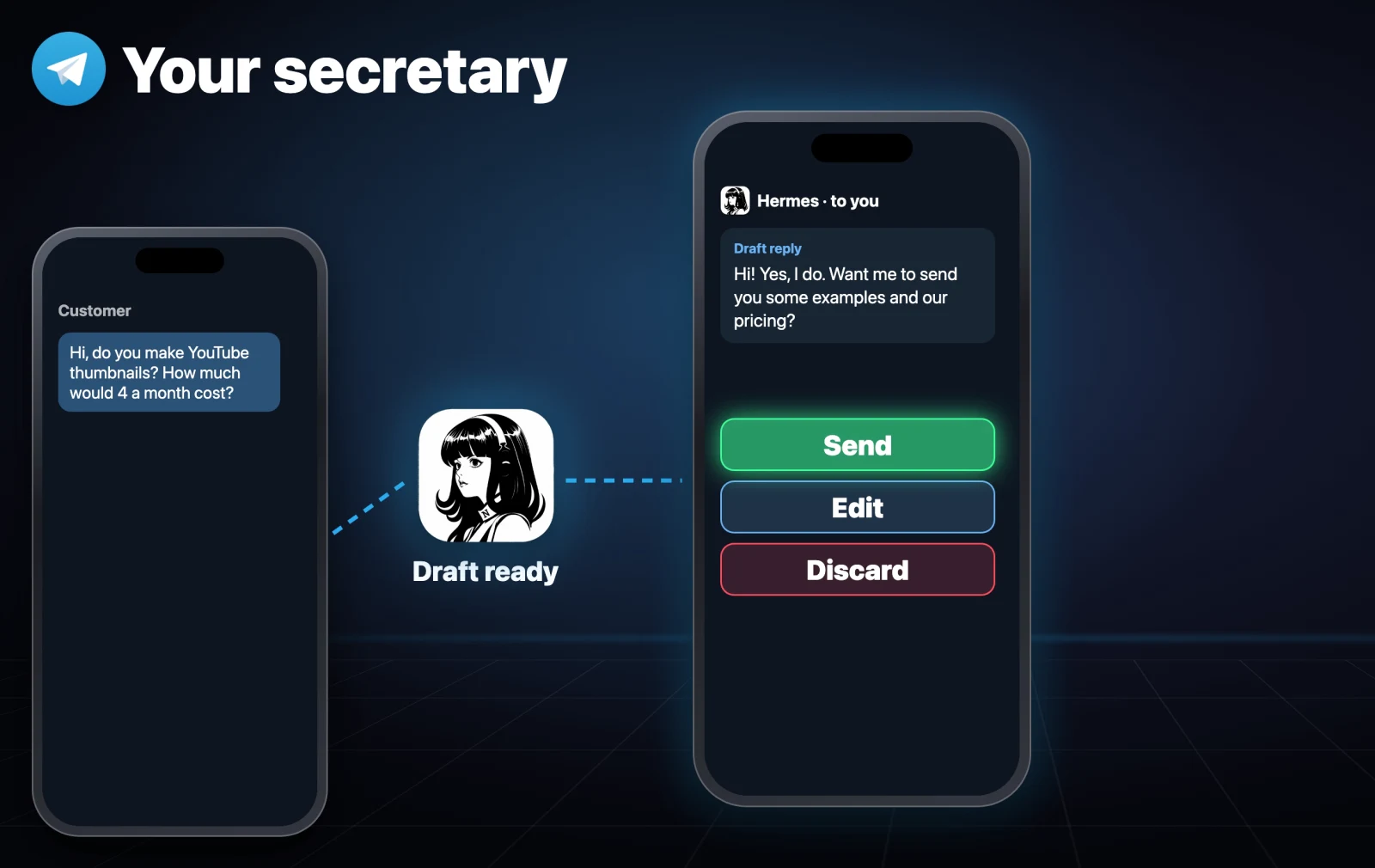
Nothing reaches your customer until you tap Send. You need a Telegram Business subscription. Plugin page.
1. Claude Subscription: run Hermes on your Claude plan
If you use Hermes with Claude, you've probably been paying for every message through an API key while also paying for a Claude plan you already have. This official plugin lets Hermes run on your Claude Pro or Max plan through the official Claude Code app. No separate API key, no bill for every message. Hermes keeps its own memory, skills and tools, and Claude becomes the brain.
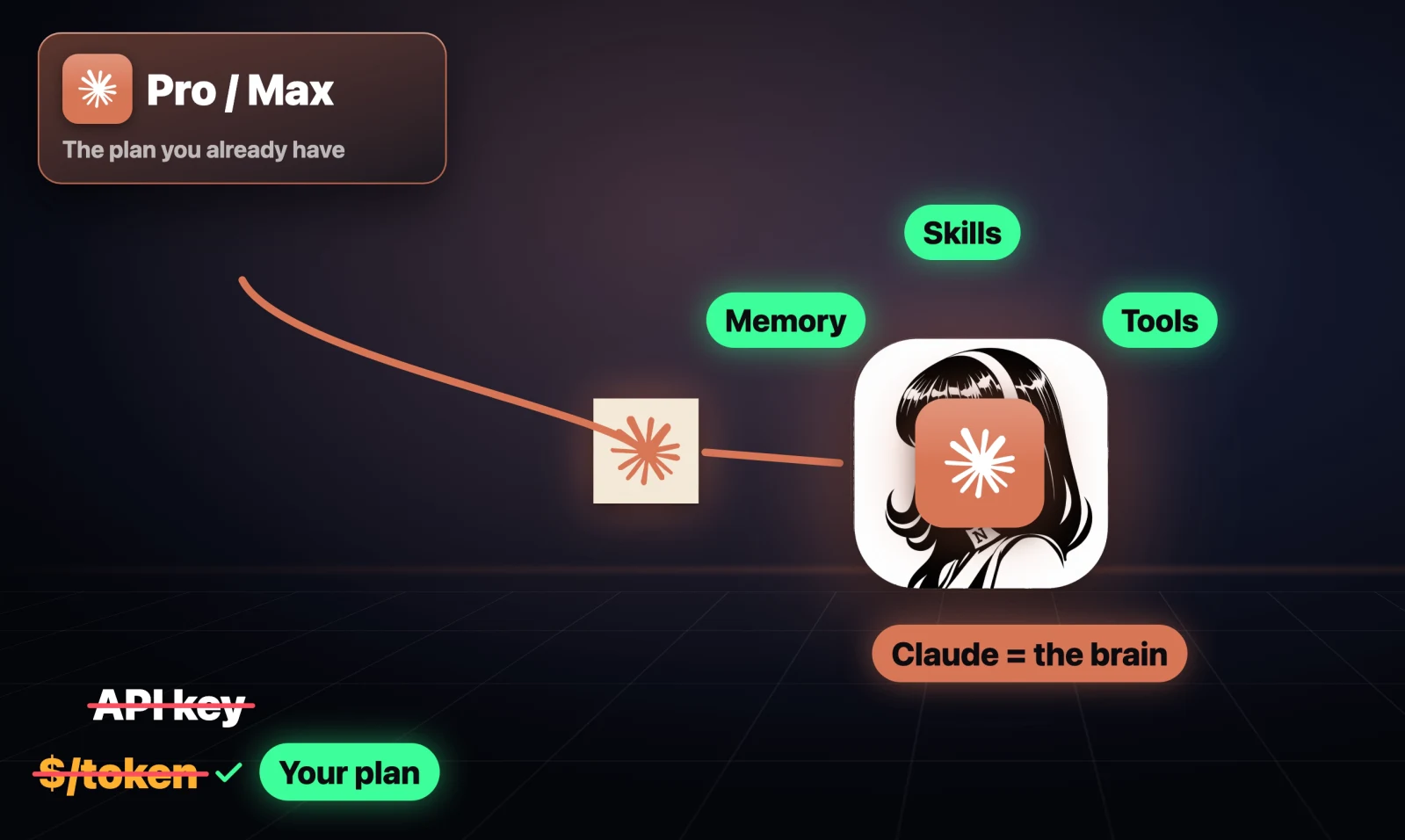
All you need is Claude Code installed and logged in. Update it first, because old versions error on the newest models:
claude update
claude auth login
hermes plugins install claude-subscription-directsdk
hermes model
In hermes model (or /model in your Hermes Telegram chat), pick Claude Subscription. Or ask your agent to set it up for you.
It's still experimental, and every message counts against your Claude plan's limits. If you don't want surprise charges, turn off extra usage in your Claude account settings. Plugin page.
Bonus: the $20,000 Hermes plugin hackathon
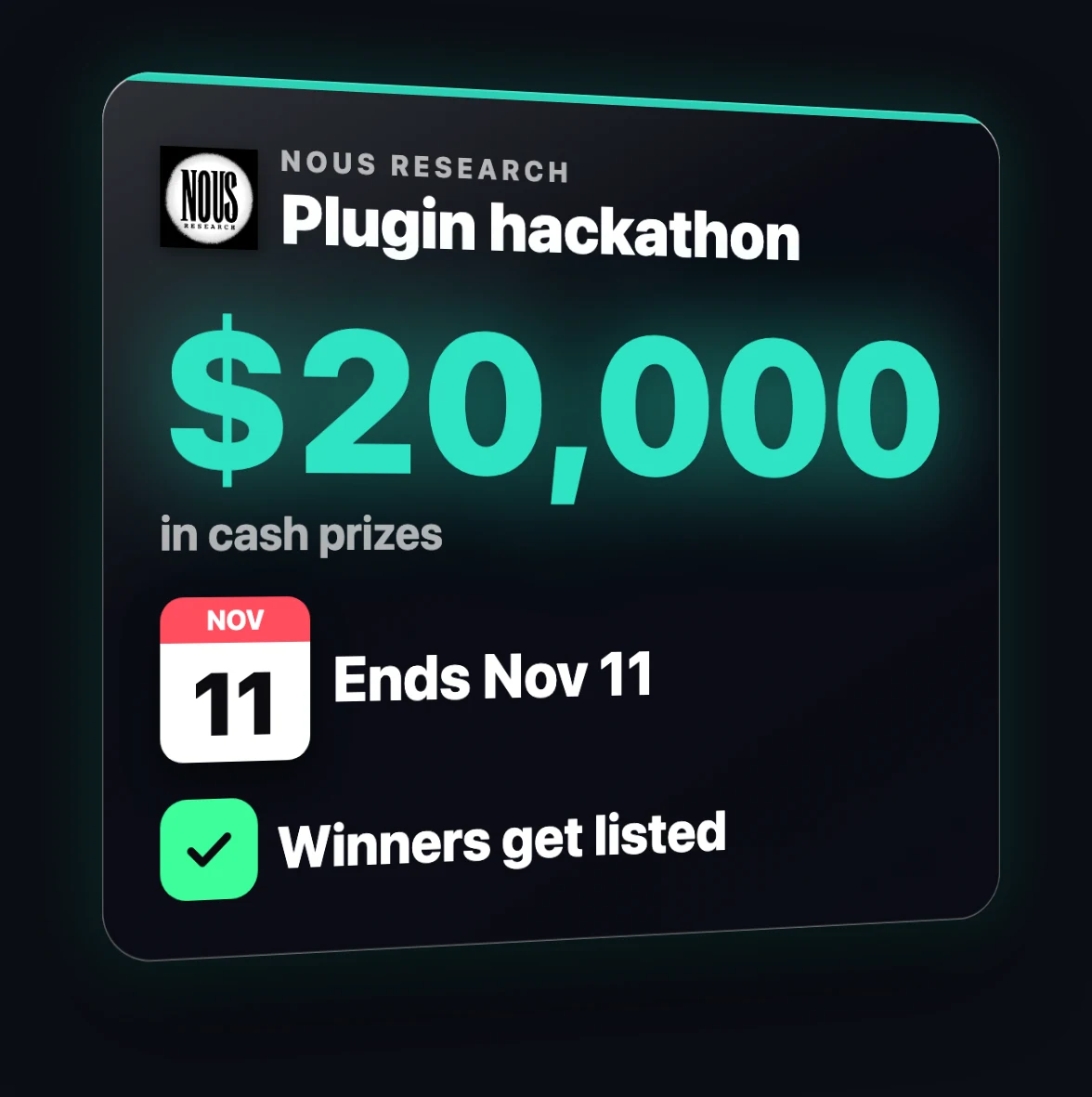
If you'd rather build a plugin yourself, Nous is running a plugin hackathon with $20,000 in cash prizes. It ends on November 11th, and the plugins they accept get listed in the marketplace. Enter here.
Install all 10 at once
Every command above is in one free doc on sharbel.com, the first link in the video description. You can send the whole doc to your agent and let it install everything. Or paste this into Hermes:
Install these plugins from the Hermes Marketplace, one by one, and enable each one if it installs disabled: blender, letsfg, phone-harness, hermes-memory-wiki, omh, agent-importers, workflow-record, hermes-telegram-business, claude-subscription-directsdk. Then open hermes connectors so I can sign in to Notion.

Check each plugin's requirements first (Blender 5.1+ with its MCP add-on, Git and uv for blender; iPhone Mirroring permissions for phone-harness; a logged-in, updated Claude Code CLI for claude-subscription-directsdk). Don't book, buy or send anything. After installing phone-harness, turn its toolset off for Telegram with hermes tools. Restart the gateway once at the end, then give me a table of what's installed and any manual step I still need to do.
Start with number 1 if you already pay for Claude, then add the others one at a time.
Questions
- What is the Hermes Marketplace?
- It's Nous Research's app store for Hermes Agent, with almost 1,000 plugins, skills and connectors in one place. You install a plugin with hermes plugins install plus its name, with the Install in Hermes button in the desktop app, or by asking your agent.
- How do I install a Hermes plugin?
- Run hermes plugins install followed by the plugin's name, for example hermes plugins install blender. Some plugins install disabled, so enable them with hermes plugins enable. You can also ask Hermes to install it for you.
- Can Hermes Agent use my Claude Pro or Max subscription?
- Yes, with the official Claude Subscription plugin, which runs Hermes through the Claude Code CLI on your plan with no separate API key. It's experimental and every message counts against your plan's limits, so turn off extra usage if you don't want overage charges.
- Are Hermes Marketplace plugins safe?
- Official plugins are made by Nous Research and Verified ones come from partners Nous has checked. Community plugins are built by anyone, so read the plugin page and its permissions before installing.
- What is the Hermes plugin hackathon?
- Nous Research is running a plugin hackathon with $20,000 in cash prizes, ending November 11th. Accepted plugins get listed in the marketplace.

You made it to the end
That is the whole build. Want the next one?
Read next

Hermes Agent Guide: 7 Setup Mistakes and the Exact Fixes
Memory that sticks, cheaper replies, skills, quiet cron jobs, /goal gates, subagents and a lighter context, with every prompt ready to paste.

Hermes Agent: 7 Real Jobs It Runs, With the Prompts
The seven jobs I hand Nous Research's free, open-source agent, and the exact prompt to copy for each one.

The 10 Best Hermes Agent Skills to Install, With Commands
Ten free skills that give Hermes Agent things it can't do alone, each with the install command and the prompt I tested it with.