How to Stop GPT-6 Astra Burning Through Your Tokens (6 Fixes)
Why Astra drains your ChatGPT and Codex limits so fast, and the six fixes that cut it, in order of what saves the most.
From the videoUpload package: The Only Way To Never Run Out Of GPT-6 Astra Tokens
GPT-6 Astra burns tokens fast for two reasons: every message re-sends your whole conversation, and Astra spends extra reasoning tokens you never see. You can cut most of that out. Find your own leak first, run Astra on medium instead of max, route grunt work to cheaper models, trim tools and command output, keep sessions clean, and stay under 272,000 input tokens, where the price of the whole request doubles.
Below is each fix in order of how much it saves, with every prompt and command ready to copy.
Why GPT-6 Astra uses so many tokens
These models have no memory. None. Every time you hit enter, your entire conversation gets packaged up and sent again from the top.
Your first message is cheap. By your twentieth, you are re-paying for everything above it, every single time: every message you have sent, and every message Astra has sent back. Your consumption compounds.
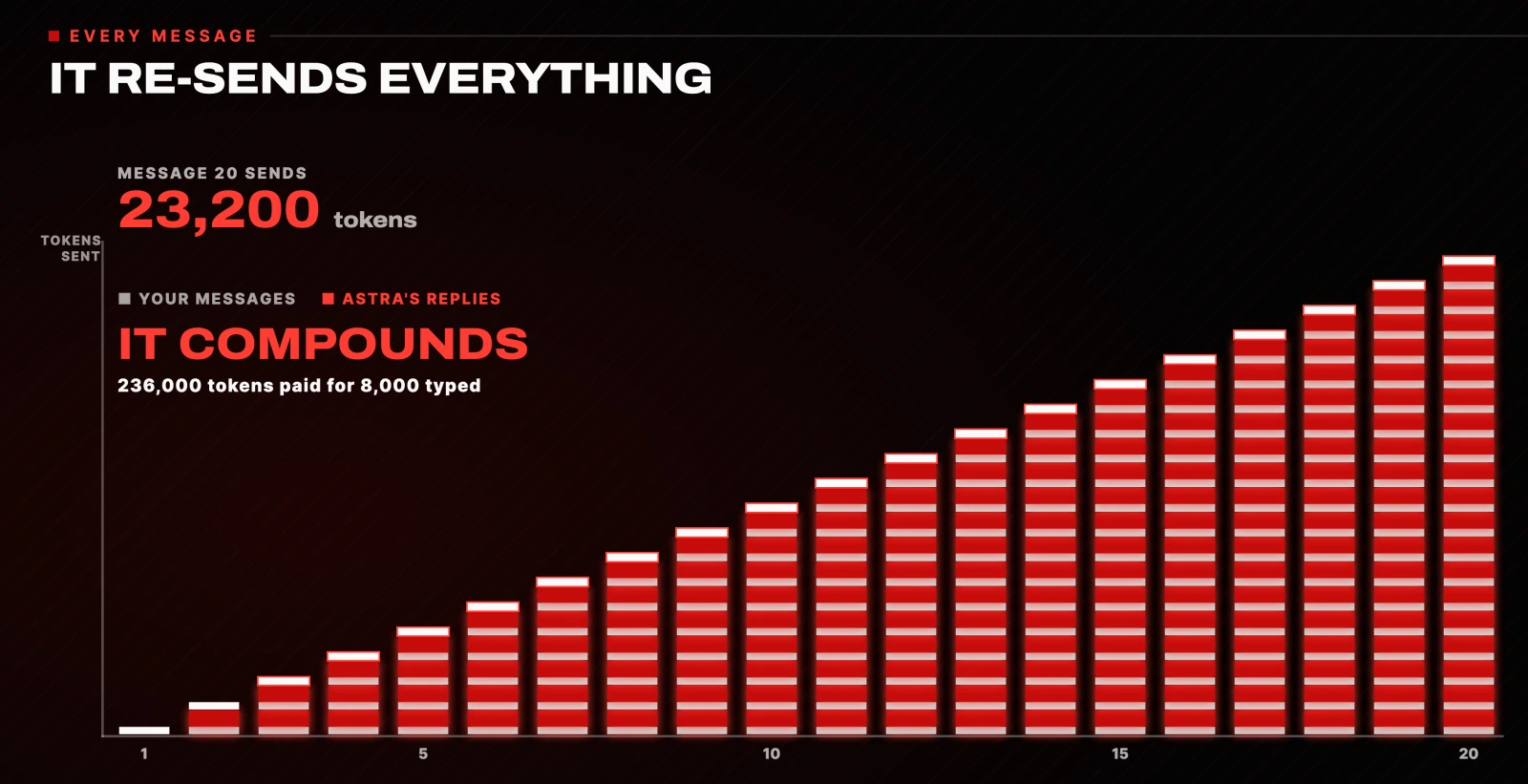
Astra makes this worse for one reason: it thinks more. All that extra reasoning is extra tokens you pay for, including the reasoning you never see on screen. That is the tax for it being this smart. The good news is that you control most of it.

1. Find out what is actually draining your tokens
Before you change anything, find your own leak, because it is different for different people. In ChatGPT and Codex you can simply ask:
What's my usage like right now, and what's eating it the fastest?It tells you how much of your limit you have burned, when it resets, and which model and setting is draining you.
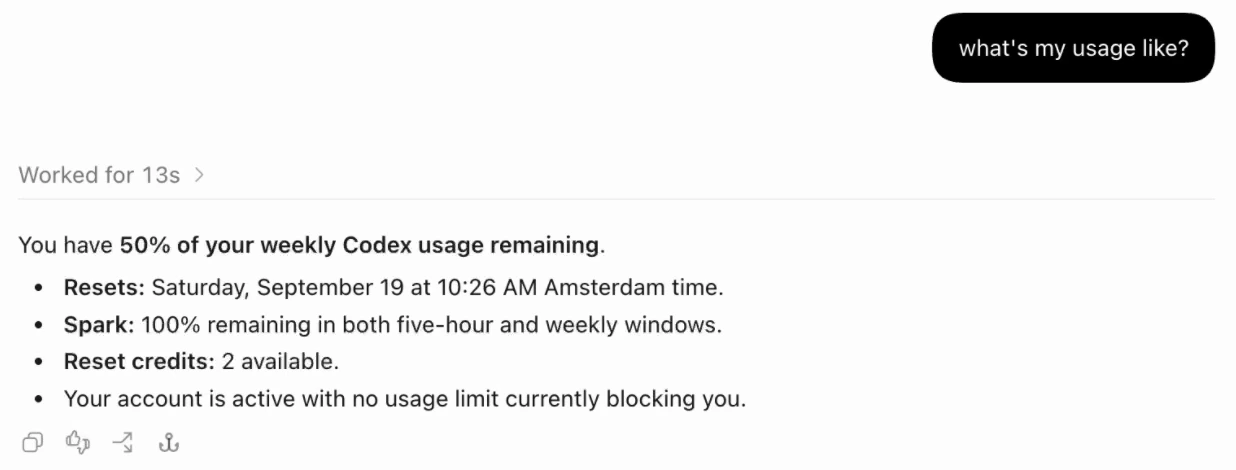
For a proper audit, paste this instead. It is the exact prompt from the video:
What's my usage like right now, and what's draining it the fastest? Show me how much of my weekly and 5-hour limit I've used, when each resets, and my usage broken down by model. Then look at my setup and tell me my single biggest source of token waste: reasoning-effort setting, context size, a connected tool I'm not using, or Fast mode being on. Give me the one change that saves the most, and roughly how much. Keep it short.Run that first and you will know which of the next five fixes matters most for you.
2. Stop running GPT-6 Astra on max effort
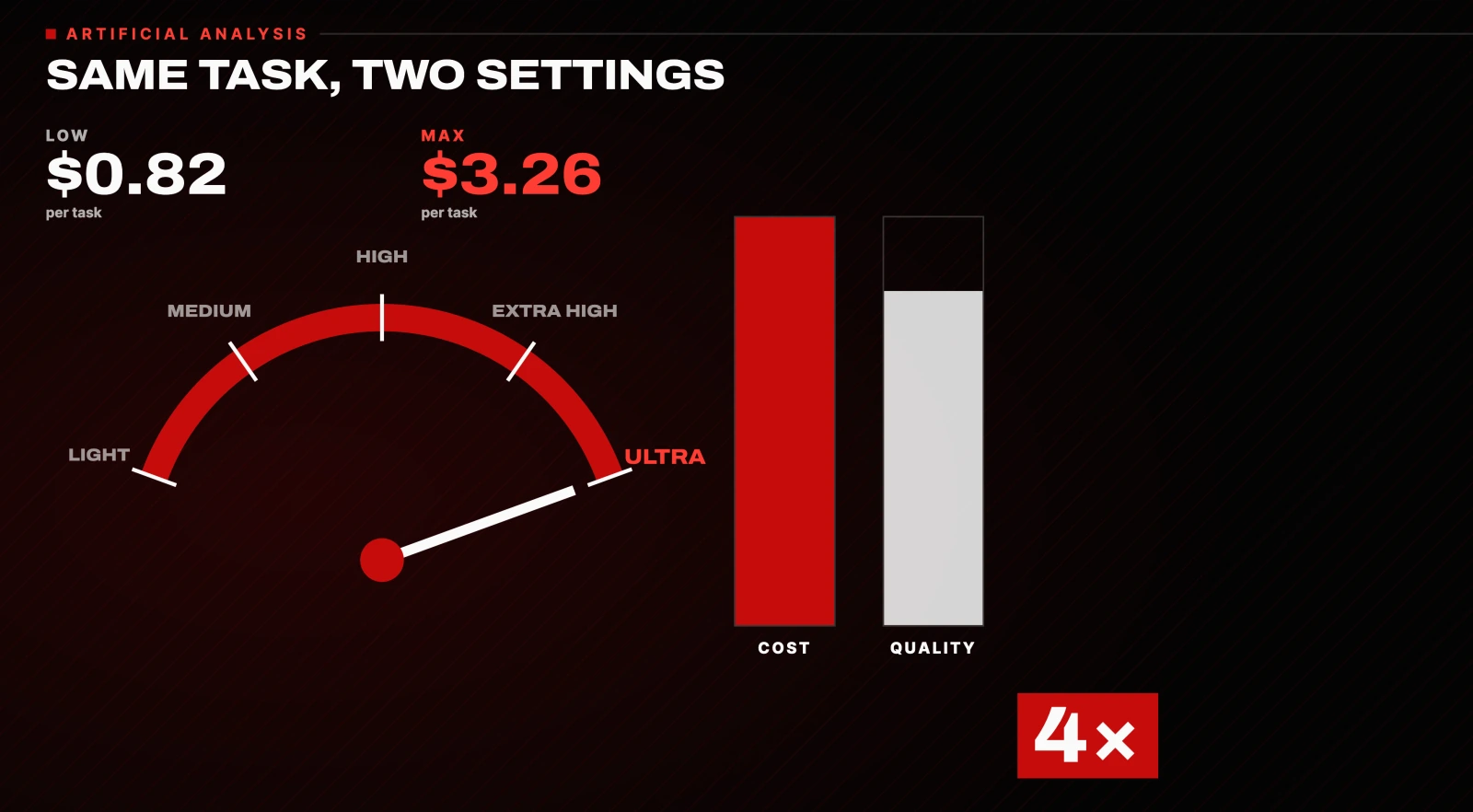
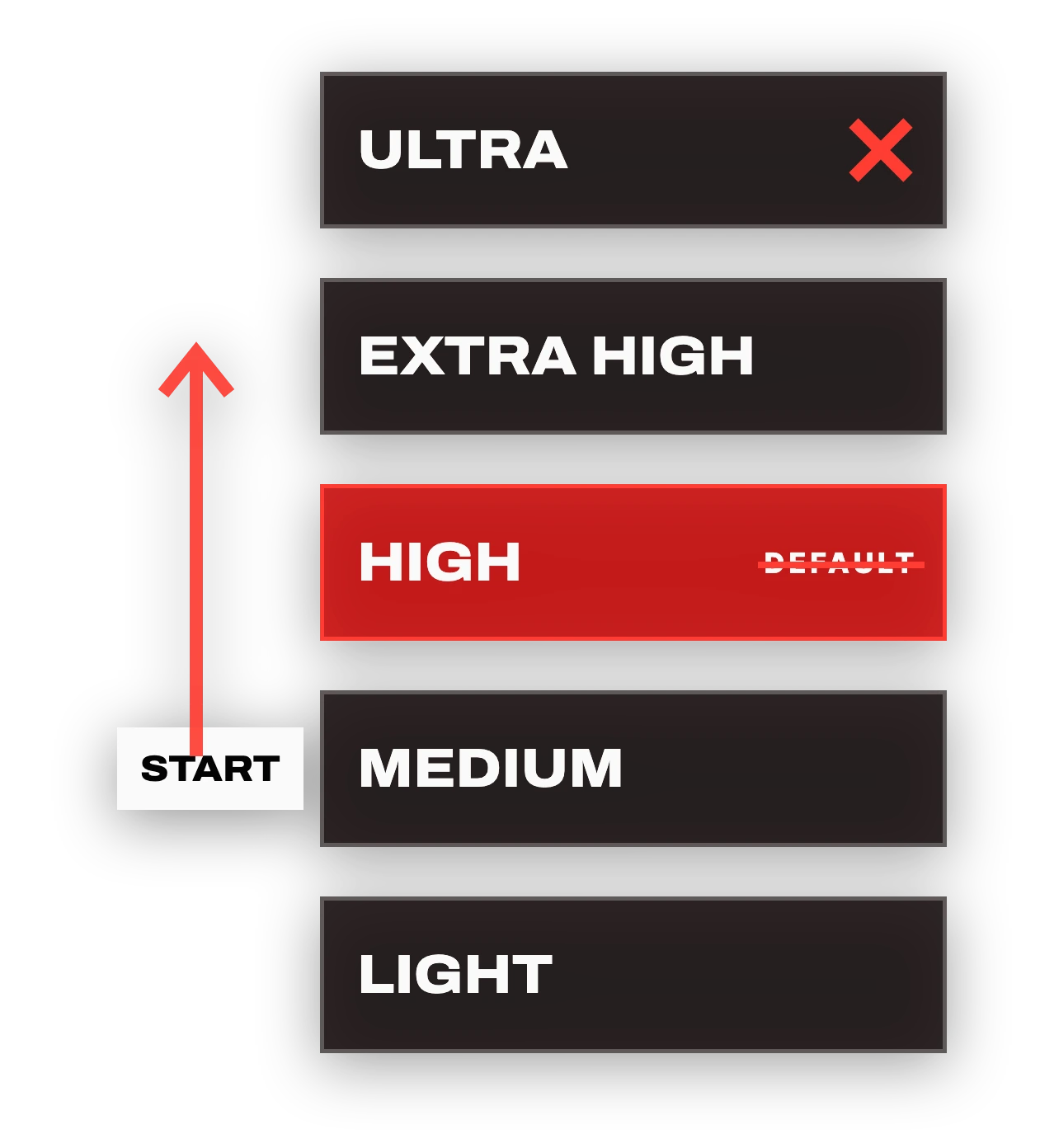
This is the biggest lever, and almost everyone gets it wrong. Astra has a dial for how hard it thinks: light, medium, high, extra high and ultra. Most people slam it to max, thinking they will get a better answer. Usually they do not. They just pay more.
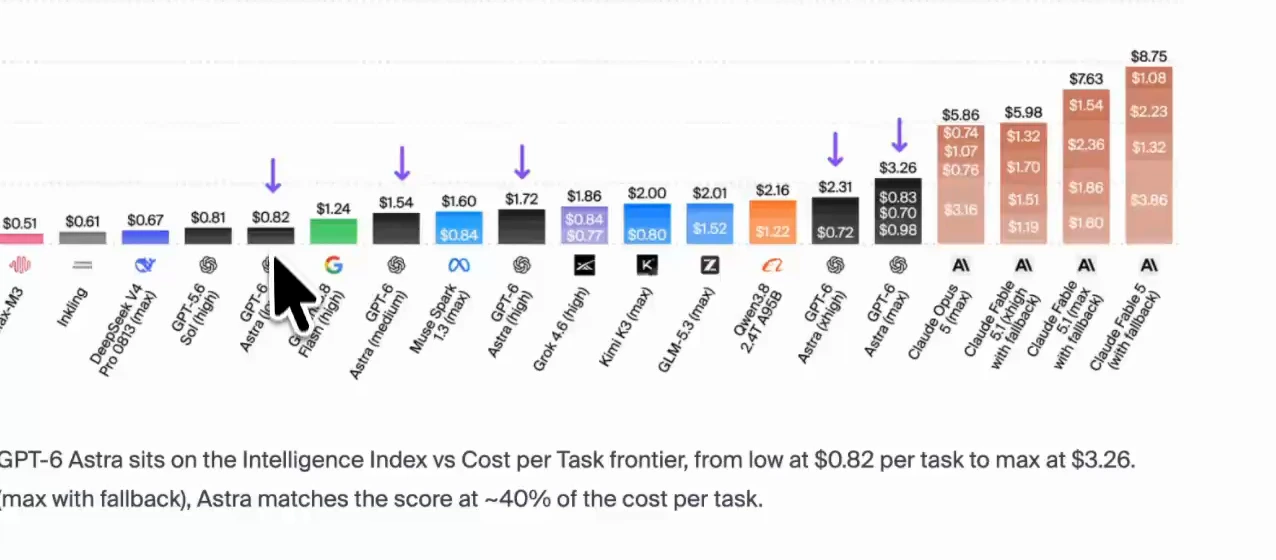
These numbers come from Artificial Analysis, which benchmarks models independently by giving them the same tasks and measuring results against token consumption.
- On low effort, Astra costs about $0.82 per task.
- On max effort, the same work costs $3.26 per task. That is four times the money for the same job.
- On their coding agent benchmark, max effort runs about $7 a task just to tie a model that costs a fraction of that.
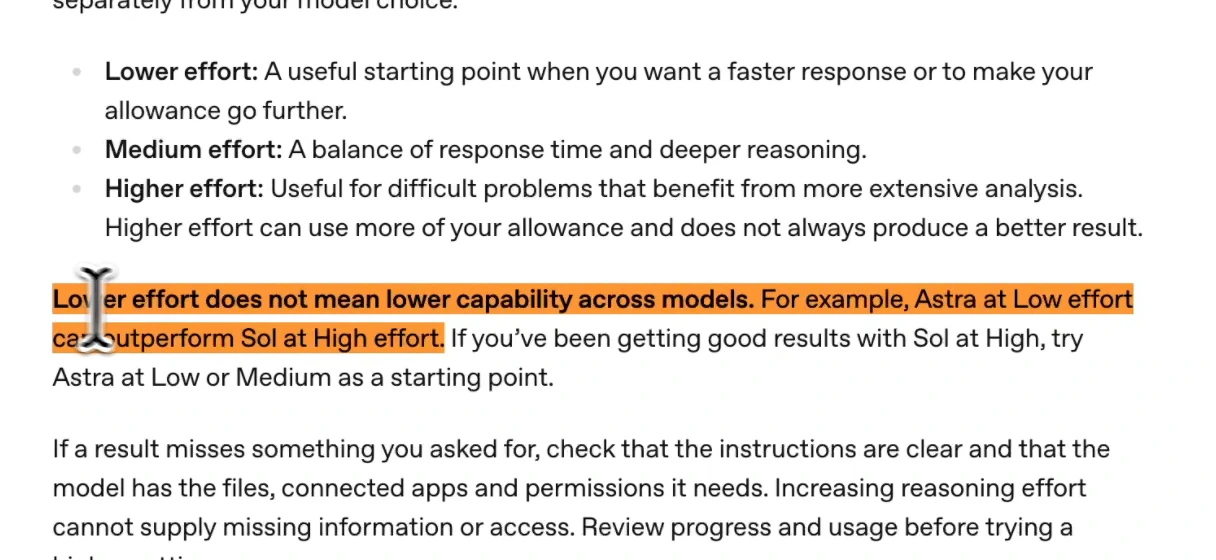
OpenAI says the same thing. Its own guidance on managing Astra usage states that lower effort does not mean lower capability, and that higher effort can use more of your allowance without producing a better result.
What to do:
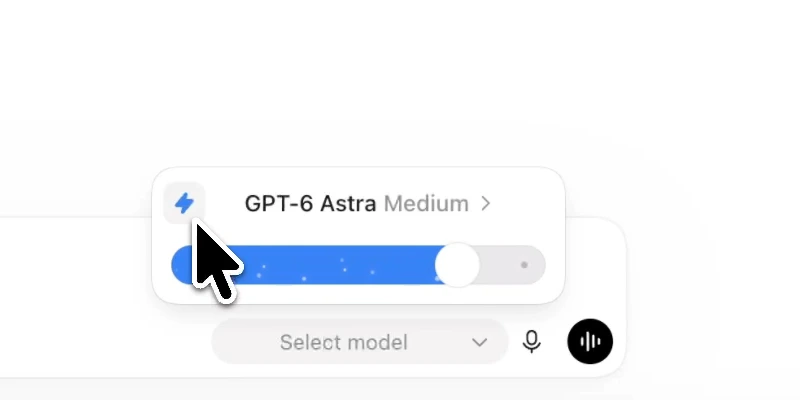
- Start on medium, not the default, which is high.
- If the answer is not landing, bump it up one step.
- Do not start at the top and work your way down. Work your way up.
While you are in that menu, turn off Fast mode unless you genuinely need the speed. That one alone doubles the rate you pay.
3. Make Astra the boss, not the worker
This fix saves the most. Do not run every task on Astra. Keep it for the parts that genuinely need it. Use it like the smart senior developer it is: let it plan and review, and give the grunt work to cheaper models.
Here is the split:
- Boring scoping and cleanup: the cheapest model, such as GPT-5.5.
- Planning and checklists: a mid-tier model such as GPT-5.6 Sol or Luna.
- The hard part at the end, the actual judgment call: Astra, on medium effort.
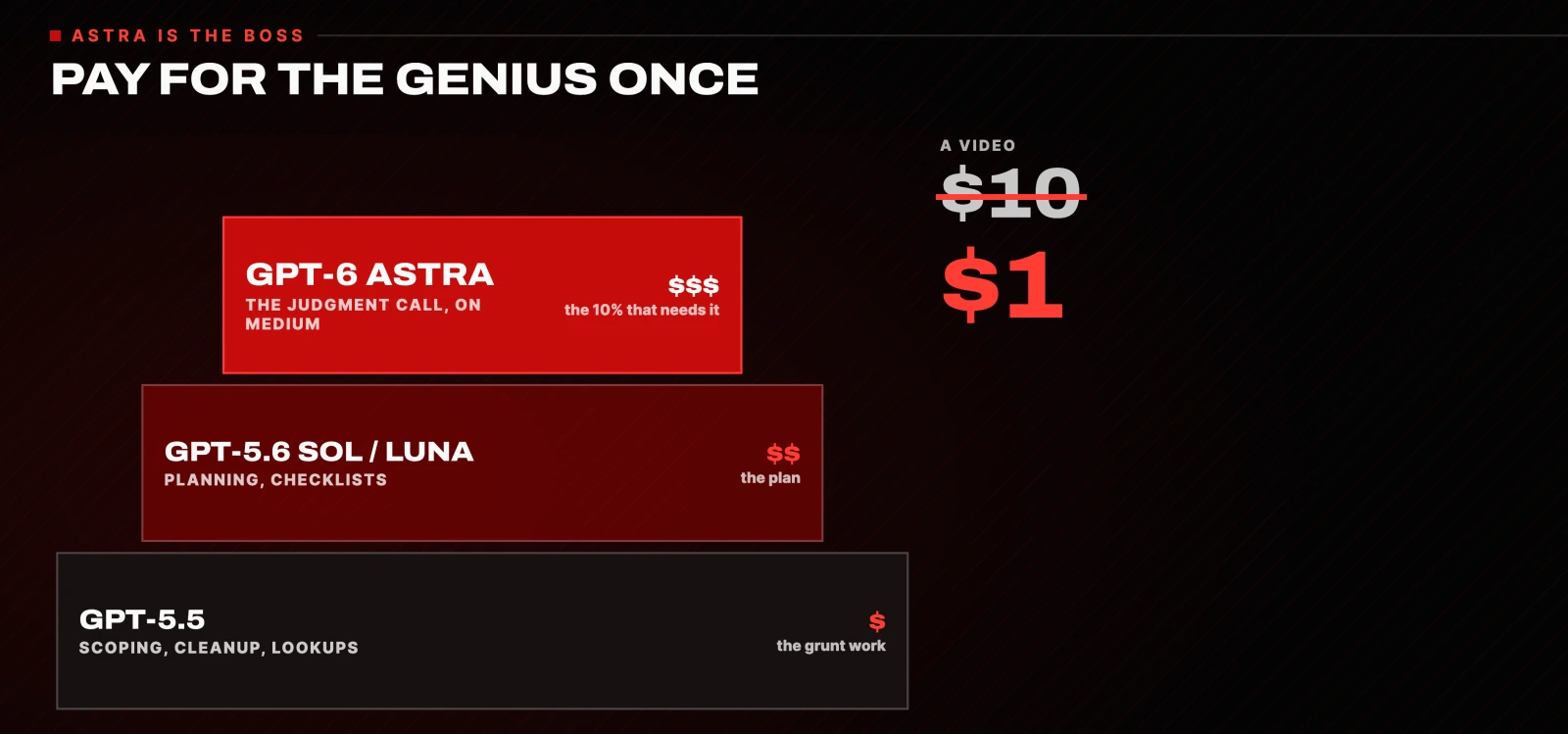
That way you pay for the genius once, on the 10% of the work that needs it, instead of on every step. This one change is the difference between a video that cost me $10 and one that cost me $1.
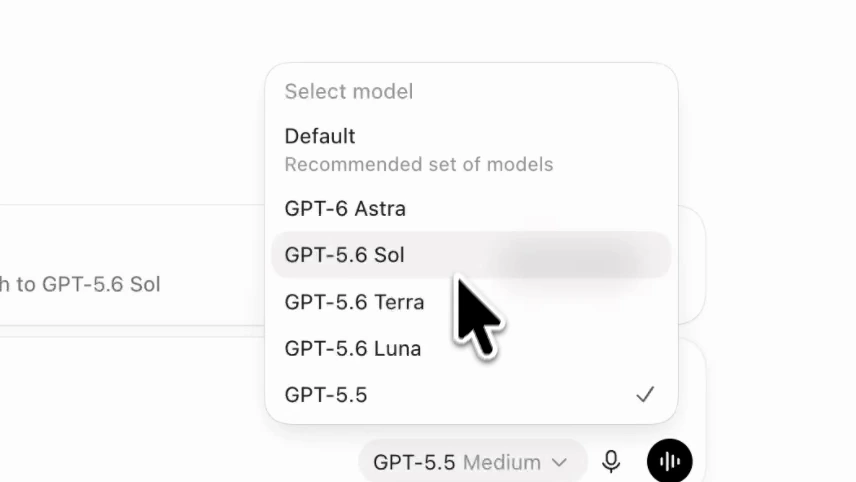
Do not switch models by hand every time. Set it up once with Codex subagents and let it route itself. There are two ways.
Option one: write the TOML file yourself
Create a file inside your project's .codex/agents/ folder. This is the example from the video, .codex/agents/reviewer.toml:
name = "reviewer"
description = "Reviews code for bugs, security risks, and missing tests."
model = "gpt-5.6-terra"
model_reasoning_effort = "high"
sandbox_mode = "read-only"
developer_instructions = """
Review code like an owner.
Focus on correctness, security, regressions, and missing tests.
Report concrete findings with file references.
"""
Option two: paste three prompts into Codex
This is much easier. The first two prompts create the subagents. The third tells your Codex agent when to call each of them. Run them in order.
Create the planner (mid-tier model):
Create a Codex subagent for me. Save it as a TOML file in .codex/agents/ in this project. Name it "planner". Set model = "gpt-5.6-luna" and model_reasoning_effort = "medium". Its job: turn a task into a clear plan and a checklist, break the work into steps, no coding and no final decisions. Write the file, then show me the path and the full contents.Create the grunt worker (cheap model):
Create another Codex subagent, saved as a TOML file in .codex/agents/. Name it "grunt". Set model = "gpt-5.5" and model_reasoning_effort = "low". Its job: the boring, well-scoped work only, scoping files, cleanup, and lookups, no architecture or design decisions, report back concisely. Write the file, then show me the path and the full contents.The orchestrator prompt that uses both:
You're the orchestrator, running on Astra. For this task, delegate the planning and checklist to my "planner" subagent, and the scoping, cleanup, and lookups to my "grunt" subagent. Wait for both to finish, then do only the final review and the hard judgment call yourself, on medium effort. Show me the plan and which subagent handles what before you start. Task: [describe your task here].Two notes. If the orchestrator does not see the subagents, restart Codex so it loads the new files. And Codex shows a "GPT-5.5 retires on October 14" notice, so swap the grunt's model for a current cheap one when that happens.
4. Stop feeding it things it has to re-read
Two things quietly bloat every message: your tools and your output.
Turn off tools you do not use
When you connect a tool, its whole instruction manual loads into your context before you type anything. A big one can carry tens of thousands of tokens on every single message.
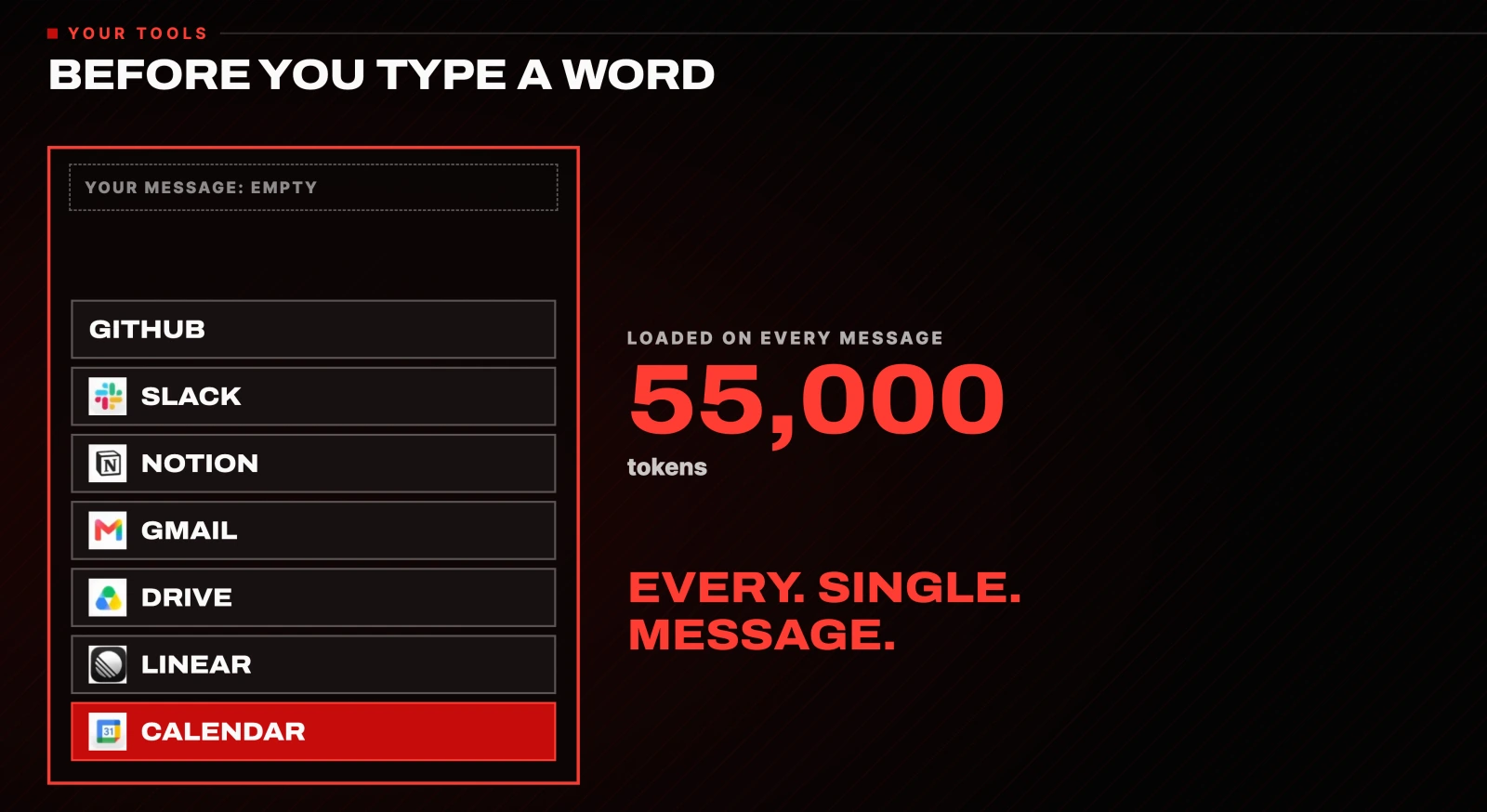
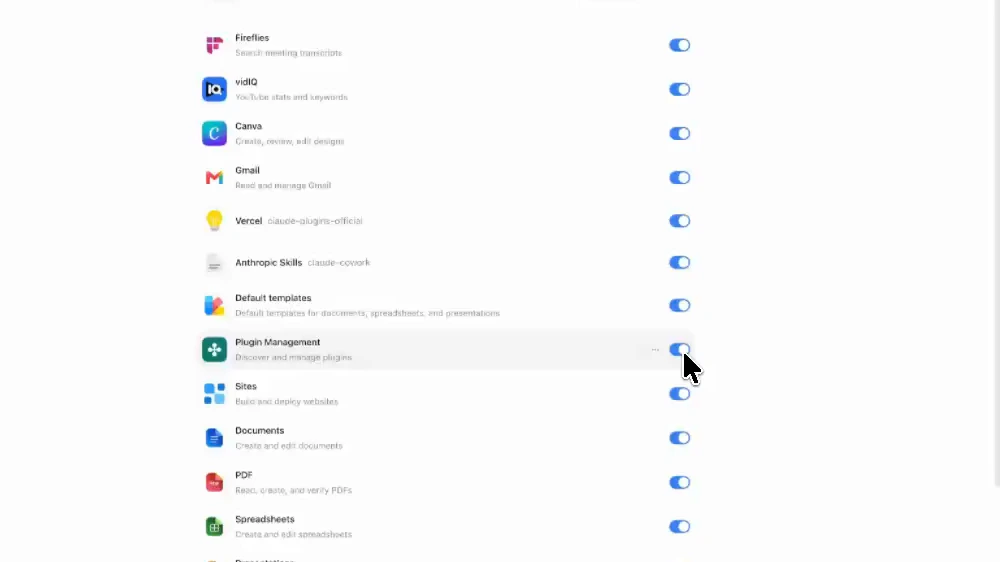
In Codex, go to Settings, then Plugins, and look through your list. Turn off anything you have not used in over a month. People have taken a 55,000 token load down to 3,000 with that one change.
Filter command output with RTK
Tell an agent to install something and 800 lines can come back. You never read them, and you re-pay for all 800 lines on every message after.
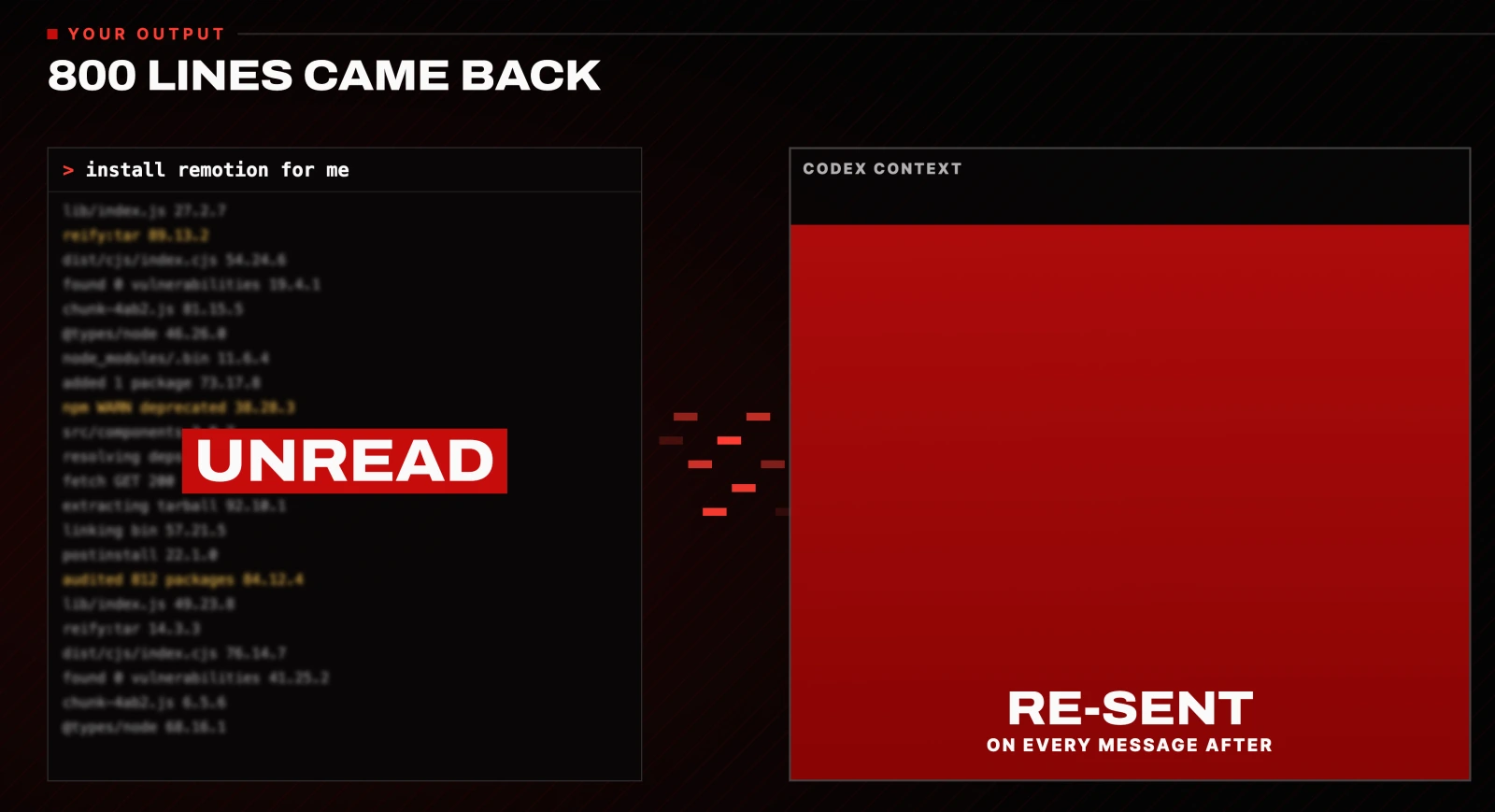
RTK is a free, open-source tool that sits between the terminal and your agent. Instead of dumping raw command output into the chat, it hands back a stripped-down version. On my own setup, a giant file listing went from 7 million characters to about a thousand.
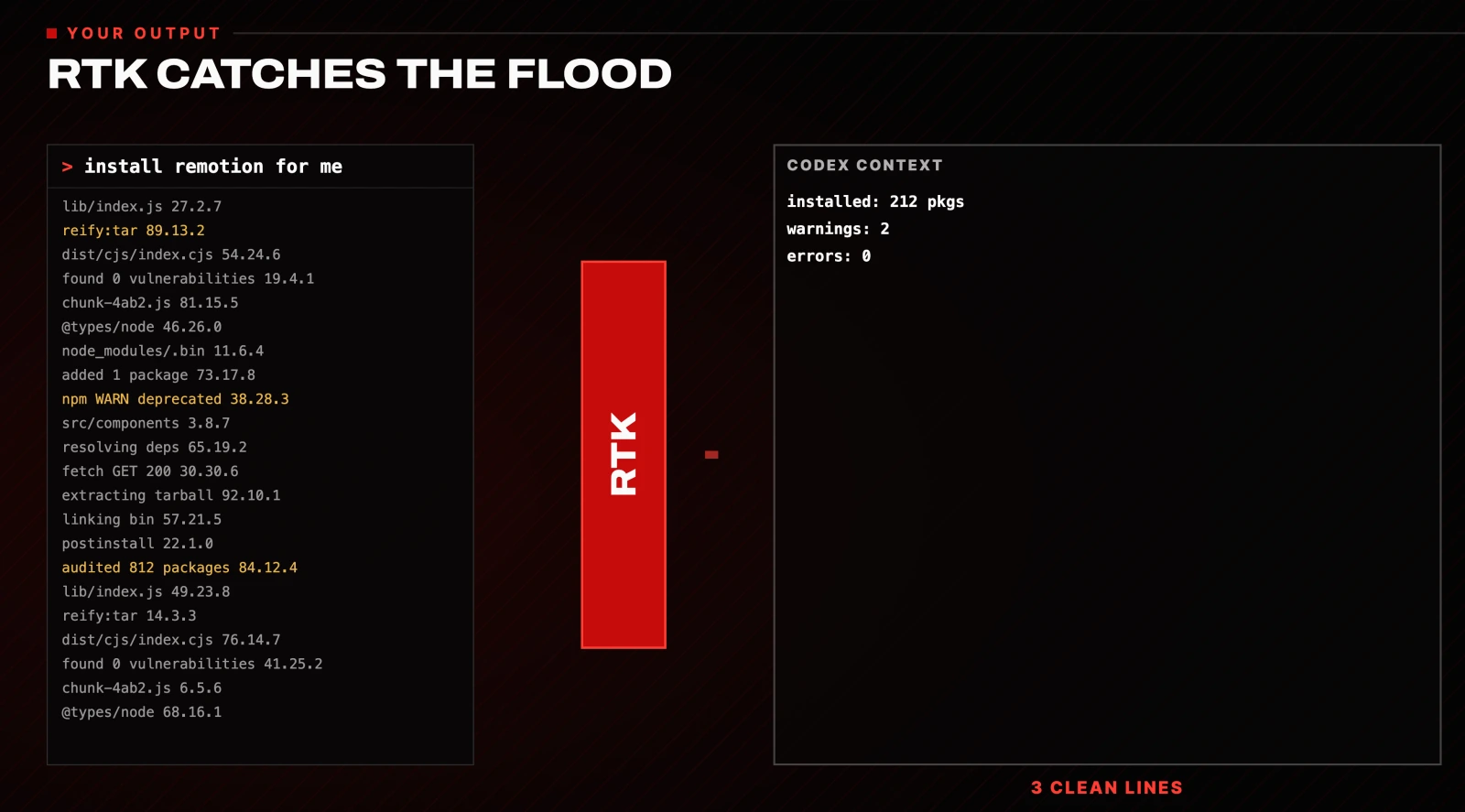
Install it and hook it into Codex:
brew install rtk
rtk init -g --codex
Two things worth knowing. On Codex you have to tell it to actually use RTK; it will not grab the output on its own:
Use rtk for every shell command.And RTK only helps with big, messy output. It does not touch the fixed cost every message already carries.
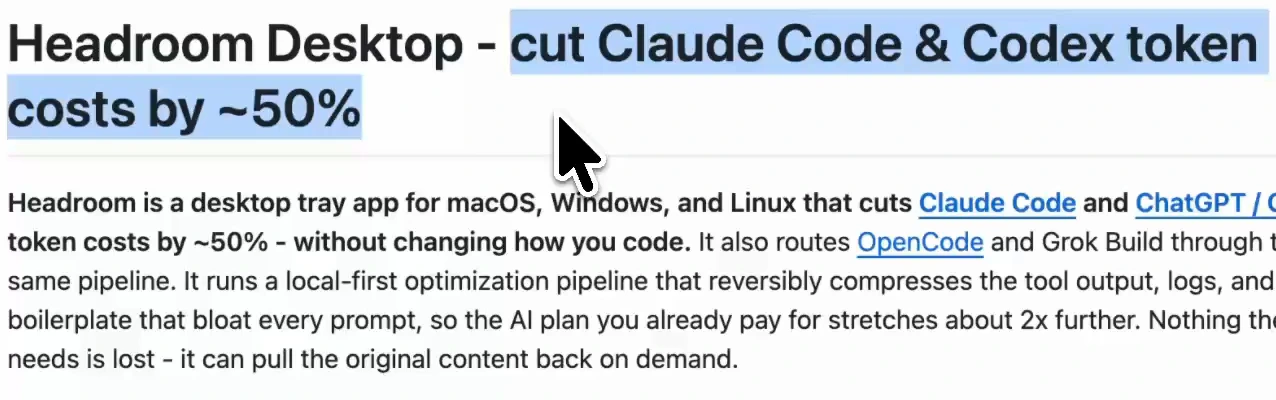
There is also a desktop app called Headroom that does the same job across Claude Code and Codex. Its maker says it cuts costs by about half. It is a paid app with a free trial, and the savings figure is the maker's own, not an independent benchmark.
5. Keep your Codex sessions clean
These are small habits, but they stack up fast.
Start a new chat for a new task. Do not type a fresh request into an old conversation window. You pay for every earlier message and every earlier response each time you send, so when a workflow is done, start from a fresh conversation.
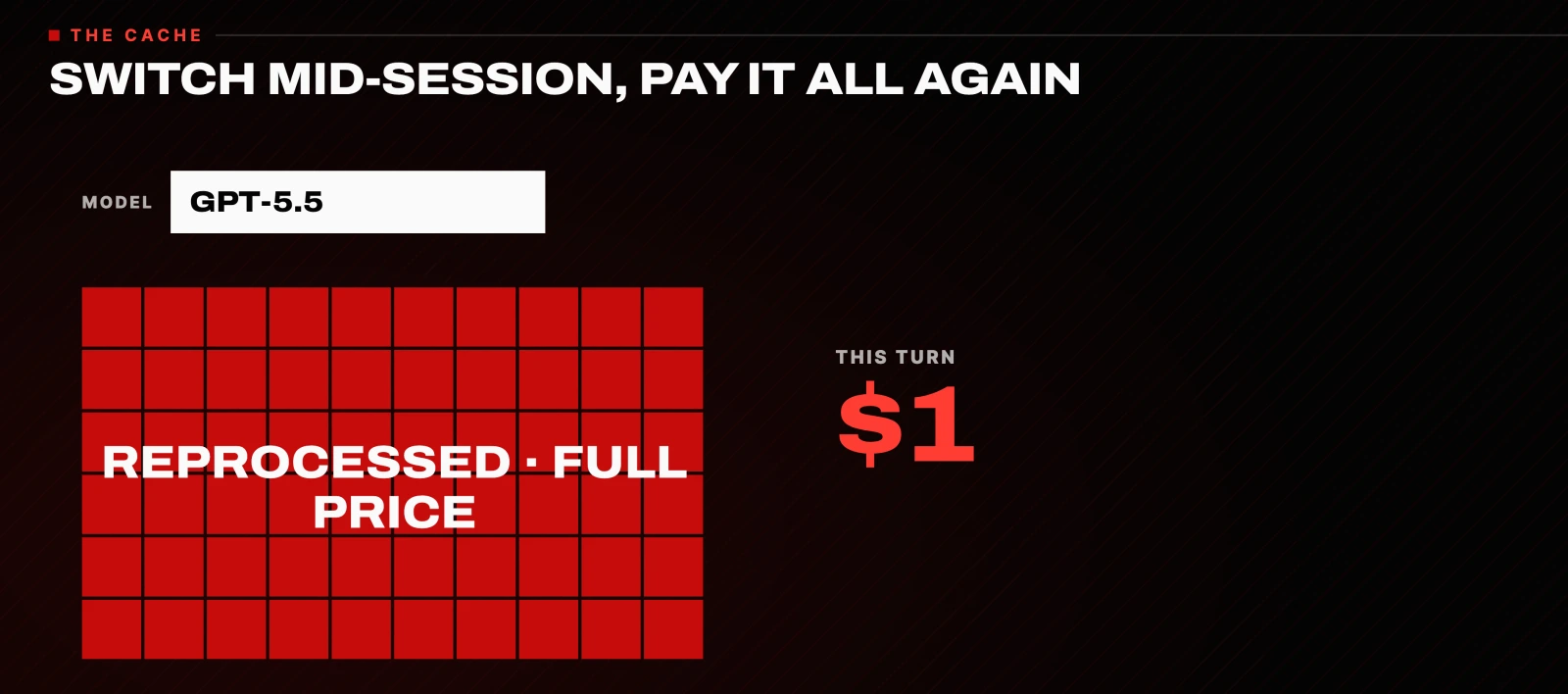
Pick your model and effort at the start, and leave them. The moment you switch models or effort levels mid-run, none of your cached conversation matches anymore, and the whole thing is reprocessed at full price. Switching to a cheaper model halfway through, the move people make to save money, is the most expensive move on the board.
Keep your scope tight. Do not paste in whole repos or entire old chats. That is exactly what bloats a context window.
6. The 272K token trap that doubles your bill
This is the one almost nobody talks about. Astra has a 1.05 million token context window, and that number gets a lot of attention. Here is what does not.
The moment your input goes over 272,000 tokens, the price doubles. Input goes to two times its price, and output to one and a half times its price. That multiplier applies to the entire request, including every token under the line. Per million tokens, that takes input from $10 to $20 and output from $50 to $75.
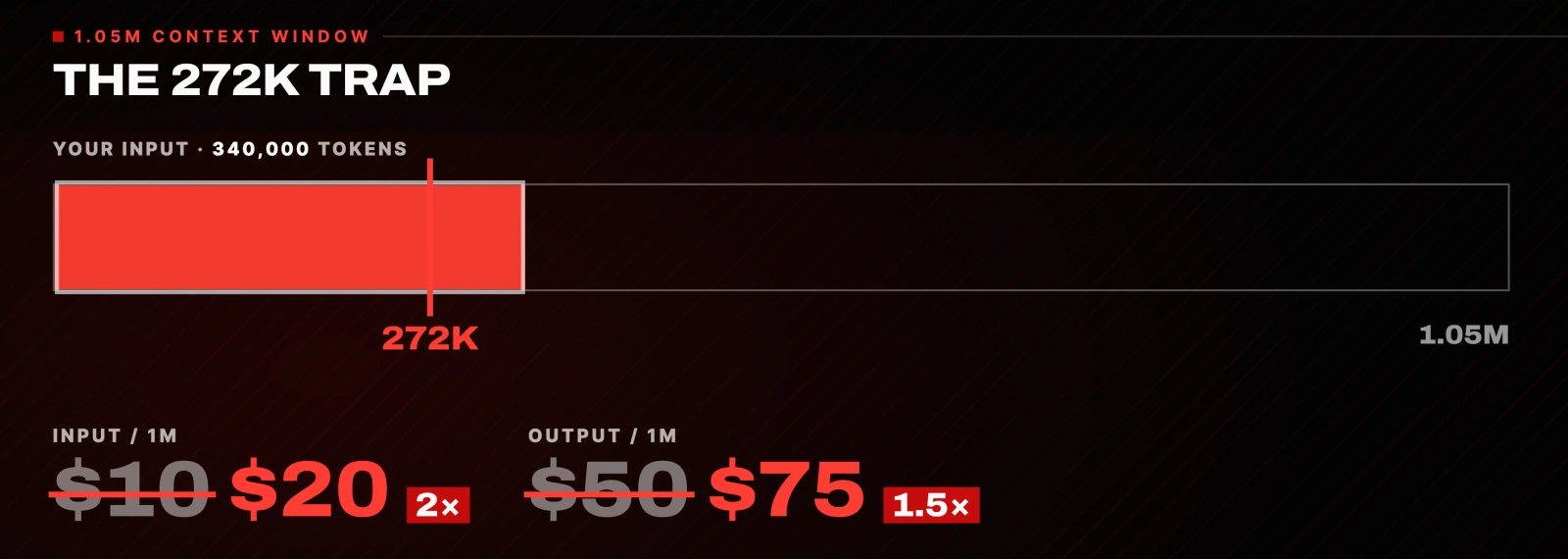
It is in OpenAI's API docs for GPT-6 Astra:
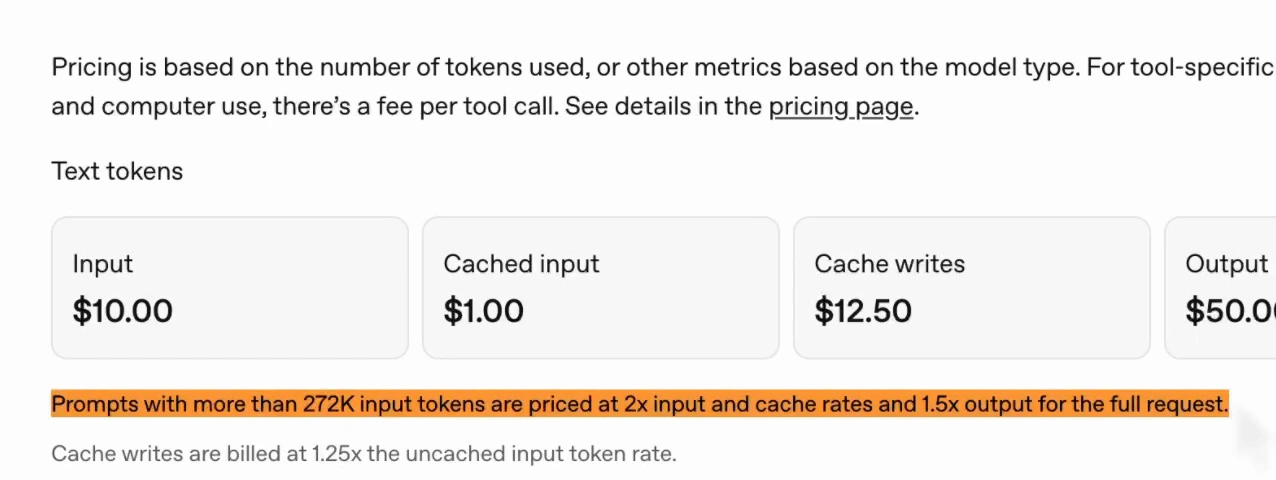
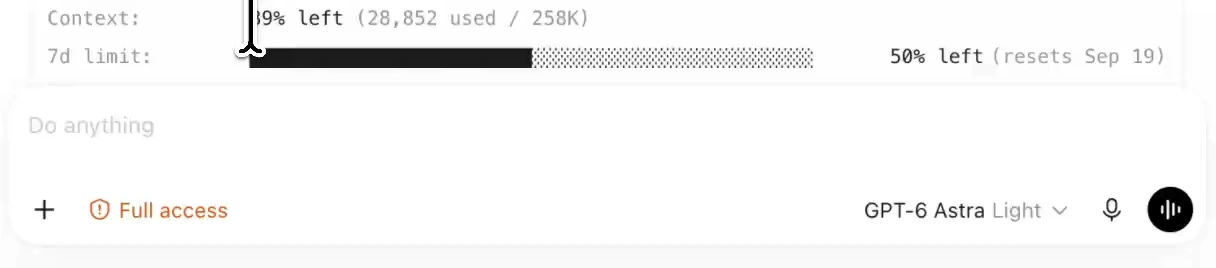
So that giant context window is a trap. Fill it past 272,000 tokens and your bill doubles with zero warning. Keep your working context well under that line. To check where you are, type this in Codex:
/statusIt shows how much context you have left and how much of your limit you have used.
Token-saving tips that do not work
A couple of the usual tips do the opposite of what you have been told.
Writing shorter prompts. What you type is a rounding error in your bill. Do not bother.
Compacting to save money. To summarise your chat, Codex has to send the whole thing one more time, so compacting is the most expensive message of the session. Only use it for continuity, when you genuinely need to carry a chat on:
/compact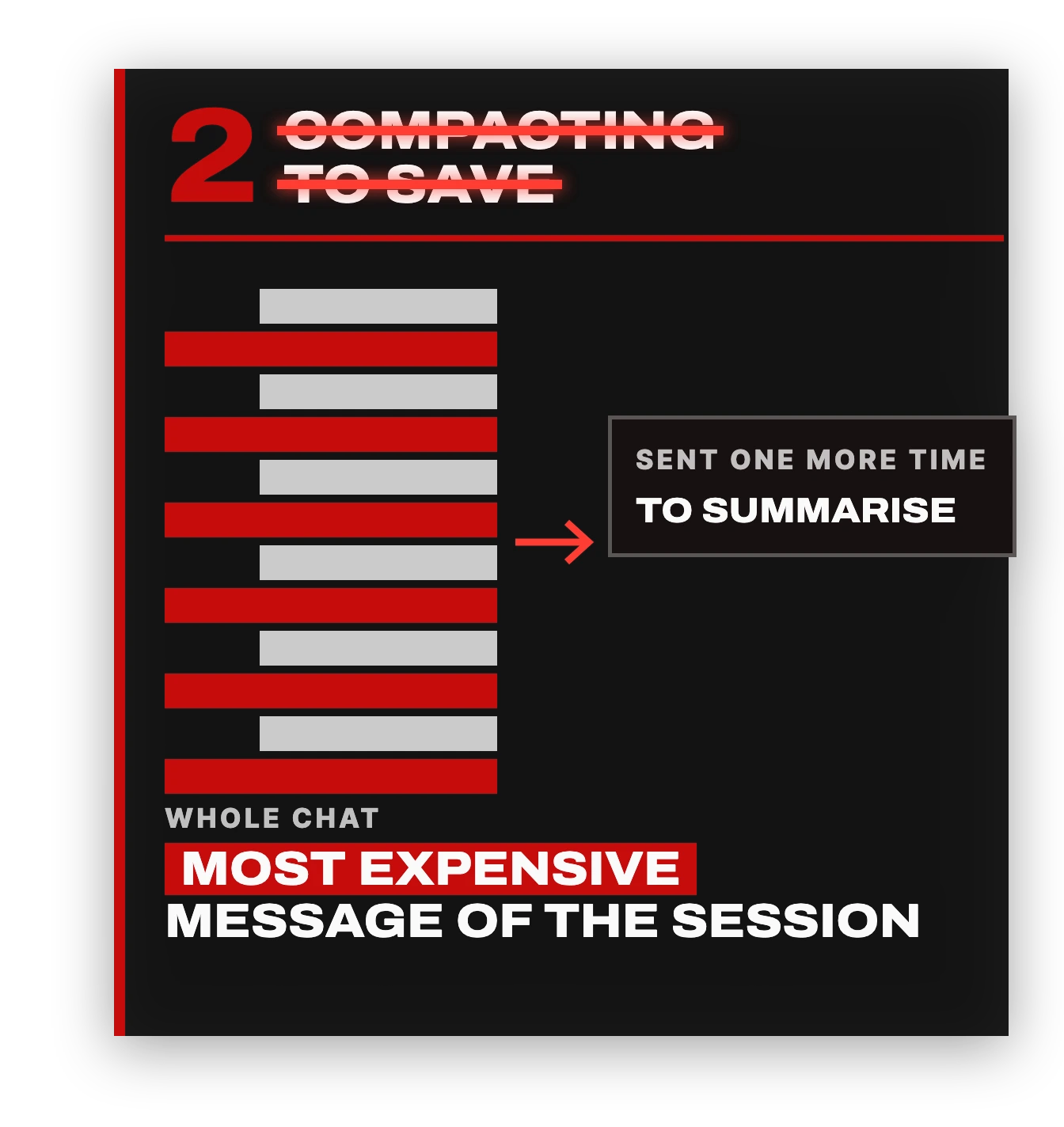
Screenshotting text instead of pasting it. A screenshot can cost a couple of thousand tokens. The same words as text cost far less. Paste the text.
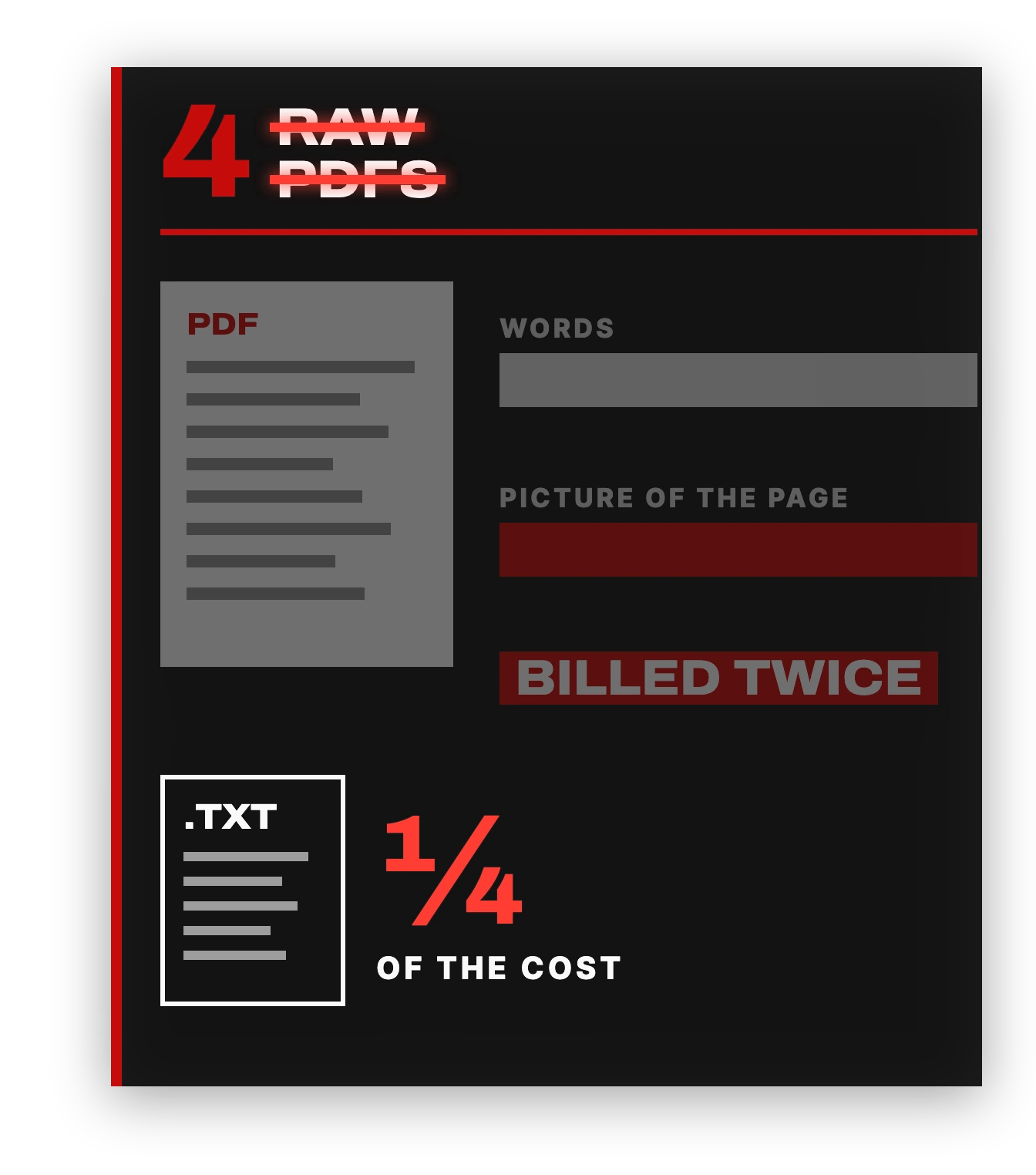
Sending PDFs. You pay for every page twice: once for the model to read the words, and once for the picture of the page. Convert it to a plain text file first, and the same document costs about a quarter as much.
Where to start
Astra is not the problem. It is the smartest model out there and it is worth using. It just does not come with a manual.
If you only do one thing, make Astra the boss, not the worker. That is the setting that saves most people the most money. Then drop the effort to medium, run the audit prompt, and keep an eye on /status so you never cross 272K.
Resources
Questions
- Why does GPT-6 Astra use so many tokens?
- The model has no memory, so every message re-sends your whole conversation, including every earlier reply. Astra also spends extra reasoning tokens you never see. Both costs grow with every message in a session.
- What reasoning effort should I use for GPT-6 Astra?
- Start on medium, not the default of high. Artificial Analysis measured about $0.82 per task on low effort against $3.26 on max, and OpenAI's own guidance says higher effort does not always produce a better result. Only step up when the answer is not landing.
- What is the 272K token limit on GPT-6 Astra?
- Once a prompt has more than 272,000 input tokens, OpenAI prices the full request at 2x for input and cache and 1.5x for output. That takes input from $10 to $20 and output from $50 to $75 per million tokens. Keep your working context well under that line and check it with /status.
- Does /compact save tokens in Codex?
- No. To summarise the chat, Codex sends the whole conversation one more time, which makes compacting the most expensive message of the session. Use it for continuity when you need to carry a chat on, not to save money.
- How do I use cheaper models for grunt work in Codex?
- Create Codex subagents: TOML files in your project's .codex/agents/ folder that set a cheaper model and a lower reasoning effort. Then tell your main Astra agent to delegate planning and grunt work to them and only make the final judgment call itself.

You made it to the end
That is the whole build. Want the next one?
Read next
What GPT-6 Astra Can Actually Do: 5 Use Cases I Tested
It opens a browser, drives desktop software click by click, and keeps working until the job is done. Here are five real jobs I gave it, with every prompt.
Grok Bot Review: Is the $20 Plan Worth It?
Two weeks with Grok Bot at its new $20 price, including the usage costs, the shared-machine security model and the account risk the demos leave out.
How to Give Claude Code and Your AI Agent Shared Memory
Connect a builder and an operator to one memory store, so what you tell one the other already knows.