Grok Bot Review: Is the $20 Plan Worth It?
Two weeks with Grok Bot at its new $20 price, including the usage costs, the shared-machine security model and the account risk the demos leave out.
From the videoGrok Bot Is Only $20 Now. Here's What They're Not Telling You
Most people hear "$20" and assume the hard part is over. It is not. Grok Bot is the easiest AI agent anyone has ever shipped, and at $20 a month it is worth one free trial. But the $20 is not the real number, every bot you run shares one computer that xAI's own documentation says is not a security boundary, and the day your account goes, your entire setup goes with it.
I paid for it, ran it for two weeks against the agents I already use daily, and screenshotted what actually happened. Here is everything the demos leave out, plus the five prompts I used, verbatim.
What Grok Bot actually is
Grok Bot is a team of AI agents that live inside one app. You give each one a name and a job. They all run on a single computer in the cloud with a browser, a file system and a memory. Each bot gets its own screen on that machine, so several can work at once.
That computer is always on. The work keeps running after you close your laptop, and you can check it from your phone. The bots also talk to each other: you give one a job and it hands part of it to the others on its own.
It is built by xAI and Cursor, and it runs on Grok's models. The cheapest way in is the Cursor Pro plan at $20 a month. It launched at $200, so this is a 10x cut in two weeks. At $200 it was easy to ignore. At $20 it lands directly on top of tools that are free.
What Grok Bot does better than anything else
I went in expecting a toy. Five things changed my mind.
The setup is genuinely nothing. If you can install an app, you can run Grok Bot. That has never been true before. I have had to make full setup videos to get people through installing other agents. None of that applies here.
Connections happen once. You authorise a tool one time and every bot can use it. For anything without a connector, the bot opens a real login screen and lets you sign in yourself.
The computer stays on. I gave a bot a job, closed my laptop, and it kept going. I checked it from my phone while I was out.
It learns a task by watching. I recorded myself doing something once and it turned that recording into a repeatable skill.
It fixes its own work. After one bot finished a job, it left itself a note about what went wrong and repaired its own skill without being asked. That is the genuinely impressive part, and no competitor does it this smoothly out of the box.
The one prompt that sets everything up
This is the highest-value thing in the whole tool, and it is one message. Paste this, attach or type everything about yourself, and let it build the team:
Here is everything about me.

[your name, your job, what you do, what you care about, your
goals, your clients, your schedule. As much detail as you can.]

Based on all of this, propose the bots I should create, each with
a name, a one-line role, and the routines it should run. Then
create them for me.
You can send the context as a voice message. If you already run another agent, ask it to export everything it knows about you into one file and attach that, which is what I did.
From that single message it produced five specialists, named them, wrote each one a role, and wired every one to a weekday schedule:
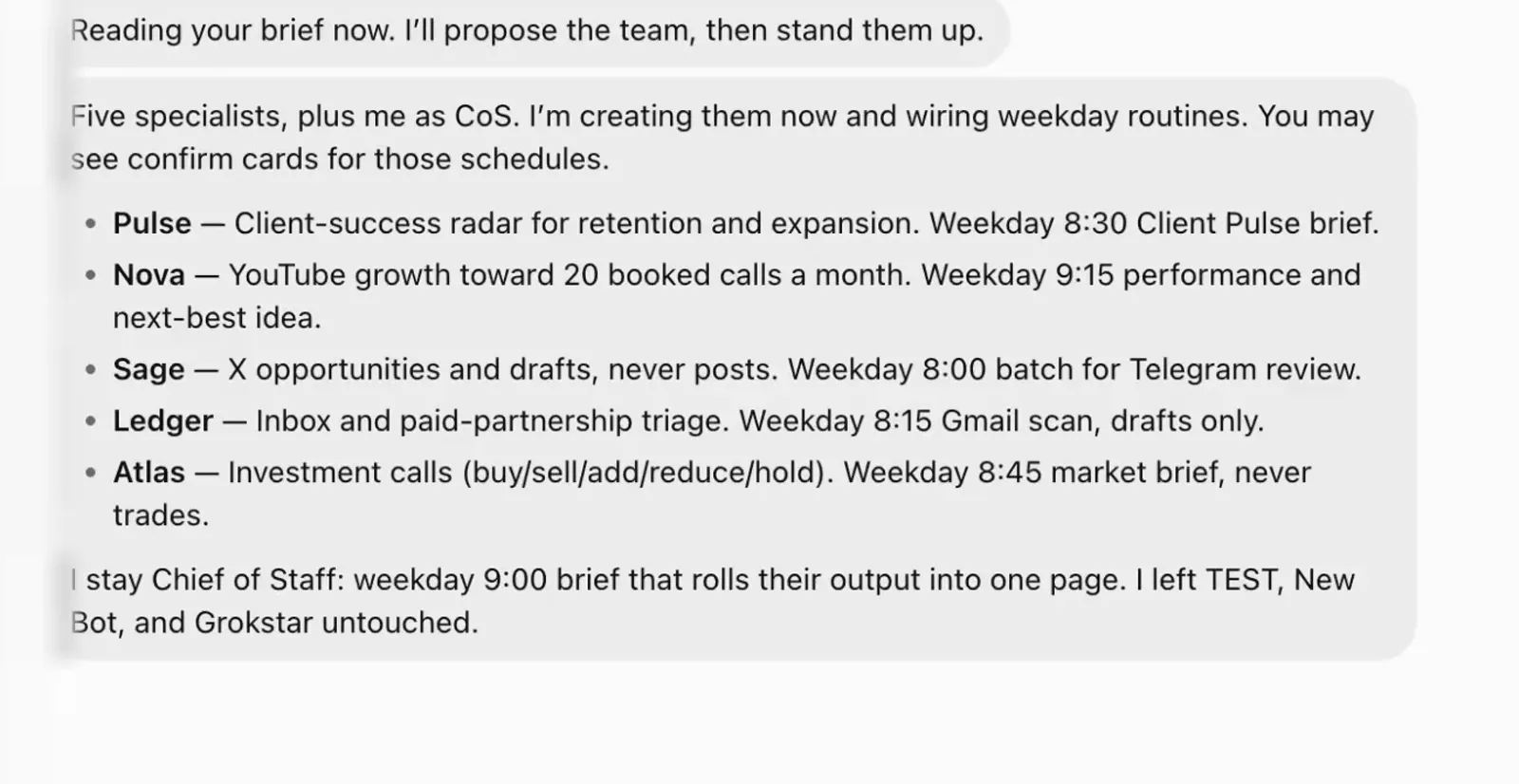
Note what it did without being told: it made itself Chief of Staff, gave itself a 9:00 brief that rolls the other five into one page, and left my existing bots alone. That is the demo that sells the product, and it is real.
What the $20 actually costs
Easy and good are not the same thing. Once I pushed it harder, the cracks showed.
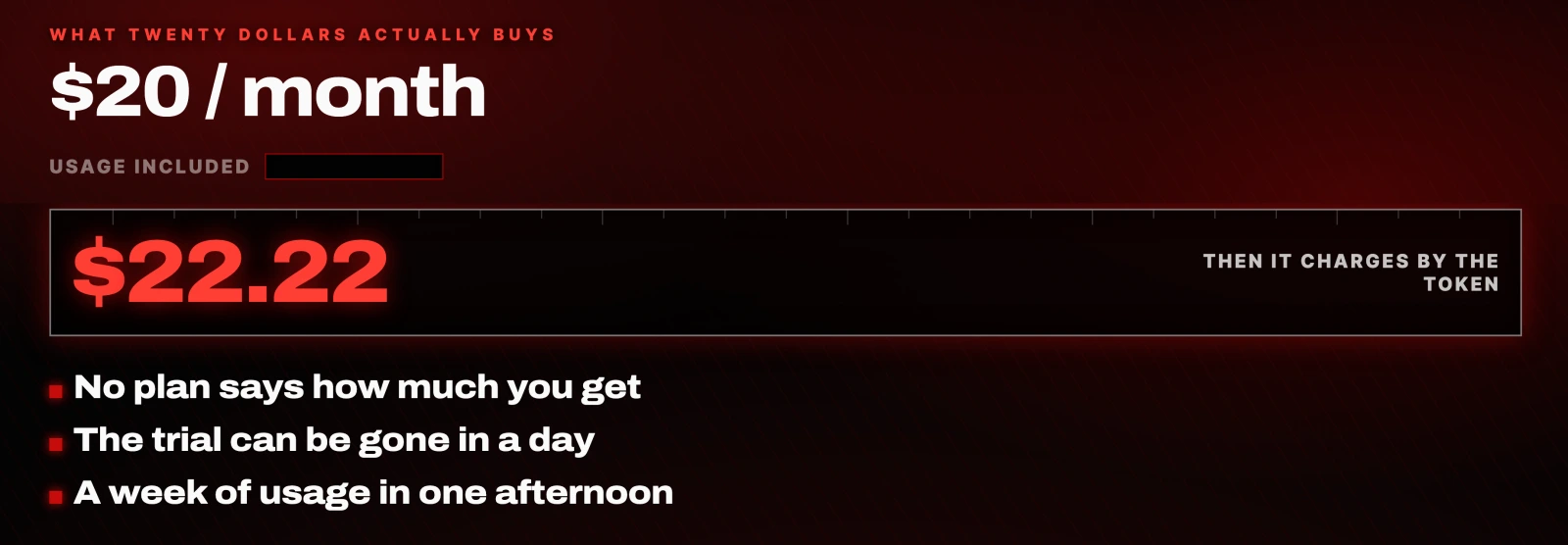
No plan tells you how much usage you actually get. The free trial can be gone in a single day. If you run a few bots hard, you can burn most of a week's usage in one afternoon. After that it charges you by the token.
It is cheap to walk in. It gets expensive once you are inside. Budget for the token spend, not the $20.
The security problem nobody mentions
This is the one that matters most, and it gets cut from every demo.
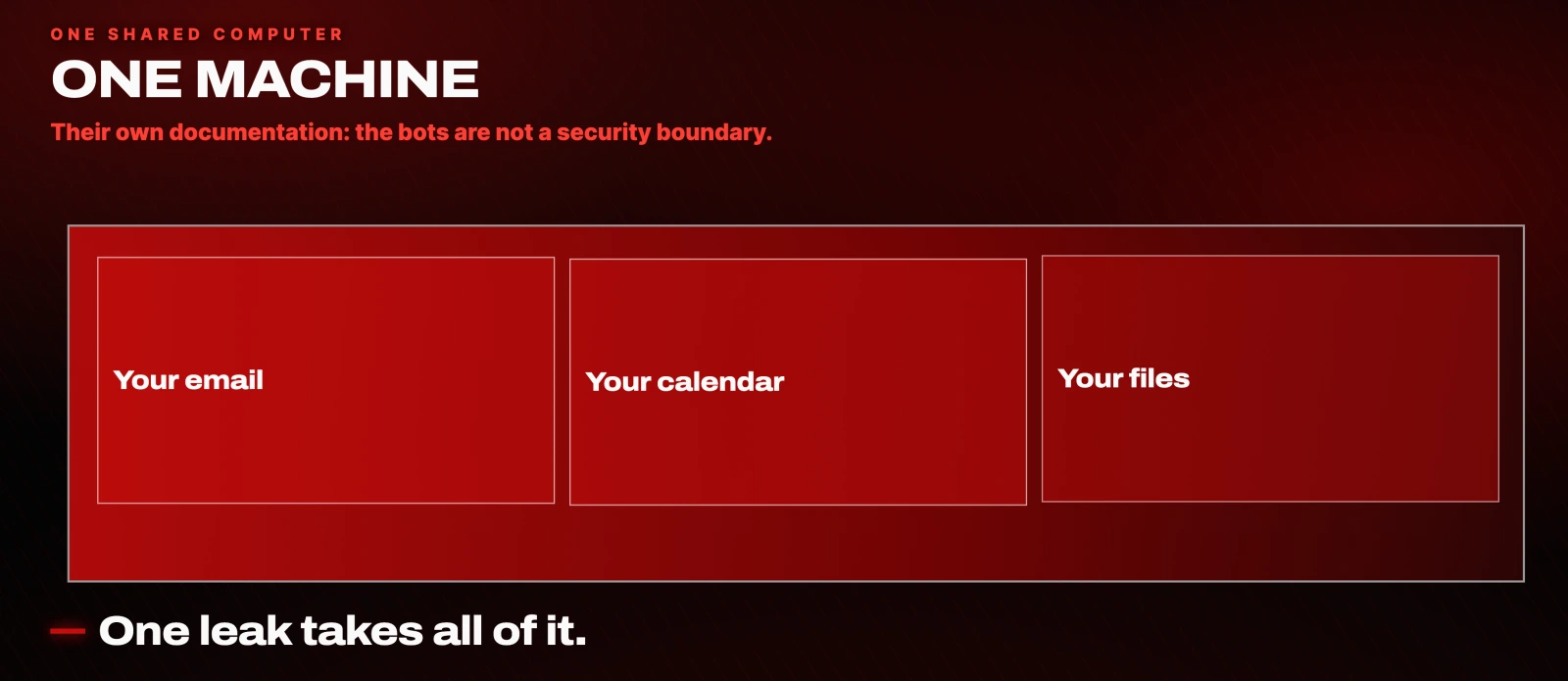
Every bot runs on that one shared machine. Their own documentation states plainly that the bots are not a security boundary. So every account you connect (your email, your calendar, your files) sits on one computer, under one company, inside one perimeter. If one thing leaks, all of it is in the same place.
That is a different risk profile from running an agent on hardware you control, and it is worth understanding before you connect your primary Gmail.
It is a beta and it behaves like one

The shared computer can get stuck and take every bot down at once. Connectors time out. One of mine never connected at all, no matter what I tried. Jobs occasionally came back half finished.
None of this is fatal for a $20 experiment. All of it is disqualifying if you were planning to put something load-bearing on it this month.
What happens if your account gets suspended
My X account was suspended for sharing an open source tool with my audience. The moment it happened, my Grok Bot access was gone. Every bot, every routine, every login I had connected was locked away from me.
Your workspace does not belong to you. It belongs to your account, and your account belongs to them. The day they decide you are done, your whole team of AI employees becomes unreachable. That is the real cost of renting your setup, and it has nothing to do with the monthly price.
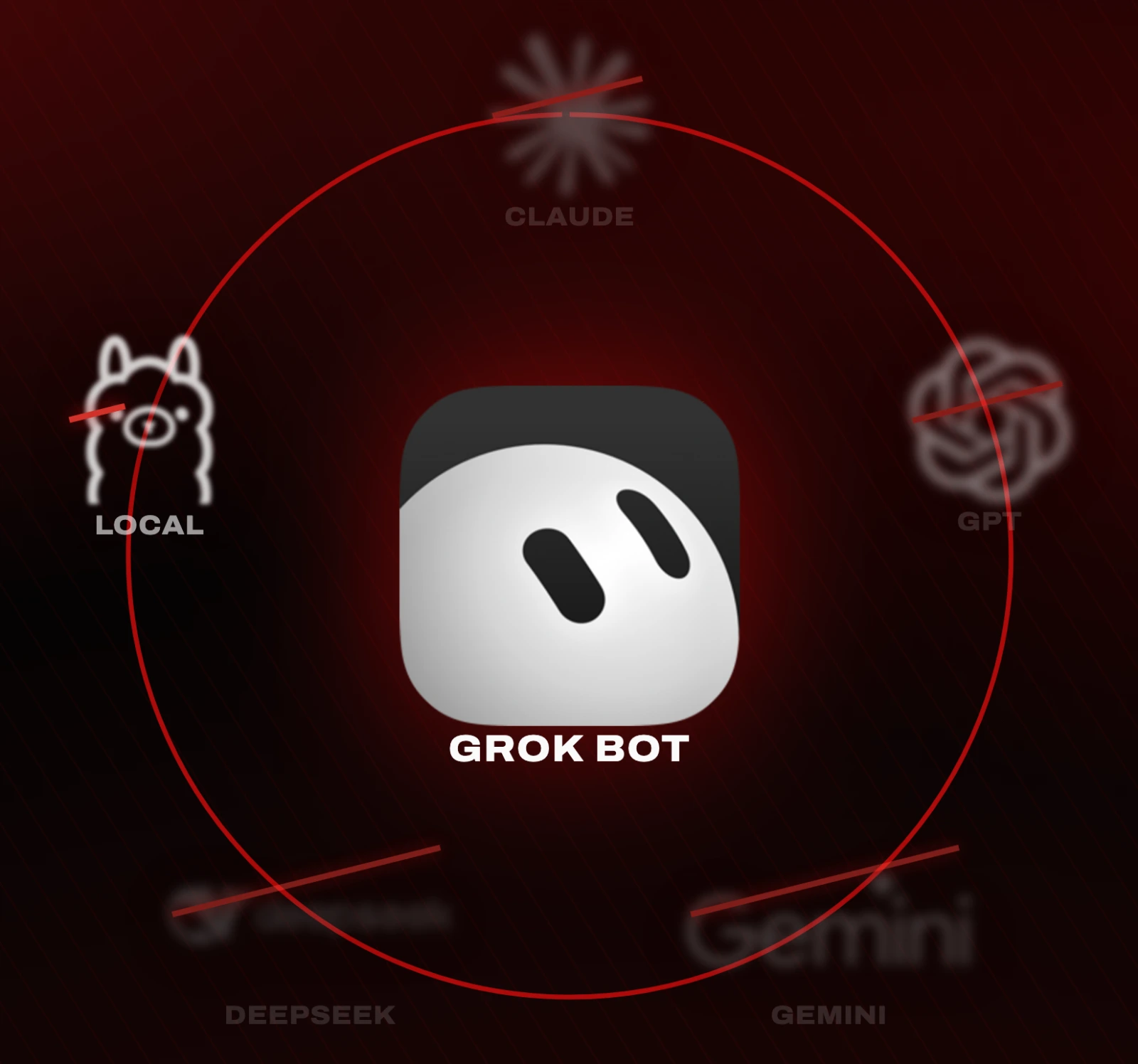
It is also closed in the ordinary sense. You are locked to Grok's models and cannot bring your own. When a bot's memory fills with junk, you cannot clean it out.
Grok Bot vs Hermes Agent vs OpenClaw
Now that it is $20, the honest question is whether it beats the tools that cost the same or nothing at all.
Hermes Agent is free and open source. You run it on your own machine or a cheap server and point it at any model you want. Point it at a local model and it costs nothing. Most people run it on a $20 Codex subscription, which is plenty for a normal month. You own it, it remembers you, it writes its own skills, and nobody can lock you out or raise your price. The catch is that you set it up yourself, and that can cost you an afternoon.
OpenClaw is the other tool Grok Bot is chasing. Also free, also open source, also yours, but it leans on you to host it and keep it alive. It needs maintenance, and it has a habit of breaking itself when you ask it to run an update.
Claude Code and Codex at $20 are a different job entirely. People lump them in, but they build things while you sit there. They do not run your life on a schedule. They are coding assistants, not AI assistants.
Cowork comes with the $20 Claude subscription and is the closest thing on the Claude side to Grok Bot. It does multi-step work on your computer and runs on a schedule while you are away. The catch is identical: closed, rented, and it burns usage fast.
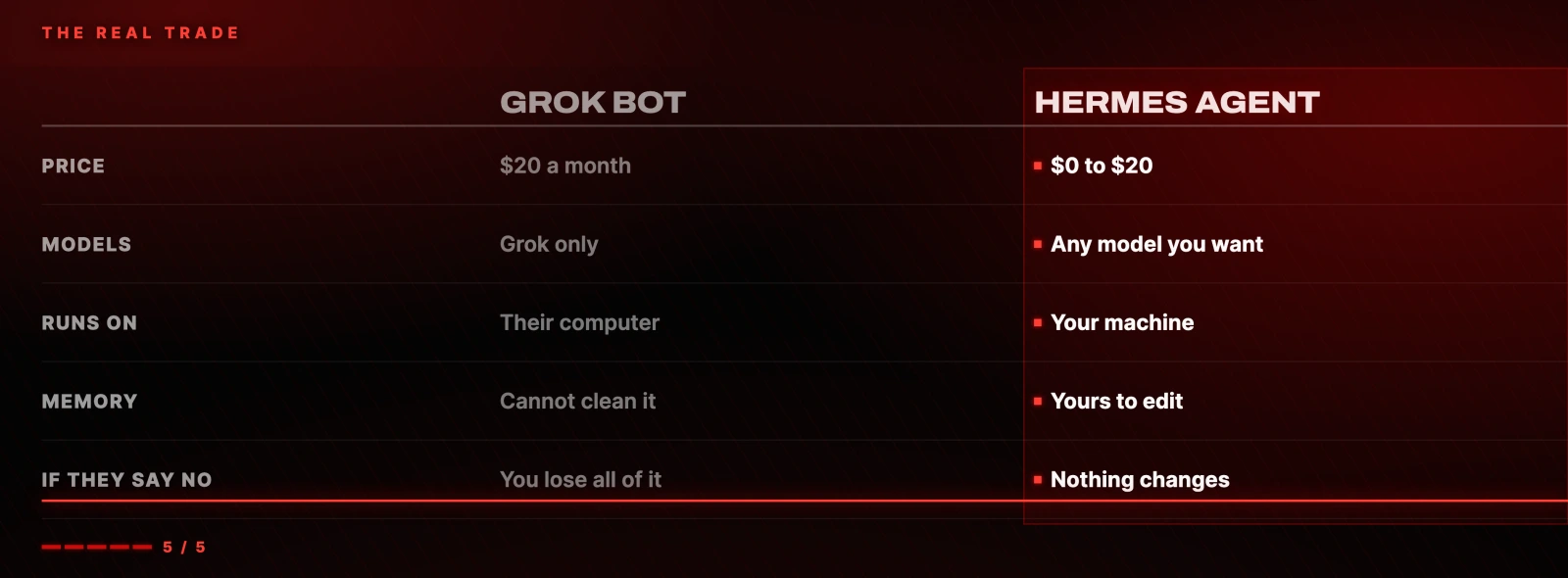
Grok Bot and Cowork buy you convenience for $20. Hermes and OpenClaw buy you ownership for somewhere between nothing and $20. Two of them you pay for every month and cannot see inside. The other two are yours permanently, at a price you control.
The four other prompts worth running on the free trial
The free usage is small and can be gone in a day, so do not spend it on busy work. Give it one real job with an outcome you care about. These are the four I would run, after the master setup above.
A morning brief
Every weekday at 7:00 AM, read my calendar and my inbox from the
last 24 hours. Give me my meetings today, the three things worth
acting on from email, and a suggested plan for the day. One short
message. Please do not send anything on my behalf.
Connect Google Calendar and Gmail from the plugin menu first. You can attach multiple calendars from multiple accounts inside the same connection.

Inbox triage
Read my inbox from the last 24 hours. Batch every email that is
safe to archive without me reading it and show me one list with an
archive button. Then summarise the ones I need to know about but
do not need to reply to. Then for anything that needs a reply,
read the full thread and draft a reply in my voice, ready to send.
Learn my preferences over time. Never send without my approval.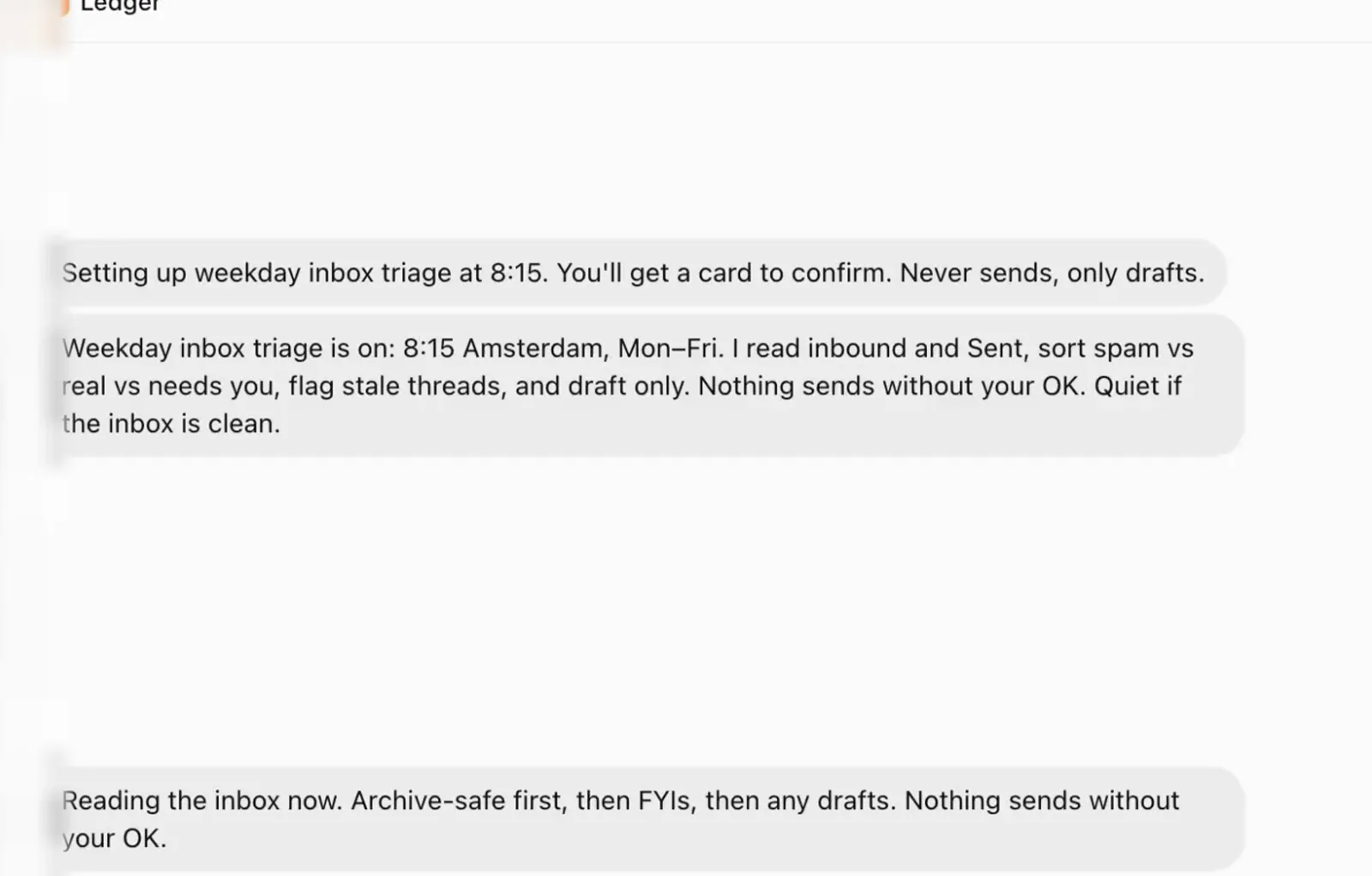
The interesting part is what happened next. I added the 24 hour limit partway through, and it went and fixed its other scheduled jobs to match, then told me it had: "Locked that as the default: last 24 hours unless you say otherwise. Morning triage too." Nobody asked it to do that.
A research agent
Watch X for me. Every morning, check for anything new that
actually matters on AI, Hermes and Grok Bot, and message me only
when there is something worth knowing. Ignore the noise. When you
report, give me the headline, why it matters, and the link.
This is the one I would run first if you are a creator or a business owner. The output is exactly the format requested, with dates, sources and links:
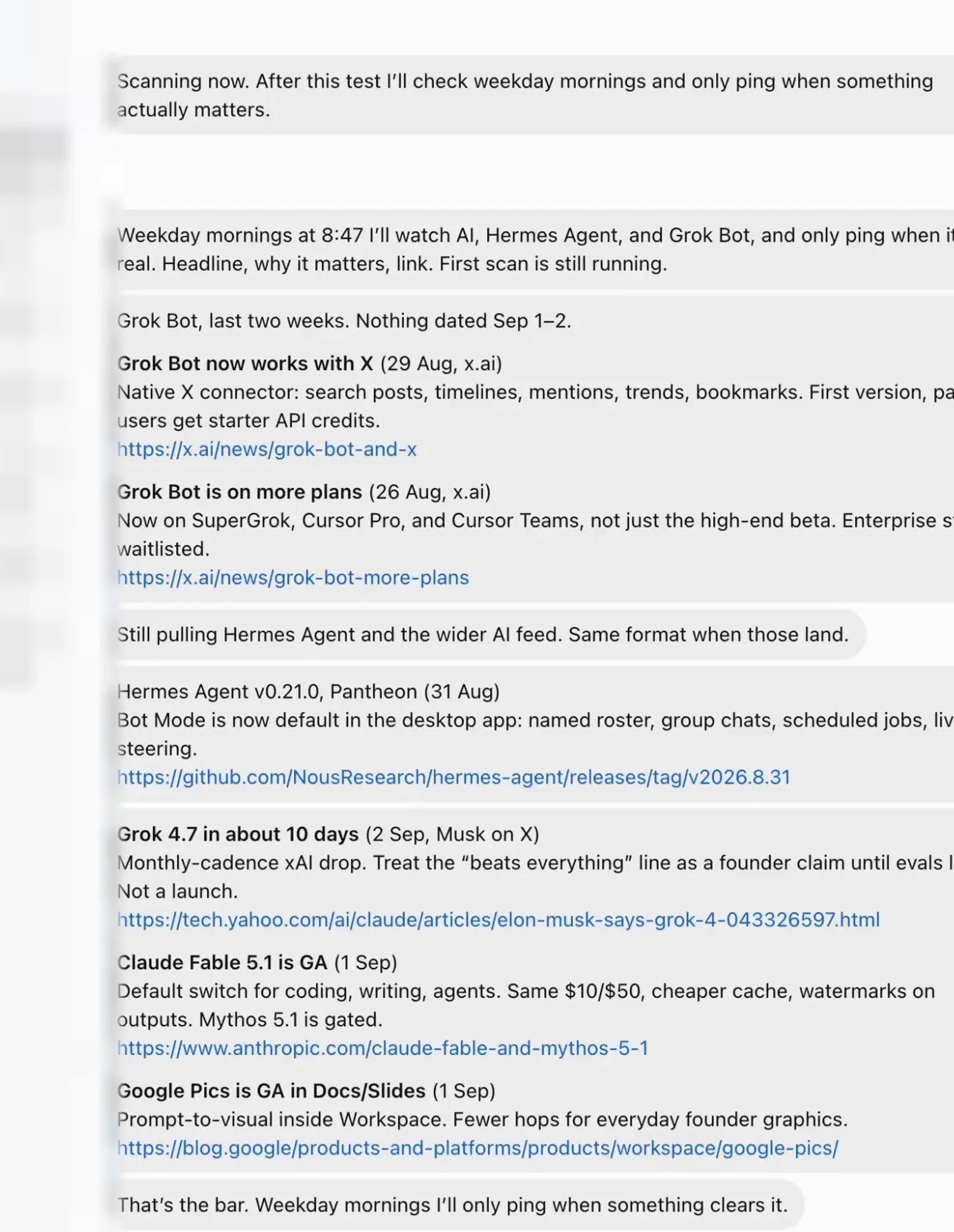
Note the last line: "That's the bar. Weekday mornings I'll only ping when something clears it." It set its own threshold from the phrase "ignore the noise".
A build job, managed by another bot
I want to build a landing page for X. Spin up a builder bot, hand
it the job and manage it until it is done. Show me the result on a
live URL. Only check in with me if you need a decision.
This is the best demonstration of what the tool is for. It opened a Cursor tab and handed it a genuinely good brief, complete with the goal, the outcomes and the success criteria for knowing it was finished. I raced it with a Rubik's cube and it beat me: one minute seven seconds to a live page.
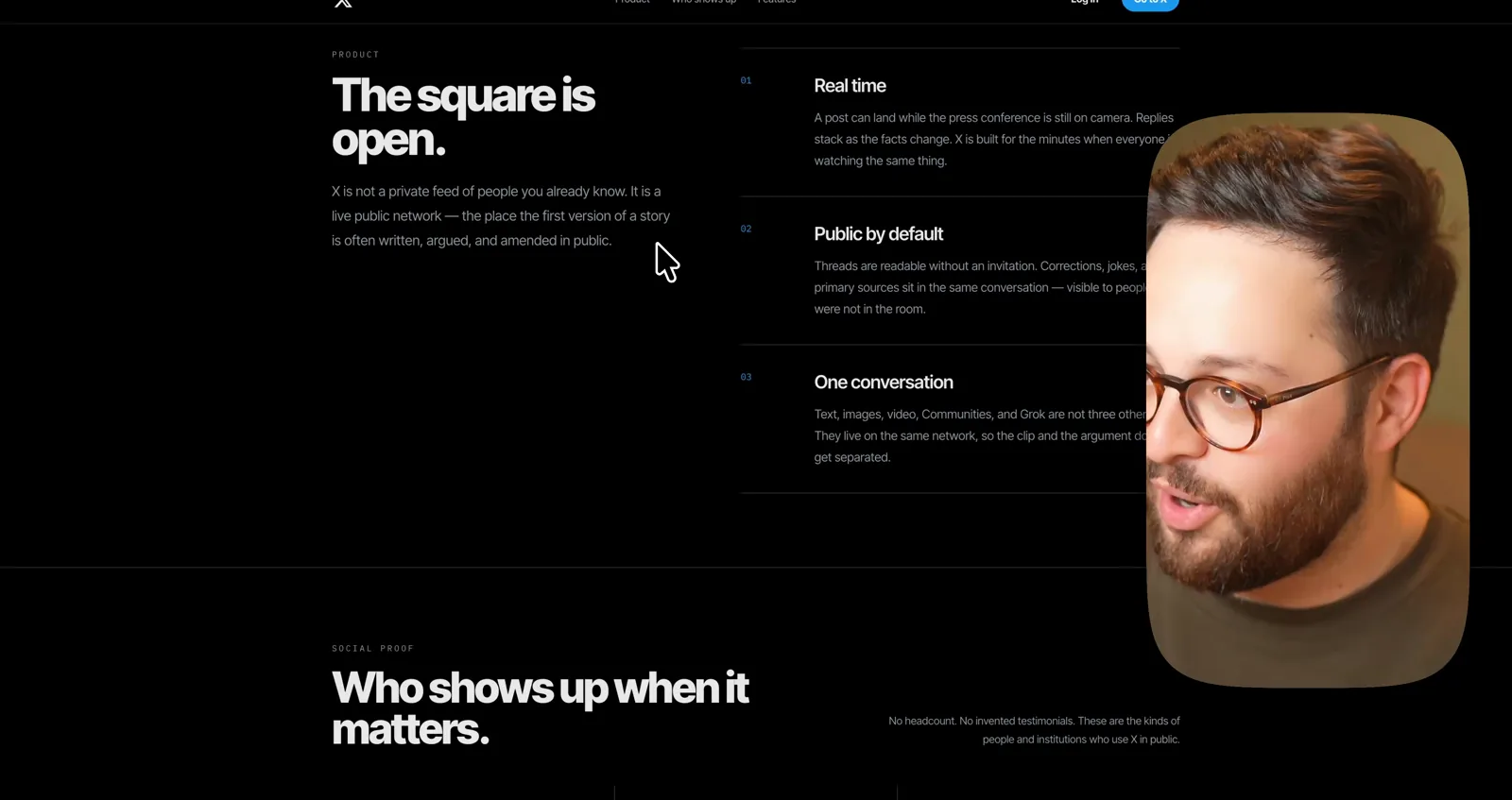
It is a real, working, deployed page. It is also not quite the page I wanted, which is a prompting problem and not a tool problem. Your output is only as good as your brief.
The verdict
At $20, Grok Bot is worth one free trial and one honest test. It is the easiest AI agent anyone has ever built. If you are never going to touch a terminal, it is a genuinely good pick, and convenience is worth real money to a lot of people.
If you are willing to learn a little, the tools you own do the same job, often better. They do not meter you, and nobody can raise the price on you or take your workspace away.
That is the real trade. Convenience versus control.

Pick your single best use case, run it on the free trial, and judge it on that one thing. If it earns its keep inside a week, pay the $20. If it does not, you have lost nothing but an afternoon.
Questions
- How much does Grok Bot cost?
- The cheapest way in is the Cursor Pro plan at $20 a month. It launched at $200, so this is a 10x cut in two weeks. The $20 is not the full cost though: no plan states how much usage is included, and once you exhaust it the service charges by the token. Running a few bots hard can burn most of a week's usage in one afternoon.
- Is Grok Bot safe to connect to my email and calendar?
- Every bot runs on one shared cloud computer, and xAI's own documentation states the bots are not a security boundary. Every account you connect sits on that single machine under one company, so a single leak exposes all of it. That is a meaningfully different risk profile from running an agent on hardware you control.
- What happens to my bots if my X account is suspended?
- You lose access to all of them. My X account was suspended for sharing an open source tool, and my Grok Bot access disappeared immediately: every bot, every routine and every connected login. The workspace belongs to your account, and the account belongs to xAI.
- Is Grok Bot better than Hermes Agent or OpenClaw?
- It is far easier to set up and it is the only one of the three that works with no configuration at all. Hermes Agent and OpenClaw are free and open source, run on your own machine, work with any model you choose, and cannot be taken away or repriced. The trade is convenience against ownership, and the setup cost for the open source options is roughly one afternoon.
- Can I use Claude or GPT models inside Grok Bot?
- No. Grok Bot is closed and locked to Grok's models, and you cannot bring your own. You also cannot clear a bot's memory once it fills up with junk. If model choice matters to you, an open source agent that lets you point at any provider is the better fit.
- Is the Grok Bot free trial enough to evaluate it?
- Yes, if you spend it deliberately. The included usage is small and can be gone in a day, so avoid busy work. Pick one real job with an outcome you care about, run only that, and judge the tool on it. If it earns its keep inside a week, pay the $20.

You made it to the end
That is the whole build. Want the next one?
Read next

How to Run a Team of AI Agents, Not Just One
A manager agent, four specialists, and one shared room your human team can actually enter. With every prompt I used.

Hermes Agent: 7 Real Jobs It Runs, With the Prompts
The seven jobs I hand Nous Research's free, open-source agent, and the exact prompt to copy for each one.

Hermes Agent Setup: Build a Free 24/7 AI Agent From Scratch
Somewhere to run, a model to think with, a channel to reach you. About 30 minutes, no code, and it can cost nothing.